
Lieferung heute & morgen

Qualitätsgarantie

Willkommens-Angebote freischalten: KOSTENLOSE Lieferung | Bis zu 80 % RABATT | Kostenlose 30-Tage-JoyPlus-Testphase
App herunterladen
A tidy, cable-free desk not only boosts concentration but also offers more flexibility in designing your workspace. A wireless keyboard is a cornerstone of this setup. However, the market offers a bewildering variety of models that differ significantly in technology, design, and features.
This guide is here to help you navigate the options. We'll introduce objective criteria for selecting the right RF keyboard or Bluetooth keyboard and present a curated selection of models for various use cases—from the home office to mobile work.
To find the perfect model for your needs, several technical aspects should be considered. The following points will help you make an informed decision.
The type of wireless connection is a crucial criterion.
The typing experience and intended use are largely determined by the key switch type.
Look for a layout that matches your typing habits (e.g., QWERTY for the English-speaking market). Additional features like an integrated palm rest can enhance comfort during long sessions. A keyboard for the home office should also be durable and easy to clean. Also, check for compatibility with your operating systems (Windows, macOS, Android, iOS).
Based on the criteria mentioned, we have compiled a selection of models that cater to different user needs.
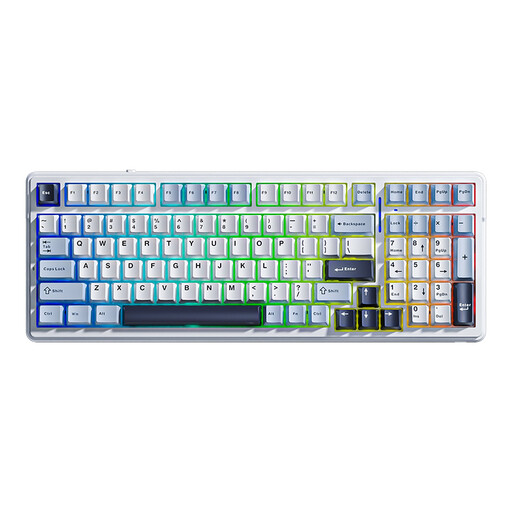
Why it stands out: The AULA F99 is a highly customisable keyboard that combines connection flexibility with the precision of mechanical switches. Its hot-swap capability allows users to change switches without soldering to tailor the typing feel to their preference.
Pros:
Who it's for: For enthusiasts, gamers, and heavy typists looking for a versatile and customisable wireless mechanical keyboard with a premium typing experience.
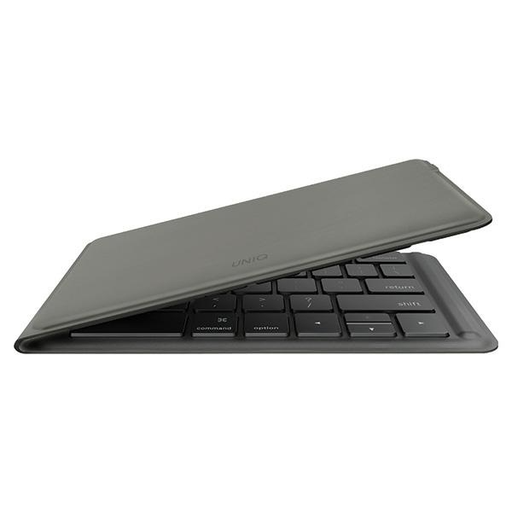
Why it stands out: The UNIQ Forio is all about maximum portability. With its extremely lightweight and foldable design, it's the ideal travel companion. When folded, it fits effortlessly into any bag.
Pros:
Who it's for: For mobile professionals, students, and travellers who need an extremely lightweight and compact foldable keyboard for use with tablets and laptops.
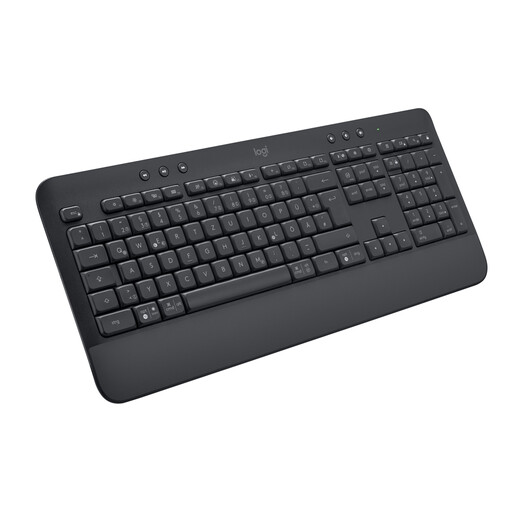
Why it stands out: The Logitech Signature K650 is designed for comfort and reliability in the daily workflow. The integrated palm rest and long battery life make it a low-maintenance workhorse for long days at the office.
Pros:
Who it's for: For users in the home office or corporate office who are looking for a comfortable, reliable, and durable keyboard for the home office for daily use.
The models featured here cover a broad spectrum. If you haven't found the perfect product for your specific needs or aesthetic preferences, it's worth exploring other alternatives.
Discover a wider variety of designs and features in our Wireless Cute Keyboard category.
1. What is the difference between a Bluetooth keyboard and an RF keyboard? A Bluetooth keyboard connects directly to the host device and doesn't require a USB receiver, making it ideal for mobile devices and switching between multiple systems. An RF keyboard uses a dedicated 2.4 GHz USB dongle, which often provides a more stable connection with lower latency, making it well-suited for stationary desktops.
2. How long does the battery on a wireless keyboard last? Battery life varies greatly depending on the model and usage. Models with a built-in rechargeable battery, like the UNIQ Forio, often provide several dozen hours of use per charge. Other models that use replaceable batteries, such as the Logitech Signature K650, can last up to 36 months, according to the manufacturer.
3. Can I use a wireless keyboard for gaming? Yes, especially models with a 2.4 GHz RF connection are well-suited for gaming, as they offer low latency comparable to wired keyboards. A wireless mechanical keyboard like the AULA F99, which offers this connection mode, is an excellent choice for gamers who value responsiveness and wireless freedom.