
Lieferung heute & morgen

Qualitätsgarantie

Willkommens-Angebote freischalten: KOSTENLOSE Lieferung | Bis zu 80 % RABATT | Kostenlose 30-Tage-JoyPlus-Testphase
App herunterladen
Choosing a wireless keyboard promises a clutter-free desk and greater flexibility. However, the market is flooded with models whose performance claims often don't hold up in practice. Many users invest in a device only to be confronted with connection problems, unexpectedly short battery life, or an unsuitable key layout after a short time. This guide will help you identify the crucial features and make an informed choice that truly meets your needs.
Before making a purchase, it's important to know the most common issues that lead to dissatisfaction.
To avoid the pitfalls mentioned above, you should carefully examine three core technical aspects. These critically determine the performance and longevity of your new keyboard.
The type of wireless connection is fundamental to the user experience.
The type of switch under the keys determines the typing feel, volume, and durability.
The size and arrangement of the keys should match your workspace and habits.
Regardless of the form factor, checking for a German QWERTZ keyboard layout before purchase is mandatory.
Here are some recommendations tailored to specific user needs that take the aforementioned criteria into account.
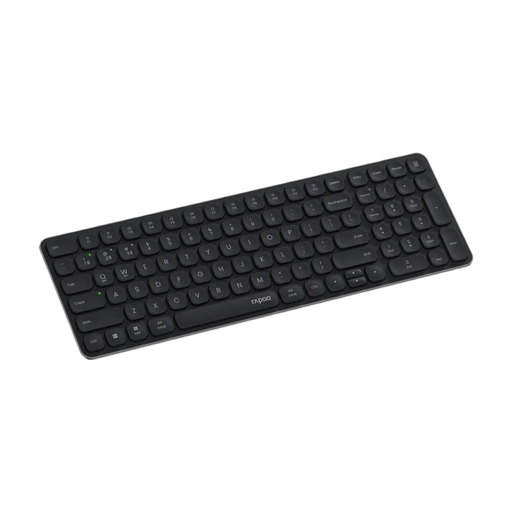
Why This Fits Their Persona: Ideal for users in home offices or offices who need to seamlessly switch between a work laptop, personal PC, and tablet. The ultra-slim design and quiet keys won't disturb others in shared workspaces.
The multi-mode connection (Bluetooth 4.0/5.0, 2.4 GHz) ensures stability. A battery life of up to 12 months avoids the battery trap. The explicit DE Layout (QWERTZ) prevents purchasing errors.
Smart switching between up to 4 paired devices. Quiet scissor switches for comfortable typing. Compact layout with an integrated number pad.
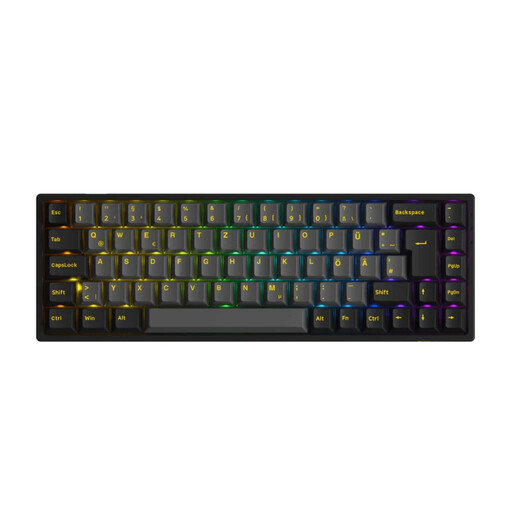
Why This Fits Their Persona: Designed for gamers who want a wireless mechanical keyboard without compromising on performance. The compact 65% layout creates more space for the mouse, while the hot-swap capability allows for custom modifications.
The dedicated 2.4 GHz mode with a 1000 Hz polling rate minimises latency, avoiding the pitfall of unstable Bluetooth connections during gaming. The clear ISO-DE layout ensures the correct key mapping.
Tri-mode connectivity (Bluetooth, 2.4 GHz, USB-C). Hot-swap sockets allow for changing mechanical switches without soldering. RGB backlighting and PBT keycaps.
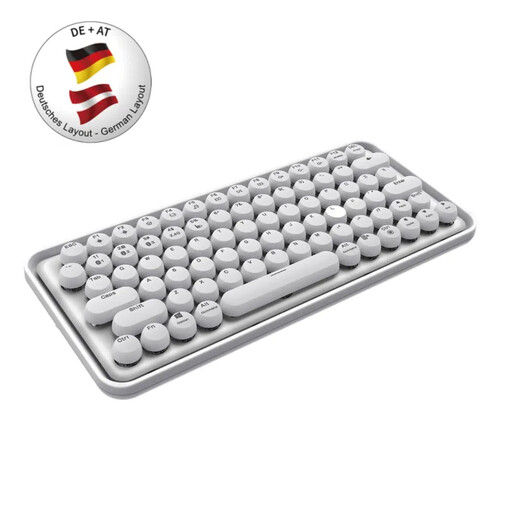
Why This Fits Their Persona: Perfect for tech-savvy and design-conscious users looking for a keyboard for Mac and Windows who value aesthetics. The unique design with round keys is an eye-catcher on any desk.
Offers a stable multi-mode connection and a built-in rechargeable battery, making frequent battery changes unnecessary. The guaranteed QWERTZ German layout ensures smooth use in Germany.
Striking retro design with concave, round keys. Seamlessly switch between multiple devices with a single click. Integrated lithium battery for wireless freedom.
We've compiled a complete, up-to-date list of products that fully meet these strict selection criteria and rigorous quality standards.
Modern multi-device keyboards typically have dedicated keys or key combinations (e.g., Fn + 1/2/3) to switch between paired devices. The initial pairing process is done individually for each device by putting the keyboard into pairing mode. After that, a simple key press is all it takes to connect to the desired device.
Pay attention to the description of the switch technology. Keyboards with scissor-switches or membrane technology are inherently quiet. For mechanical keyboards, models with linear switches (e.g., Red or Black switches) are considered the quietest of their kind, as they do not produce tactile or clicking feedback. Some manufacturers also specify the noise level in decibels (dB) or explicitly advertise sound-dampening materials in the housing.
For casual gamers or non-competitive games, a modern Bluetooth keyboard (version 5.0 or higher) can be sufficient. However, for demanding or competitive gaming, a connection via a 2.4 GHz wireless receiver is recommended. This offers significantly lower latency and a more stable connection, which is essential for fast reactions. Many gaming keyboards therefore specifically offer this mode.