
Lieferung heute & morgen

Qualitätsgarantie

Willkommens-Angebote freischalten: KOSTENLOSE Lieferung | Bis zu 80 % RABATT | Kostenlose 30-Tage-JoyPlus-Testphase
App herunterladen
A wireless keyboard and mouse combo helps keep your desk tidy and is suitable for working from home, studying or everyday PC use. However, the differences are not limited to price. A seemingly suitable wireless keyboard and mouse set can quickly become impractical because of an unsuitable layout, missing ports or high ongoing costs.
For users in Germany, a QWERTZ keyboard is usually the obvious choice. With QWERTY or US layouts, the Z and Y keys are positioned differently, while special characters and the location of the Enter key may also vary. Some product names include terms such as “German version”, while the technical specifications refer to an EU or US layout. Before buying, you should therefore check the exact layout details in the product information.
A 2.4 GHz wireless keyboard often connects via a USB nano receiver. With many sets, this enables a direct connection without Bluetooth pairing, but it does require a free USB-A port. Modern laptops with USB-C ports only may need an adapter. Bluetooth sets, on the other hand, require a compatible Bluetooth module and may involve additional setup steps depending on the operating system.
With battery-powered models, actual battery life depends on usage, the wireless environment and battery quality. Figures such as “up to 36 months” are manufacturer estimates under specific conditions. Rechargeable models avoid the need to buy batteries regularly, but they do need to be charged. You should also check whether the keyboard and mouse can be charged separately and whether they can be used while charging.
A keyboard with a numeric keypad takes up more space, but is practical for spreadsheets, calculations and data entry. If you often work on a laptop or have a small desk, a compact or foldable model could be a good choice. Before buying, compare the keyboard dimensions with the available desk space.
Look out for:
A USB nano receiver is usually straightforward: plug in the receiver, switch on the keyboard and mouse, and wait for the connection. With a set that uses one shared receiver, one USB port remains free compared with solutions that use two separate receivers.
Bluetooth is useful when switching between several devices. However, check whether Windows, macOS, ChromeOS, iPadOS or Android are explicitly supported. Not every key combination works identically across all platforms. Software for remapping keys is also often available only for specific operating systems.
A quiet keyboard and mouse can be useful in shared spaces, libraries or when working from home. Manufacturer descriptions such as “SilentTouch” or “quiet scissor keys” describe the construction, but cannot replace your own preferences. Mechanical keyboards can feel noticeably different when typing compared with membrane or scissor-switch keyboards.
Ergonomic features should be assessed objectively. An ergonomic keyboard and mouse combo might offer a wrist rest, a particular angle or a contoured mouse, for example. Your height, grip, desk height and the opportunity to change position regularly remain the key factors.
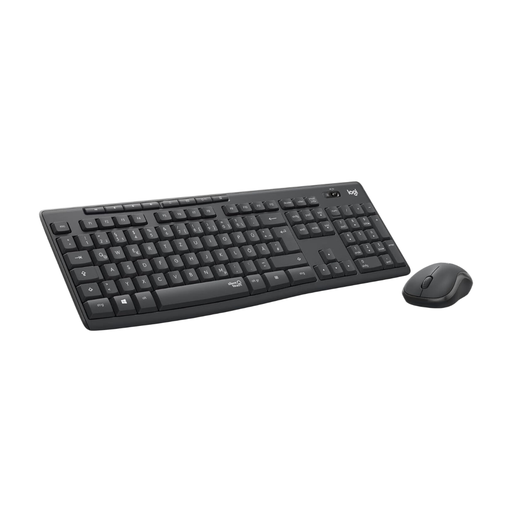
Why this product suits this profile: This set combines a keyboard with a numeric keypad, a shared USB nano receiver and a German QWERTZ layout. According to the product information, setup for Windows and ChromeOS PCs involves simply connecting the receiver and switching on the devices.
The QWERTZ version reduces the risk of ending up with an unsuitable US layout. The stated wireless range is up to 10 metres; you should check in advance that you have the required USB-A port.
SilentTouch technology, eight shortcut keys, a spill-resistant keyboard and manufacturer claims of up to 36 months for the keyboard and 18 months for the mouse.
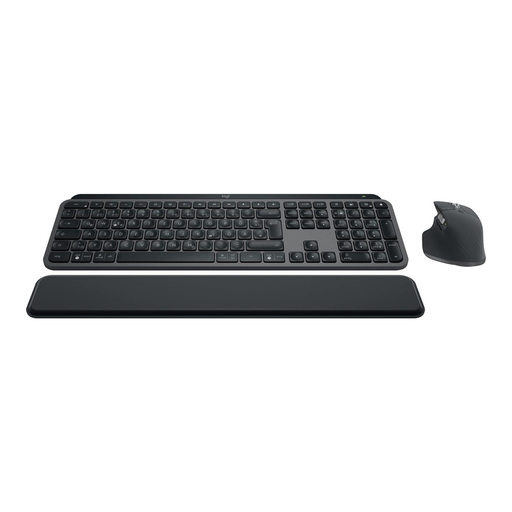
Why this product suits this profile: This keyboard and mouse bundle is aimed at people who use several devices and value backlighting, customisable functions and different connection options.
Bluetooth and a Logi-Bolt receiver are available as alternatives. The German layout is clearly specified, making it easier to check the designation before buying.
Backlighting, USB-C charging port, support for up to three devices and a mouse with adjustable resolution up to 8000 DPI, according to the product description.
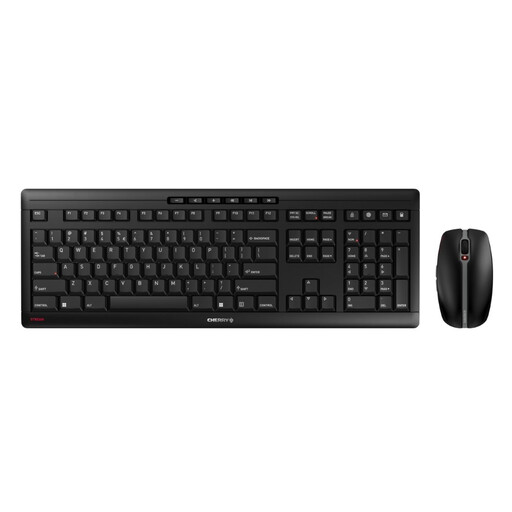
Why this product suits this profile: For regular desk work, a rechargeable set with USB-C is an appealing option. The scissor keys and sturdy construction are designed for continuous use in a fixed location.
The rechargeable battery replaces the need to buy disposable batteries regularly. Before ordering, check the stated EU layout, as model variants with different layouts are available.
USB-C charging, CHERRY SX scissor keys, AES-128 encryption according to the manufacturer, plus a mouse with six buttons and three DPI levels.
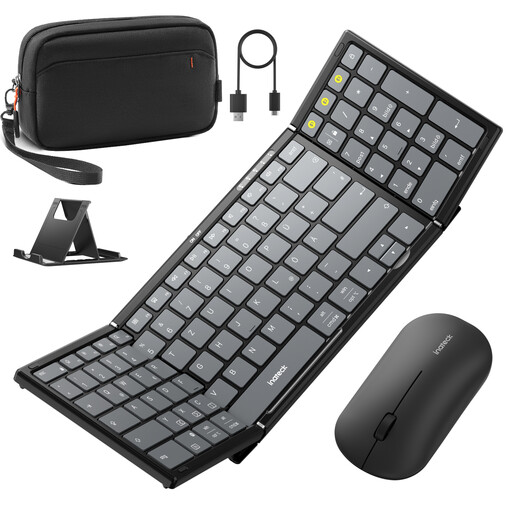
Why this product suits this profile: The foldable design, carrying case, stand and multi-device connectivity make this set suitable for users who switch between a laptop, tablet and smartphone.
The product description specifies a QWERTZ layout as well as Bluetooth 5.3 and 2.4 GHz support for the mouse. Before use, the relevant Bluetooth channels should be assigned to the respective devices.
Foldable 99-key keyboard, integrated numeric keypad, three Bluetooth channels for the keyboard and a tri-mode mouse with 2.4 GHz plus two Bluetooth connections.
We have put together a complete, regularly updated list of products that fully meet these strict selection criteria and the safety regulations applicable in the EU.
With a 2.4 GHz set, plug the USB nano receiver into a free USB port and switch on the keyboard and mouse. With Bluetooth models, open the Bluetooth settings on the target device and select the relevant devices. The exact procedure may vary depending on the model and operating system.
Battery life depends on usage, the wireless environment and the type of battery. For the models mentioned, manufacturer estimates range from around twelve months to several years. Rechargeable sets require regular charging cycles instead. The figures should be understood as “up to” estimates, not guaranteed minimum battery life.
Yes, provided the layout, noise levels, connection and seating position are suitable. Quiet keys and mouse clicks can be useful in shared spaces. If you regularly enter numbers, choose a model with a numeric keypad. If your laptop does not have a USB-A port, plan to use either a Bluetooth set or a suitable adapter.