
Lieferung heute & morgen

Qualitätsgarantie

Willkommens-Angebote freischalten: KOSTENLOSE Lieferung | Bis zu 80 % RABATT | Kostenlose 30-Tage-JoyPlus-Testphase
App herunterladen
A wireless desk promises a clean setup and flexibility. But the search for the right keyboard and mouse combo can quickly become overwhelming. Many models don't live up to their marketing hype, leading to frustration instead of productivity. As your Joybuy Product Recommendation Officer, I'll help you avoid the common pitfalls and make an informed decision.
Before you invest, you should be aware of the most common issues that often only become apparent after a few weeks of use.
To avoid these problems, you should check three core technical aspects before buying.
The type of wireless connection determines the reliability and flexibility of your set.
The typing feel and noise level are crucial for daily comfort.
The power supply directly impacts running costs and user convenience.
We have filtered products from our range that meet the above criteria and are suitable for specific user groups.
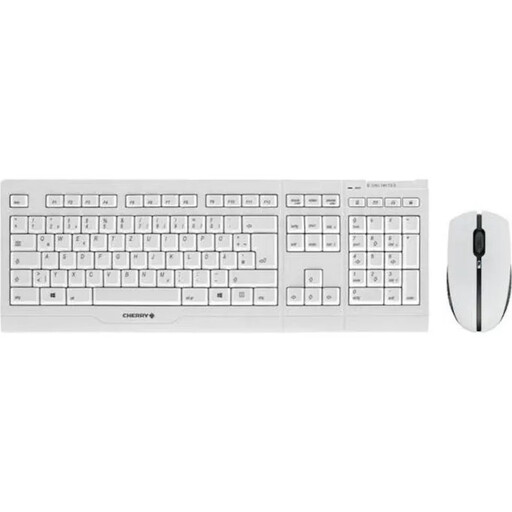
Why This Fits Their Persona: This set is designed for professional users who value durability and uninterrupted productivity. It is ideal for a traditional office or a permanent home office setup.
It solves the battery problem with high-quality, pre-installed NiMH batteries that can even be charged via USB cable during use. The SX scissor technology ensures truly quiet typing.
Stable 2.4 GHz connection with AES-128 encryption and abrasion-resistant, laser-etched keys for a long lifespan. The German QWERTZ layout is standard.
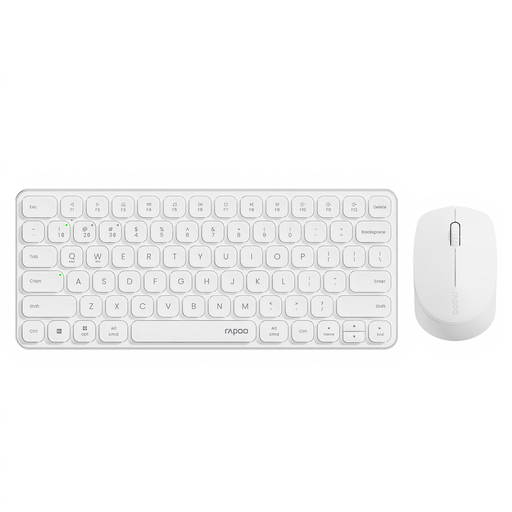
Why This Fits Their Persona: Perfect for users who constantly switch between a PC, laptop, and tablet. The compact design saves desk space and is easy to transport.
This combo avoids the unstable connection trap by offering both Bluetooth (4.0/5.0) and a 2.4 GHz connection. Switching between up to four devices is seamless with the press of a button.
The scissor-switch keys allow for quiet and precise typing. The mouse features an adjustable DPI sensor for different screen resolutions and is also designed for silent clicks.
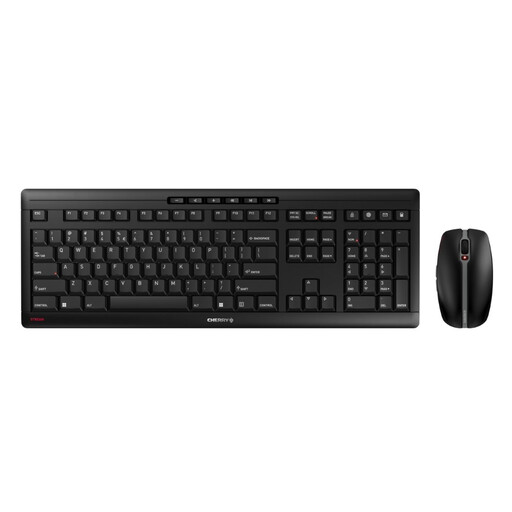
Why This Fits Their Persona: For anyone who types for many hours a day and has the highest standards for stability, comfort, and design. This set combines a premium feel with modern, sustainable technology.
It eliminates all three main pitfalls: The CHERRY SX scissor technology is whisper-quiet, the batteries are rechargeable via USB-C, and the integrated metal plate ensures an extremely stable, non-slip position on the desk.
The mouse offers silent clicks and a 3-level DPI adjustment. The 2.4 GHz connection is encrypted with AES-128, providing extra security in a professional environment. German layouts are available.
We have compiled a complete, up-to-date list of products that fully meet these strict selection criteria.
What does "Multi-Device" mean for a keyboard and mouse combo? A Multi-Device-capable set can be paired with multiple devices simultaneously, typically a PC, a laptop, and a tablet. A dedicated button on the keyboard and/or mouse allows you to seamlessly switch control between these devices without having to reconnect each time.
Is a rechargeable set always the better choice? In most cases, yes. Rechargeable sets are more convenient, more environmentally friendly, and have lower long-term costs. However, a battery-powered set can be useful if you travel a lot and don't always have access to a charging point. In that case, you can simply carry spare batteries.
Do I need special software for a wireless set? The basic functions (typing, clicking) usually work without any additional software (Plug and Play). However, many manufacturers like Logitech or Cherry offer optional software that allows you to program special keys, adjust mouse sensitivity (DPI), or monitor the battery status in detail.