
Lieferung heute & morgen

Qualitätsgarantie

Willkommens-Angebote freischalten: KOSTENLOSE Lieferung | Bis zu 80 % RABATT | Kostenlose 30-Tage-JoyPlus-Testphase
App herunterladen
A new keyboard and mouse combo can significantly impact your productivity, whether in the office or at home. But the market is flooded with products whose marketing promises often obscure more than they reveal. Many users invest in a new keyboard and mouse combo only to find, a few weeks later, that the connection is unstable, the "quiet" typing annoys colleagues, or the advertised ergonomics actually cause strain. As your Joybuy Product Recommendation Officer, I'm here to help you navigate these pitfalls and make an informed decision.
Before you choose a model, it's crucial to understand the common problems that lurk behind seemingly attractive offers.
To avoid a bad purchase, you should focus on objective, technical features rather than vague advertising claims.
The type of connection is the foundation for frustration-free work. Weigh the options for your specific keyboard and mouse combo for the office or home office:
The mechanics of the keys determine the typing feel, noise level, and durability.
The power source is an often-overlooked but crucial aspect for long-term use.
Here are some recommendations tailored to specific needs that purposefully avoid the pitfalls mentioned.
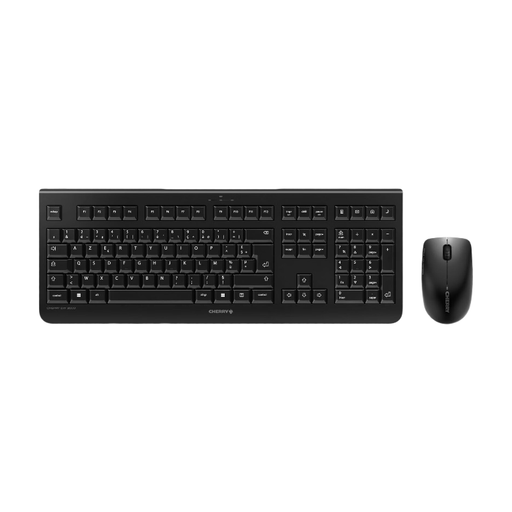
Why This Fits Their Persona: Ideal for users seeking a reliable, wireless basic setup without unnecessary frills. Perfect for the home office or daily office use where functionality and excellent value for money are key.
This set bypasses the connectivity trap with a stable 2.4 GHz wireless connection via a single nano-USB receiver. The keys, described as quiet by CHERRY, offer more reliable noise reduction than the vague promises of no-name brands.
Solid brand quality with abrasion-resistant key lettering for durability. The symmetrical 3-button mouse is suitable for both left- and right-handed users.
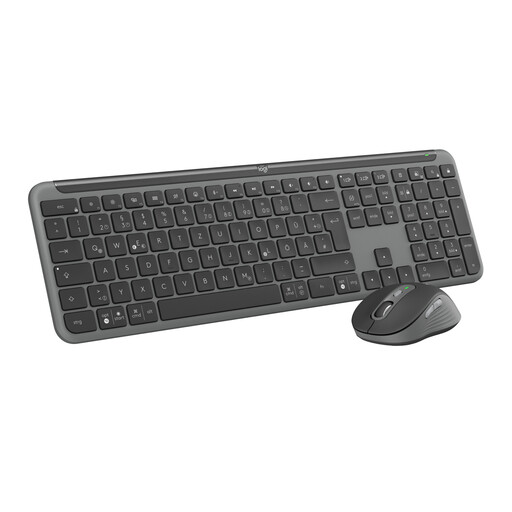
Why This Fits Their Persona: Perfect for users who seamlessly switch between their work laptop, personal PC, and tablet. The combination of quiet inputs and customizable keys optimizes workflow in a dynamic home office.
Solves the "quiet" trap with SilentTouch technology, which Logitech claims reduces click noise by 90%. The dual connectivity via Bluetooth or the Logi Bolt receiver offers both flexibility and stability, thus bypassing the connectivity myth.
Seamlessly switch between up to three devices with the Easy-Switch keys. Customizable keys and shortcuts via the Logi Options+ app boost productivity.
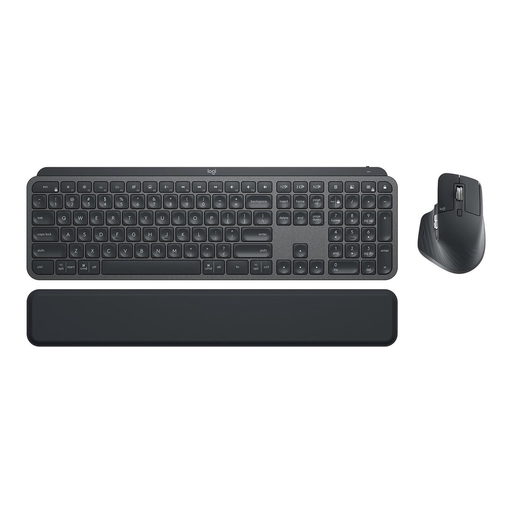
Why This Fits Their Persona: For professional users who demand the highest standards for precision, comfort, and functionality. Ideal for developers, creatives, and managers who spend many hours at their desks and depend on a seamless workflow.
Instead of empty ergonomic promises, this combo offers genuinely thoughtful design features: Perfect Stroke keys for precise typing and the proven shape of the MX Master 3S mouse. The Logi Bolt technology ensures an encrypted and extremely stable connection for professional use.
The MX Master 3S mouse features an 8000 DPI Darkfield sensor that tracks on virtually any surface, including glass. The smart key illumination automatically adjusts to ambient light conditions.
We've compiled a complete, up-to-date list of products that fully meet these strict selection criteria.
Battery life varies greatly depending on the model and usage. Basic sets may require new batteries every few months. High-quality models like the Logitech MK540 Advanced can achieve a battery life of up to 36 months for the keyboard and 18 months for the mouse, according to the manufacturer. Rechargeable sets like the CHERRY Stream Desktop Recharge eliminate the need for battery swaps and are conveniently charged via a USB-C cable.
It depends on your use case. A 2.4 GHz wireless connection via a dedicated USB receiver is typically more stable and easier to set up (Plug & Play), making it the reliable choice for a fixed workstation. Bluetooth is more flexible, as it doesn't require a USB port and allows for connection to multiple devices (e.g., PC and tablet). For maximum flexibility and stability, some sets like the Logitech Signature Slim MK950 offer both connection options.
A keyboard's layout refers to the arrangement of its keys. The most common layout in English-speaking countries is QWERTY, named for the first six keys on the top letter row. Other regions use different layouts, such as QWERTZ in Germany (where the "Z" and "Y" keys are swapped) or AZERTY in France. These layouts also include dedicated keys for regional characters and symbols (like ? in the UK). When buying, always check that the product specifies the correct layout for your language and region (e.g., "US QWERTY" or "UK QWERTY") to ensure a seamless typing experience.