
Lieferung heute & morgen

Qualitätsgarantie

Willkommens-Angebote freischalten: KOSTENLOSE Lieferung | Bis zu 80 % RABATT | Kostenlose 30-Tage-JoyPlus-Testphase
App herunterladen
A clean, cable-free desk is the first step toward a more productive workspace. A wireless keyboard and mouse combo is the go-to solution. However, the market is crowded, and many products fail to live up to their advertising promises. Before you make a purchase, it's crucial to understand the common pitfalls that often only become apparent after a few weeks of use in the office or at home.
As a Joybuy Product Recommendation Officer, my job is to filter market information and provide you with practical advice to help you make an informed decision. This guide will show you what to look for to avoid buyer's remorse.
Many users experience disappointment after their purchase because certain features don't meet their expectations. Here are the three most common frustrations:
To find the right wireless keyboard and mouse set for your needs, you should carefully examine three technical aspects.
The type of connection determines the flexibility of your setup.
The keys are the heart of any keyboard. Their design determines the typing feel, noise level, and durability.
Also, look for a full QWERTY layout with a number pad if you frequently work with numbers. This significantly boosts productivity.
The question of power supply is a matter of convenience and running costs.
Here are some recommendations tailored to specific user needs that avoid the pitfalls mentioned.
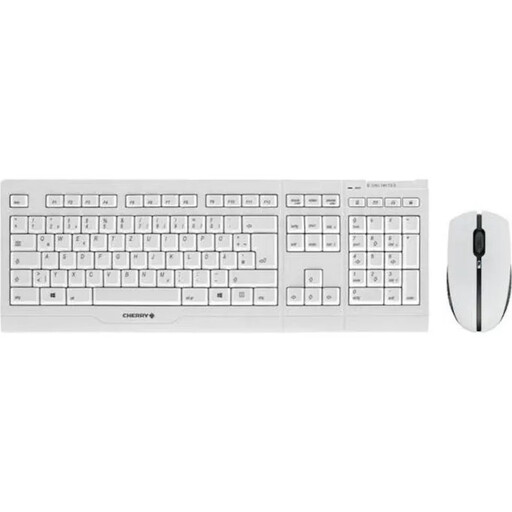
Why This Fits Their Persona: Ideal for continuous professional use. This set is designed for durability and uninterrupted productivity. The German QWERTZ layout and robust keys are optimised for daily office life in Germany.
Avoids the battery trap with rechargeable NiMH batteries that can be charged during operation. The quiet SX scissor-switch mechanism prevents the "silent" trap and ensures a quiet working environment.
Durable key lettering: Abrasion-resistant laser etching. Stable connection: 2.4 GHz wireless with AES-128 encryption.
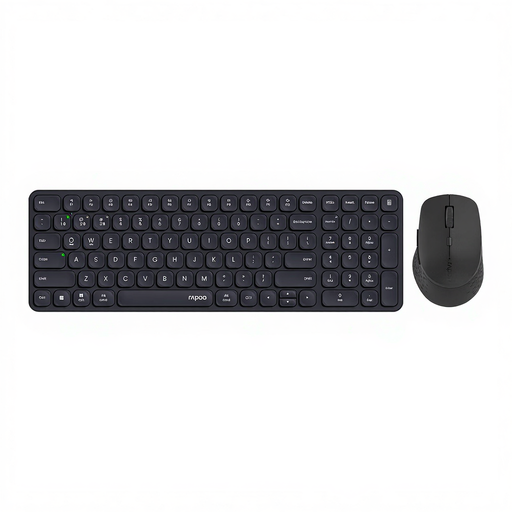
Why This Fits Their Persona: Perfect for users who switch seamlessly between PC, tablet, and smartphone. The compact design saves space without sacrificing a number pad, making it ideal for flexible workspaces.
Solves the connectivity trap by supporting up to 4 devices via Bluetooth and 2.4 GHz wireless. Out-of-the-box compatibility with Windows and macOS is a given.
Multi-device control: Intelligently switch between devices at the touch of a button. Adjustable mouse: The mouse DPI is adjustable in 5 levels for precise control on different monitors.
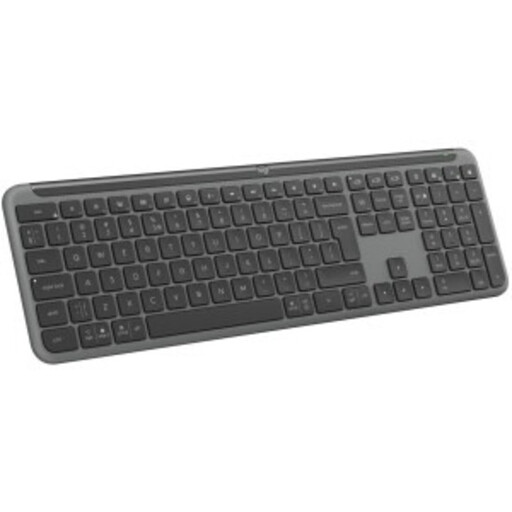
Why This Fits Their Persona: For users who value a modern, slim design and a clean aesthetic. The keyboard blends seamlessly into stylish home office environments and works smoothly with Mac and Windows systems.
The quiet, laptop-style keys effectively solve the noise issue. The multi-device capability (up to 3 devices) via Bluetooth or the Logi Bolt USB receiver provides the necessary flexibility for modern workflows.
Long battery life: Up to 36 months with AAA batteries, according to the manufacturer. Customisable keys: Function keys can be personalised for recurring tasks via the Logi Options+ app.
We have compiled a complete, up-to-date list of products that fully meet these strict selection criteria and German safety regulations.
Battery life varies depending on the model and usage. Many rechargeable sets last for several weeks or even months on a full charge. A key advantage is that most models can be charged via a USB-C cable, often while in use. This means no unexpected downtime, as can happen with dead disposable batteries.
Yes, many modern sets are designed for this. Look for models that support "Multi-Device" or "Multi-Mode." They typically connect via Bluetooth to multiple devices (e.g., PC, laptop, tablet). Switching between paired devices is then usually a simple matter of pressing a button on the keyboard or mouse.
A 2.4 GHz connection uses a dedicated USB receiver to establish a very stable and responsive connection to one device. Bluetooth connects directly to the end device without an additional receiver and allows pairing with multiple devices. For a flexible setup where you switch between different devices, Bluetooth is the better choice. For a fixed workstation with only one PC, a 2.4 GHz connection can be more reliable.