
Lieferung heute & morgen

Qualitätsgarantie

Willkommens-Angebote freischalten: KOSTENLOSE Lieferung | Bis zu 80 % RABATT | Kostenlose 30-Tage-JoyPlus-Testphase
App herunterladen
A new wireless keyboard and mouse set can transform your workspace, whether at the office or at home. But the selection is vast, and not every set lives up to its marketing promises. False claims about battery life or an unstable connection can quickly lead to frustration. This guide will help you recognise the critical features and make an informed decision tailored to your actual needs.
Before choosing a model, it's helpful to understand the typical problems that can arise with budget-friendly or poorly specified sets.
To avoid these problems, you should carefully examine three technical aspects. These are the primary determinants of your future set's performance and user comfort.
The type of wireless connection is fundamental. Each technology has specific advantages and disadvantages.
Many high-end sets offer both connection types to ensure maximum flexibility.
The typing feel is determined by the key mechanism. Here, too, there are clear distinctions.
A good set adapts to you—not the other way around.
Here are some recommendations tailored to specific use cases that take the aforementioned pitfalls into account.
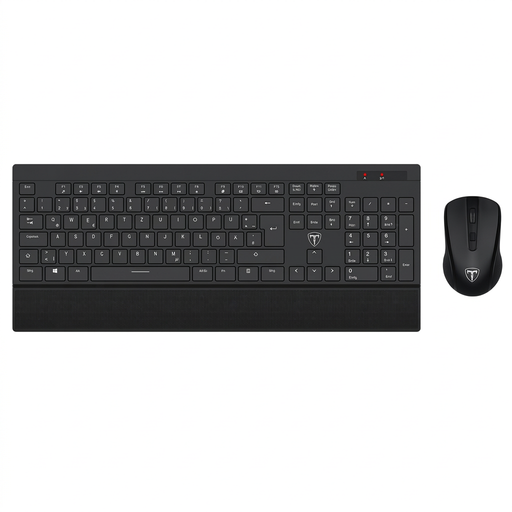
Why This Fits Their Persona: Ideal for users seeking a straightforward and quiet solution for everyday office tasks. The set offers a full QWERTZ layout and simple installation without complex settings.
It relies on a single, stable 2.4 GHz radio connection via one receiver, which minimises connectivity issues. The keys, described as "Ultra-Quiet," directly address the problem of noise in quiet environments.
Simple plug-and-play setup; quiet keystrokes for focused work; full German keyboard layout.
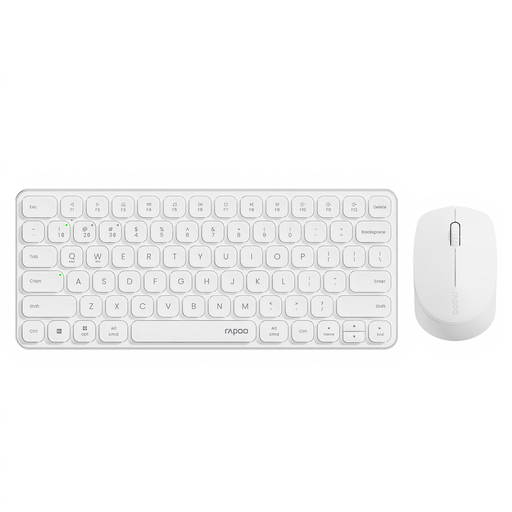
Why This Fits Their Persona: Perfect for users who need to switch seamlessly between a laptop, tablet, and PC. Its compact design also makes it travel-friendly.
It explicitly offers multi-mode connectivity (Bluetooth 4.0/5.0 and 2.4 GHz) for up to 4 devices, solving the problem of limited connectivity. The stated 12-month battery life provides a clear, albeit usage-dependent, benchmark.
Smart switching between multiple devices; compatible with Windows and keyboard for Mac; adjustable DPI sensor on the mouse.
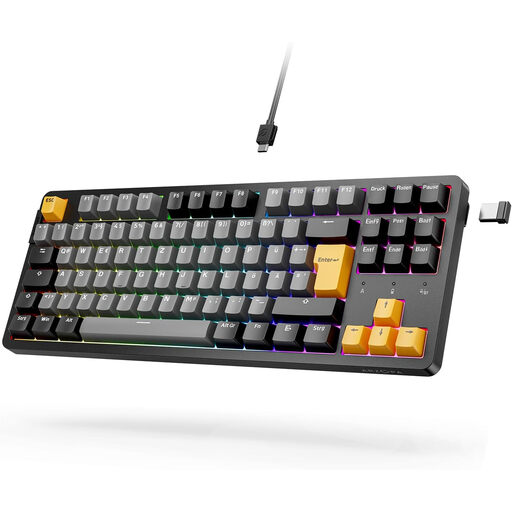
Why This Fits Their Persona: For users who value customisation, performance, and a premium typing feel. The compact 80% layout saves space, while the mechanical switches provide a precise experience for both gaming and typing.
The gasket-mount structure and multiple layers of sound dampening counteract the problem of unpleasant acoustics and harsh bottoming-out. The hot-swap capability allows users to change the switches if the typing feel or noise level doesn't meet their expectations.
Customisable mechanical switches (hot-swap); tri-mode connectivity (wired, Bluetooth, 2.4 GHz); German QWERTZ layout in a compact form factor.

Why This Fits Their Persona: For professional users who demand the highest standards in build quality, typing comfort, and productivity. This set combines a premium typing experience with a high-precision mouse for demanding tasks.
The spherically-dished keys and stable construction directly address the ergonomics pitfall. The Logi Bolt connection is optimised for congested wireless environments, preventing connectivity issues. The rechargeable battery with USB-C is a modern and transparent power solution.
Superb typing feel thanks to contoured keys; smart, automatic backlighting; high-precision 8000 DPI mouse that even tracks on glass.
We have compiled a complete, up-to-date list of products that fully meet these strict selection criteria and German safety regulations.
The actual battery life depends heavily on usage, battery type (disposable or rechargeable), and the use of features like backlighting. Manufacturer claims are a guideline. For rechargeable models, the capacity in milliamp-hours (mAh) provides a good reference point. With intensive daily use and backlighting, the runtime can drop from several months to just a few weeks.
This is only possible if the set is explicitly advertised as "multi-device" capable. Such models have buttons to switch between different paired devices and usually support multiple Bluetooth channels or a combination of Bluetooth and 2.4 GHz wireless. A standard set with a single USB dongle is typically intended for use with only one device.
Yes, modern wireless sets are definitely suitable for gaming. For demanding or competitive gaming, a model with a stable 2.4 GHz connection should be preferred, as it offers the lowest latency. A gaming keyboard and mouse set is also often characterised by a mechanical keyboard with fast switches, a mouse with a high DPI count, and a robust build.