
Lieferung heute & morgen

Qualitätsgarantie

Willkommens-Angebote freischalten: KOSTENLOSE Lieferung | Bis zu 80 % RABATT | Kostenlose 30-Tage-JoyPlus-Testphase
App herunterladen
A wireless keyboard and mouse set frees up space on your desk and reduces cables around your workstation. For working from home, studying and office use, combining a keyboard and mouse is practical – provided the layout, connection and power supply meet your actual needs.
Anyone who focuses only on a low price or eye-catching extra features can easily overlook important details. Three common purchasing problems are:
For users in Germany, a QWERTZ layout is generally the right choice. Look for the designations “DE”, “German” or “QWERTZ”. Terms such as “EU Layout” can be less clear, as they do not always guarantee the German key arrangement.
The operating system should also match your choice. A classic 2.4 GHz keyboard and mouse set usually connects via a USB nano receiver. This makes setup easy on Windows PCs and laptops with a USB-A port. Bluetooth sets, on the other hand, are well suited to tablets, smartphones and devices without a spare USB port. If you use several devices, dual-mode or tri-mode models with Bluetooth and 2.4 GHz wireless connectivity offer greater flexibility.
A shared receiver for the keyboard and mouse saves USB ports. Check the following before buying:
A stated range of up to 10 metres is a technical guideline under suitable conditions. Metal surfaces, crowded wireless environments and the position of the receiver can affect the connection. If you experience problems, moving the receiver closer to the devices often helps.
A quiet keyboard and mouse set is a sensible choice for open-plan offices, libraries and shared living spaces. Scissor mechanisms and low-profile keys typically produce a different typing sound from mechanical switches. Mechanical models can provide precise feedback, but depending on the switch, they may be louder and are often more focused on customisation or gaming.
When choosing the design, the following points are relevant:
With a battery-powered wireless keyboard and mouse set, you should check the battery type, number of batteries and stated battery life. Actual battery life depends, among other things, on usage, the wireless environment and power-saving features.
A rechargeable keyboard and mouse set reduces the need for disposable batteries. A charging function that allows you to continue using the devices while they charge is particularly practical. Some desktop sets are designed for NiMH rechargeable batteries and USB charging cables. Lithium batteries, on the other hand, require suitable charging electronics and should be protected from heat, moisture and damage. Use only the supplied cable or a suitable standard USB power source.
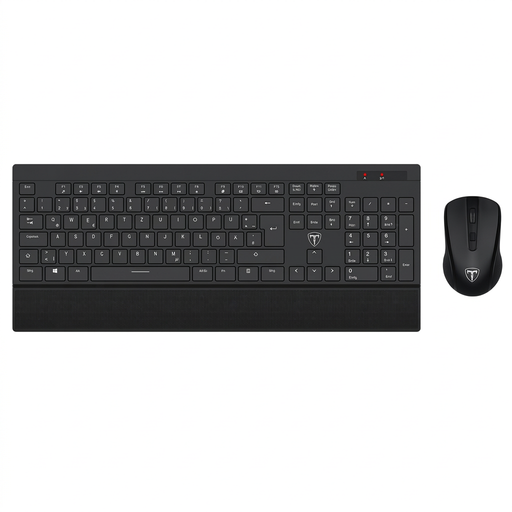
Why this product suits this profile: This set offers a German QWERTZ layout, a full-size keyboard and a shared receiver for a PC, laptop or home office workstation.
The product details explicitly state QWERTZ, a receiver-based connection and a range of up to 10 metres. This makes it possible to check the key specifications before buying.
105 keys, an optical mouse with up to 1600 DPI and a stated power-saving function offering up to 12 months of battery life.
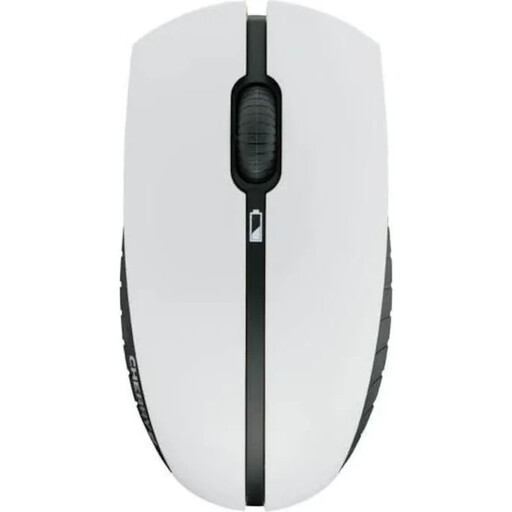
Why this product suits this profile: This set combines a German full-size keyboard with rechargeable NiMH batteries and is designed for regular office and home office use.
The power supply does not rely solely on disposable batteries. According to the product details, you can continue working while the batteries are charging.
SX scissor mechanism, abrasion-resistant laser lettering, 2.4 GHz wireless connectivity and switchable mouse resolution of 1000 or 2000 DPI.
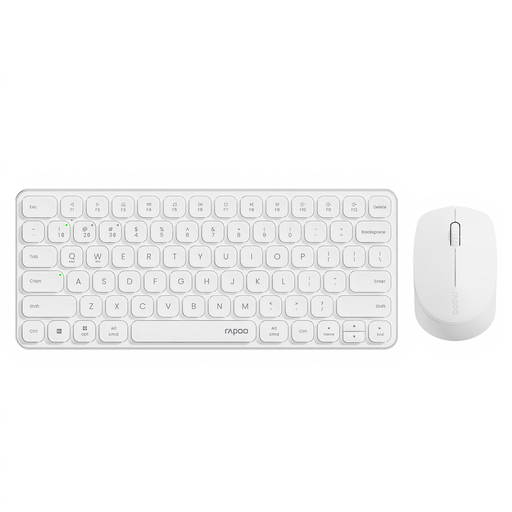
Why this product suits this profile: If you switch between a PC, laptop, tablet or smartphone, this wireless keyboard and mouse combination offers several connection options.
The model does not rely solely on Bluetooth or a USB receiver: it supports 2.4 GHz as well as Bluetooth 4.0 and 5.0.
Supports up to four devices, with a scissor mechanism, programmable multimedia keys and a mouse with multiple DPI levels.

Why this product suits this profile: This office keyboard and mouse set is designed for quiet working, with a full-size keyboard featuring a number pad and easy setup on Windows and ChromeOS.
The product description applies SilentTouch technology to both the keyboard and mouse. The connection is also established via a single 2.4 GHz nano receiver.
Full-size keyboard with number pad, eight shortcut keys, adjustable feet and a splash-resistant design according to the product details.
We have put together a complete, regularly updated list of products that fully meet these strict selection criteria and the safety regulations applicable in the EU.
After unpacking, connect the USB receiver, switch on the keyboard and mouse, and wait for automatic pairing. With Bluetooth models, the connection is established through the system settings. When using mobile devices, keep the nano receiver in its packaging or in a designated place whenever possible so that it does not get lost.
Clean the devices with a soft, slightly dry cloth. Liquids, solvents and opening the casing can damage the electronics. For batteries and rechargeable batteries, observe the polarity, the specified type and local disposal regulations.
With a 2.4 GHz set, plug the supplied USB receiver into a suitable port and switch on both devices. Bluetooth models are paired through the Bluetooth settings on your computer or tablet. If no connection is established, check the power supply, USB port and distance from the receiver.
Service life depends on the key mechanism, casing, frequency of use, battery care and surroundings. Manufacturer specifications for key life or battery life are guidelines, not a guarantee of a particular service life. Abrasion-resistant lettering and replaceable batteries can affect the practical service life.
Battery-powered models incur the cost of replacement batteries. A rechargeable keyboard and mouse set instead requires electricity for charging and can reduce the use of disposable batteries. In addition to the purchase price, charging accessories, battery type and expected service life are also important.