
Lieferung heute & morgen

Qualitätsgarantie

Willkommens-Angebote freischalten: KOSTENLOSE Lieferung | Bis zu 80 % RABATT | Kostenlose 30-Tage-JoyPlus-Testphase
App herunterladen
A wireless keyboard and mouse set frees up desk space and is suitable for the office, working from home, studying or everyday computer use. However, sets can vary considerably in their layout, connection, power supply and noise level. A seemingly good-value purchase can prove impractical if important details only come to light after you’ve unpacked it.
Many listings use the term ‘QWERTY’ without making the exact country layout clear. For Germany, an EU or German layout is usually the most straightforward option. On a US QWERTY model, the position and labelling of special characters, umlauts and the Enter key may differ.
Before buying, check:
A wireless keyboard and mouse connects via a USB receiver, Bluetooth or both. A 2.4 GHz receiver needs a spare USB-A port. Bluetooth may be more practical for tablets or modern laptops without a USB-A port. On the other hand, not every older desktop PC has Bluetooth.
It’s also worth checking how many devices can be connected at the same time. A multi-device keyboard and mouse set can switch between a computer, tablet and mobile phone, while a basic set is often designed for just one device.
For models that use batteries, battery life depends on usage and power-saving features. Rechargeable models reduce the need for disposable batteries, but need to be charged regularly. Also check whether you can use the devices while they’re charging, and which cable or port they require.
A 2.4 GHz keyboard and mouse set with a USB receiver is often quick to set up: plug in the receiver, switch on the devices and connect. The models mentioned have a stated range of up to 10 metres. Large metal surfaces or other wireless signals can affect signal quality.
Bluetooth is particularly useful for laptops, tablets and mobile phones. However, a Bluetooth keyboard and mouse combo requires a compatible Bluetooth profile. Sets with both options offer more flexibility, but aren’t automatically fully configurable with every operating system.
Scissor-switch mechanisms or keys specifically described as quiet are a good choice for shared offices, libraries and video calls. A quiet keyboard and mouse won’t eliminate every sound, but can reduce the typical clicking and typing noise.
Mechanical keyboards usually have a noticeably tactile keystroke. This can appeal to keen typists or gamers, but isn’t always ideal in quiet working environments. Also consider key travel, keyboard height and whether you can adjust the angle.
An ergonomic keyboard and mouse combo should suit your posture and the space available. Check:
A right-handed mouse with a thumb rest may suit medium to large right hands. A symmetrical mouse, on the other hand, can be used by both left- and right-handed people. The DPI figure describes tracking sensitivity; it isn’t a general measure of quality.
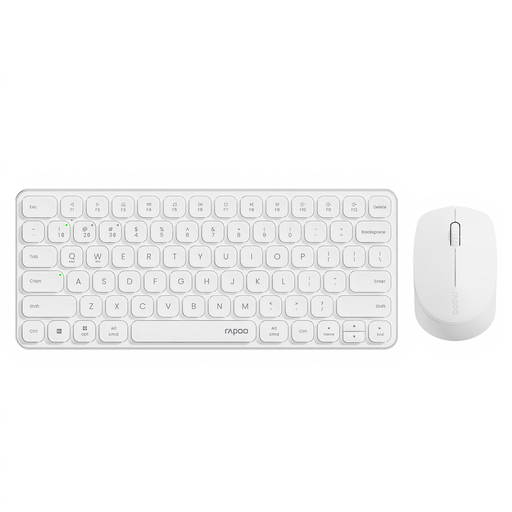
Why this product suits this user: The set supports 2.4 GHz as well as Bluetooth 4.0 and 5.0, and can be used with up to four devices. It’s a good option if you want to connect a PC, laptop or tablet flexibly.
Having two connection options reduces the risk of being limited to a USB receiver or Bluetooth because your device lacks the right port.
Scissor-switch keys, five DPI settings up to 2400 DPI, and a stated battery life of 12 months for both the keyboard and mouse.
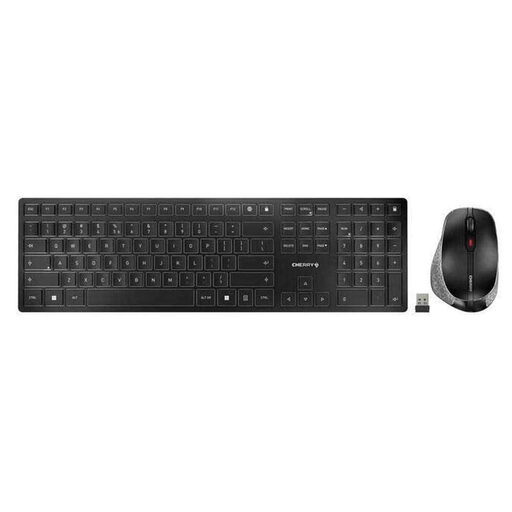
Why this product suits this user: This slim set combines Bluetooth and 2.4 GHz wireless connectivity with rechargeable lithium-ion batteries. It’s a good choice if you prefer a tidy workspace and multiple connection options.
Before buying, check that the EU QWERTY layout and two wireless connection options are compatible with your device and preferred keyboard layout.
Rechargeable batteries, six mouse buttons, DPI adjustment from 600 to 3000 DPI and a magnetic bar for adjusting the keyboard angle.

Why this product suits this user: Designed for longer working sessions, this set combines quiet SX scissor-switch keys with USB-C charging for the keyboard and mouse.
The rechargeable NiMH batteries mean you won’t need to replace disposable batteries regularly. According to the product details, you can also use the keyboard and mouse while they’re charging.
2.4 GHz connection, USB-C charging port, six mouse buttons, three DPI settings, and a keyboard with a metal plate and eight non-slip rubber feet.
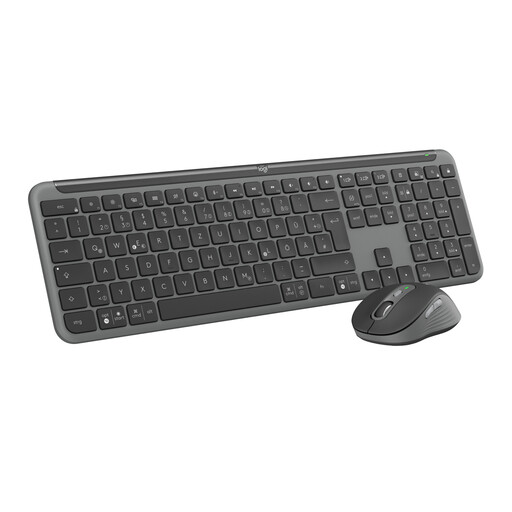
Why this product suits this user: The set supports Bluetooth Low Energy and the Logi Bolt USB receiver. You can use the keyboard and mouse with up to three devices.
Switching between devices saves you from repeatedly pairing the set when moving between your work computer, personal device and tablet. However, this model has a standard layout, so check it before buying.
Stated battery life of up to 36 months for the keyboard and 24 months for the mouse, along with quiet clicks and a SmartWheel scroll wheel.
We’ve put together a comprehensive, regularly updated list of products that meet these strict selection criteria and fully comply with the safety regulations in force in the EU.
For a 2.4 GHz set, plug the USB receiver into a suitable port and switch on the keyboard and mouse. For Bluetooth, open your device’s Bluetooth settings and start pairing. Follow the relevant instructions, as the key combinations used to connect may vary.
Battery life depends on the type of battery, usage, lighting and power-saving mode. The products mentioned have stated battery life ranging from several months to 36 months, depending on the model. These figures come from the product details and may vary in everyday use.
Scissor-switch mechanisms and mouse switches specifically described as quiet are often better suited to shared spaces. However, actual noise levels also depend on how hard you type, the desk surface and your surroundings. If you regularly take part in video calls, you should also consider using a suitable microphone and positioning your keyboard carefully.