
Lieferung heute & morgen

Qualitätsgarantie

Willkommens-Angebote freischalten: KOSTENLOSE Lieferung | Bis zu 80 % RABATT | Kostenlose 30-Tage-JoyPlus-Testphase
App herunterladen
A tidy, cable-free desk is the foundation of focused work for many people in the office and at home. A wireless keyboard and mouse set seems like the ideal solution. However, the selection is vast, and not every set delivers on its marketing promises. All too often, impulse buys lead to frustration, recurring costs, and e-waste.
As your Joybuy Product Recommendation Officer, I'll help you identify the critical features. We'll shine a light on the three most common pitfalls of buying a wireless set and show you what to look for to find a durable and functional solution for your workspace.
Many users regret their purchase after just a few months. This is often due to overlooked disadvantages that go unmentioned in marketing materials.
To avoid these pitfalls, you should check three core technical features before buying. These define the quality, durability, and user comfort of a wireless set.
A rechargeable keyboard is a crucial feature for sustainability and convenience. Models that can be charged via a USB-C desktop set offer the latest standard. The biggest advantage is that the keyboard and mouse can continue to be used without restriction during the charging process. This eliminates downtime and the need to constantly keep new batteries in stock. In the long run, you save money and conserve resources.
For a truly quiet office keyboard, the built-in key mechanism is decisive. The CHERRY SX scissor mechanism is an established standard in this area. With this technology, the keycaps glide on a scissor-like mechanism, which enables a very precise, stable, and, above all, quiet keystroke. Unlike simple membrane keyboards, the scissor mechanism offers a significantly higher-quality and less fatiguing typing experience, which is particularly advantageous during long workdays.
A wireless home office set must guarantee an absolutely reliable connection. A stable, secure wireless connection via 2.4 GHz technology is the foundation. Also, look for AES-128 encryption. This ensures that your keystrokes are transmitted in encrypted form and cannot be intercepted by third parties. This is especially important when working with sensitive company or customer data.
Based on these criteria, we have identified several models that offer a suitable solution for different requirements and work styles.
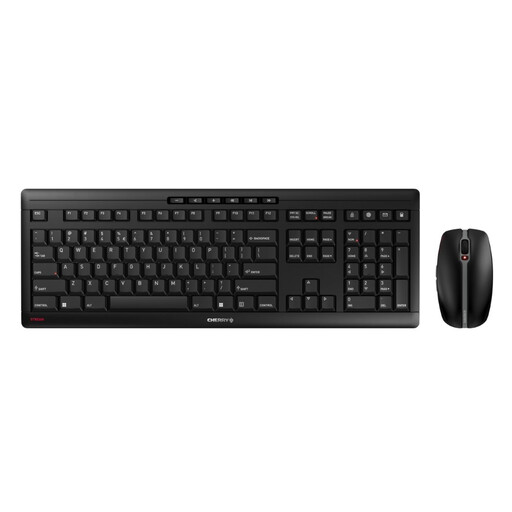
Why This Fits Their Persona: Ideal for users seeking a reliable, quiet, and sustainable tool for daily, intensive use. The focus is on uninterrupted productivity and high build quality.
Integrated NiMH batteries, rechargeable via USB-C, eliminate battery costs and downtime. The CHERRY SX scissor mechanism ensures a whisper-quiet typing experience, and AES-128 encryption provides a secure connection.
The combination of a charging function, quiet keys, and extremely sturdy construction thanks to an integrated metal plate offers a cohesive package for professional use.
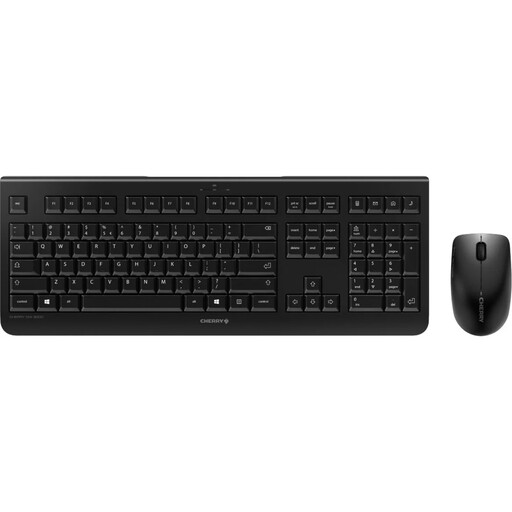
Why This Fits Their Persona: A solid, entry-level wireless solution for users who want a tidy desk but have a limited budget and can forgo premium features like rechargeability.
Although it uses disposable batteries, it avoids the pitfalls of unstable connections and loud keys. It offers a stable 2.4 GHz connection and quiet keystrokes that clearly stand out from no-name products.
Offers proven CHERRY quality and a reliable wireless connection at a very accessible price. Battery status indicators on the keyboard and mouse help prevent sudden outages.
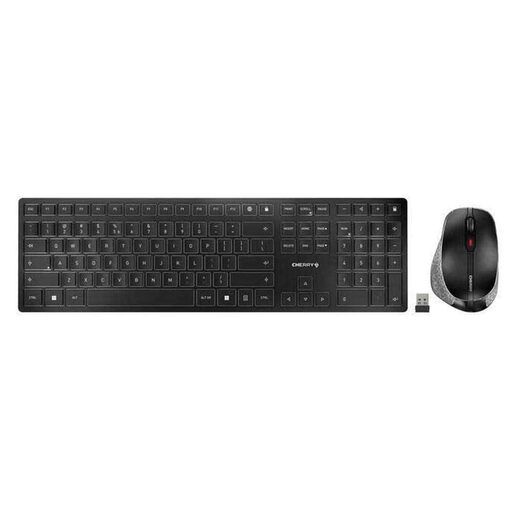
Why This Fits Their Persona: For users who need to switch seamlessly between multiple devices (e.g., PC, laptop, tablet) and value a high-quality, slim design and flexible connectivity options.
Dual connectivity via Bluetooth and 2.4 GHz radio bypasses compatibility and connection issues. As a rechargeable set, it avoids the battery trap and offers a quiet typing experience with its SX scissor mechanism.
The flexibility to switch between radio and Bluetooth connections at the touch of a button is the key advantage. The set combines this with a very slim design and a magnetic riser bar for tilt adjustment.
We have compiled a complete, up-to-date list of products that fully meet these strict selection criteria and all relevant safety standards.
Yes, both the keyboard and the mouse can be used without any interruption while charging via the included USB-C cable. This ensures that your work is not hindered by a dead battery.
According to the manufacturer, the built-in NiMH batteries last for several months on a full charge. The exact runtime depends on individual usage intensity. Thanks to the status LEDs, you will be notified in a timely manner when a recharge is needed.
Yes, the set uses a secure wireless connection with AES-128 encryption. This standard provides strong encryption for the data transmitted between the devices and the receiver, making it suitable for professional use and for working with confidential information in a home office.