
Lieferung heute & morgen

Qualitätsgarantie

Willkommens-Angebote freischalten: KOSTENLOSE Lieferung | Bis zu 80 % RABATT | Kostenlose 30-Tage-JoyPlus-Testphase
App herunterladen
A tidy, cable-free desk is the foundation of focused work for many people in a home office, corporate office, or university setting. A wireless keyboard and mouse set seems like the ideal solution. However, the selection process is fraught with hidden pitfalls that often only become apparent after purchase, negating the initial convenience. Before you make a decision, it's helpful to know the most common problems to avoid a poor investment.
The three most common frustrations with wireless sets are:
To avoid these issues, it's crucial to look beyond the design and focus on the core technical specifications.
The selection of the right set depends on three central parameters that determine its day-to-day usability.
The type of wireless connection is fundamental. Each technology has specific advantages and disadvantages that suit different use cases.
The typing feel and noise level are critical for work comfort, especially in shared office spaces.
The power source and the physical shape of the devices determine running costs and long-term comfort.
Based on these criteria, we have identified a few models that are particularly well-suited for specific user groups in Germany.

Why This Fits Their Persona: Ideal for professional users who switch between multiple devices daily (e.g., a company laptop and a personal PC) and demand maximum efficiency and comfort. The German QWERTZ layout and programmable keys optimise workflows.
Dual connectivity via the Logi Bolt USB receiver and Bluetooth prevents connection issues. The long battery life and the ability to continue working while charging bypass the short-uptime trap.
Precise, spherically-dished keys for superior typing comfort and a mouse with an 8000 DPI sensor that even works on glass. Smart Actions to automate workflows.
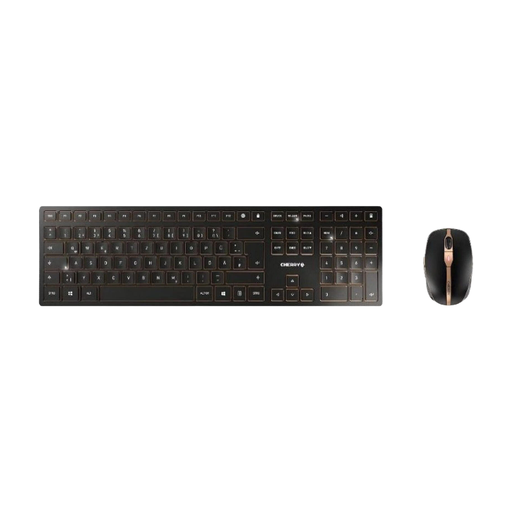
Why This Fits Their Persona: Suitable for users in home offices or modern workplaces who value a minimalist design and high-quality materials without sacrificing flexibility. Ideal for switching between a desktop PC and a tablet.
The combination of 2.4 GHz wireless and Bluetooth 4.0 provides a reliable connection for any scenario. The set is rechargeable, and the low-profile scissor-switch keys offer a defined yet quiet keystroke, avoiding the ergonomics and noise traps.
Extremely slim, sturdy design with a solid metal plate in the keyboard. AES-128 encryption ensures secure data transmission.
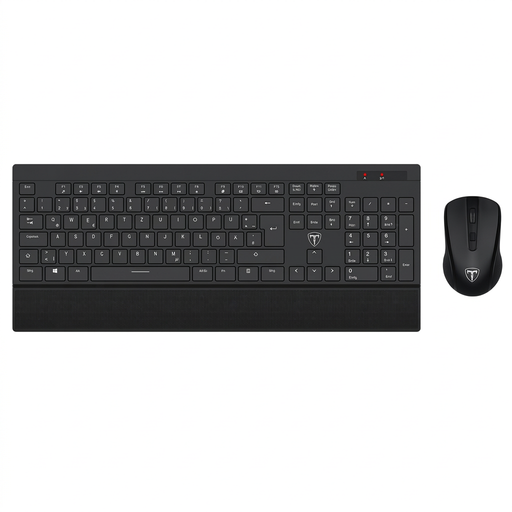
Why This Fits Their Persona: Perfect for students and employees in open-plan offices who need a straightforward, budget-friendly, and above all, quiet solution. The set focuses on the essentials: a tidy workspace without distracting noise.
This set bypasses the complexity trap with a simple 2.4 GHz connection via a single dongle. It is explicitly designed for silent keystrokes and mouse clicks, solving the problem of loud peripherals in quiet environments.
Extremely quiet keys and mouse clicks for distraction-free work. The long battery life of up to 12 months reduces maintenance.
We have compiled a complete, up-to-date list of products that fully meet these strict selection criteria and German safety regulations.
Battery life varies greatly depending on the model and usage. Basic sets without key backlighting can last several weeks or months on a single charge. Models with features like smart backlighting often have a shorter runtime of around 10 to 15 days with the lighting active. A crucial factor is whether the devices can continue to be used via a cable while charging, which reduces dependency on battery life alone.
Yes, this is possible with many modern sets. Look for models with "Multi-Device" or "Multi-Mode" functionality. These sets can typically connect to up to three devices simultaneously via Bluetooth or a combination of Bluetooth and 2.4 GHz wireless. A simple button press on the keyboard or mouse is all it takes to switch seamlessly between your laptop, tablet, and PC.
The QWERTZ layout is the standard for the German language. It differs from the international QWERTY layout by swapping the positions of the Z and Y keys and by including dedicated keys for umlauts (?, ?, ü) and the ? (Eszett). Using a set with a QWERTZ layout is essential for fluent and error-free typing in German and saves you from the cumbersome process of entering special characters via key combinations.