
Lieferung heute & morgen

Qualitätsgarantie

Willkommens-Angebote freischalten: KOSTENLOSE Lieferung | Bis zu 80 % RABATT | Kostenlose 30-Tage-JoyPlus-Testphase
App herunterladen
A clean, wireless gaming setup is the goal for many users. A wireless low-profile gaming keyboard promises just that: precision and speed without the cable clutter. But the market is flooded with marketing promises that often lead to expensive buyer's remorse. Before you invest, you need to understand the common pitfalls hiding behind exaggerated advertising claims and seemingly attractive features.
As your Joybuy Product Recommendation Officer, I'm here to help you navigate these traps and make an informed decision.
To find a keyboard that delivers long-term satisfaction, you should focus on objective, technical parameters.
A modern wireless QWERTY gaming keyboard should be flexible. A tri-mode keyboard offers the most comprehensive solution:
The size of the keyboard directly impacts ergonomics and the available space for your mouse.
With low-profile keyboards, the key travel is shorter, enabling faster reactions. A key player in this segment is the CHERRY MX Low Profile Speed switch.
Here are some recommendations tailored to specific needs that avoid the pitfalls mentioned above.
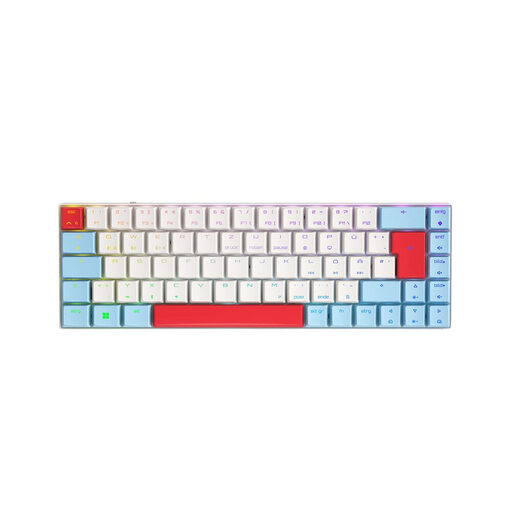
Why it's a match: This model combines all the features relevant for competition: a low-latency 2.4 GHz connection, ultra-fast CHERRY MX Low Profile Speed switches, and a compact 65% layout that leaves maximum room for your mouse.
The tri-mode connectivity provides a reliable 2.4 GHz option for gaming without relying on marketing buzzwords alone. The Speed switches are specifically designed for rapid response, not as a one-size-fits-all solution.
The combination of CHERRY MX Low Profile Speed switches and the 65% form factor is engineered for maximum performance in FPS and MOBA games.
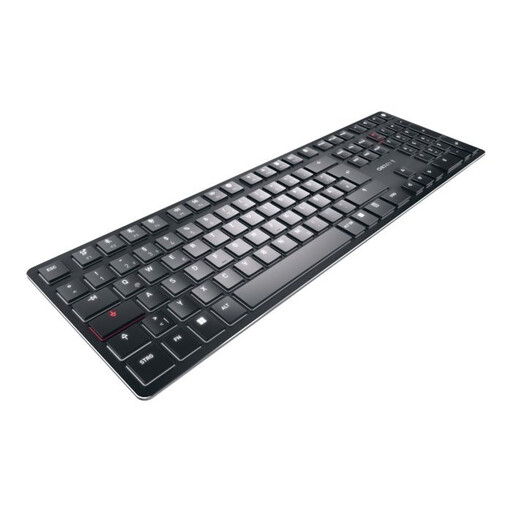
Why it's a match: For users who switch between work and play, this keyboard is ideal. It can connect to up to four devices simultaneously and offers a precise typing feel with its tactile MX Ultra Low Profile switches, making it great for extended writing sessions.
The focus is clearly on multi-device functionality and a high-quality, tactile typing experience, not just gaming buzzwords. The white backlighting is more energy-efficient than full-blown RGB.
Outstanding versatility with 4-device connectivity and an ultra-slim design featuring a high-quality aluminium housing. The CHERRY MX Ultra Low Profile Tactile switches provide an excellent typing experience.
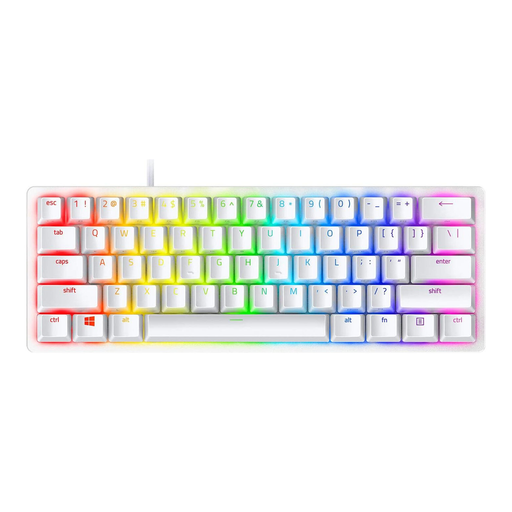
Why it's a match: With its extremely compact 60% form factor and clean, white design, this model is the perfect choice for a tidy, minimalist setup. It delivers high performance in the smallest possible footprint.
This model focuses on the essentials: an extremely compact design and fast optical switches. It deliberately forgoes multi-device features to deliver a focused gaming performance instead.
The 60% form factor maximises desk space. The high-quality PBT keycaps are durable and have a premium feel, contributing to the minimalist aesthetic.
We have compiled a complete, up-to-date list of products that fully meet these strict selection criteria and relevant safety regulations.
Battery life varies greatly depending on the model and brightness of the lighting. While manufacturer claims often mention hundreds of hours with the lights off, real-world usage with full RGB lighting can drop to 15 to 40 hours. It's advisable to dim the lighting or limit it to static effects to extend the battery life.
For FPS games, a compact gaming keyboard in a 65% layout is very suitable, as it leaves plenty of room for wide mouse movements. For daily use, it requires a short adjustment period, as arrow keys and some function keys are accessed via an Fn key combination. For users who don't constantly rely on a number pad or dedicated F-keys, it's an excellent compromise.
The main difference lies in the actuation distance and the overall height. CHERRY MX Low Profile Speed switches have a significantly shorter actuation point (approx. 1.0-1.2 mm) compared to standard MX switches (approx. 2.0 mm). This results in faster keypress registration. Additionally, the overall height of the switch is lower, which is what makes the slim design of low-profile keyboards possible.