
Lieferung heute & morgen

Qualitätsgarantie

Willkommens-Angebote freischalten: KOSTENLOSE Lieferung | Bis zu 80 % RABATT | Kostenlose 30-Tage-JoyPlus-Testphase
App herunterladen
The search for a new wireless mouse can quickly become overwhelming. Manufacturers advertise high DPI counts, extreme battery life, and a multitude of connectivity options. However, not every advertised feature is relevant in practice or delivers on its promise. This guide will help you identify the crucial features and avoid common purchasing traps, ensuring you find a model that is perfectly tailored to your needs.
Before we dive into the technical details, it's important to be aware of the most common issues that can lead to frustration and unnecessary expenses.
To make the right choice, you should carefully examine three technical aspects. These are the primary determinants of performance and everyday usability.
The type of wireless connection has a direct impact on latency, compatibility, and convenience.
A mouse is used for hours on end, so its fit is crucial to prevent fatigue or discomfort.
The internal components determine precision and endurance.
Depending on the use case, different features take priority. Here are some models tailored to specific user profiles.
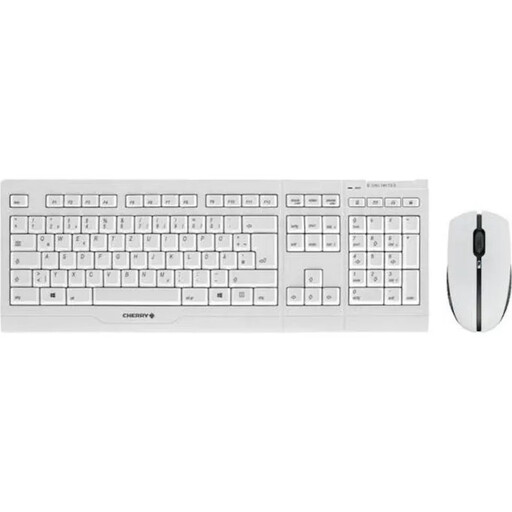
Why This Fits Their Persona: This combo is designed for continuous professional use. The quiet keyboard and reliable mouse are ideal for open-plan offices or the home office, where concentration and a clean workspace are paramount.
It consistently avoids the "charging trap": both devices are equipped with NiMH batteries and can be charged during operation via the included USB cable. The stable 2.4 GHz connection with AES-128 encryption also prevents connectivity issues.
Durable, abrasion-resistant key lettering and a precise scissor mechanism (SX) for a quiet typing experience. The mouse is ambidextrous and offers a switchable resolution (1000/2000 DPI).
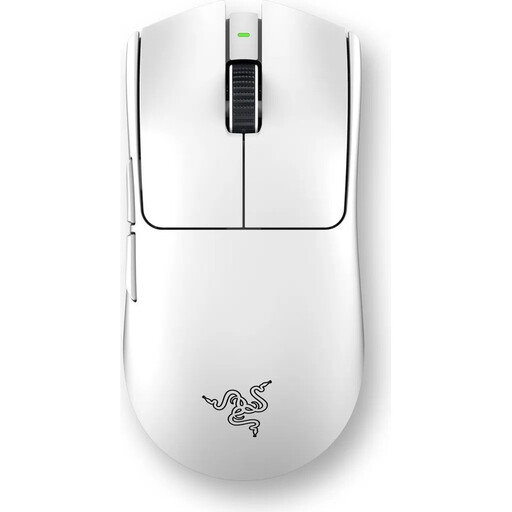
Why This Fits Their Persona: For gamers where every millisecond counts. The ultra-lightweight design and highly responsive technology are engineered to provide maximum control and speed in competition.
Instead of just advertising high DPI counts, this model delivers real performance: the Focus Pro 35K sensor provides precision, while the 8000 Hz HyperPolling technology minimizes latency, thus bypassing the unstable connection pitfall.
Extremely lightweight design at only 54 grams for rapid maneuvers. Gen-3 optical switches with a 90-million-click lifespan and up to 95 hours of battery life.
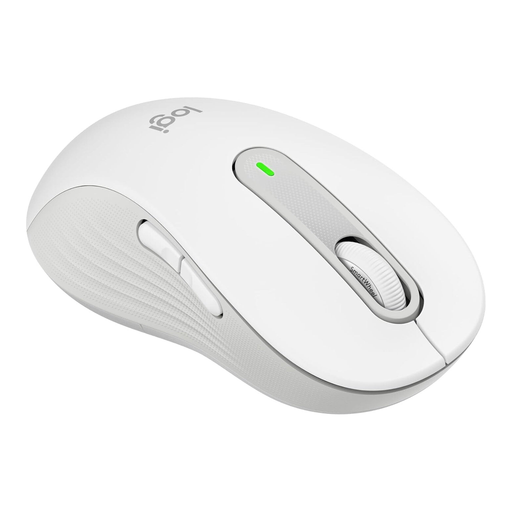
Why This Fits Their Persona: Specifically designed for left-handed users with larger hands, this mouse offers all-day comfort. Its silent clicks and flexible connectivity make it a versatile companion for the office, home office, and library.
This model solves the problem of poor ergonomics for left-handers. The SilentTouch technology reduces click noise by 90% (according to the manufacturer), and the dual connectivity via Bluetooth or Logi Bolt USB receiver ensures stability.
True ergonomic shape for left-handers. The SmartWheel scroll wheel automatically switches between precision and high-speed scrolling. The battery life is up to 24 months on a single AA battery.
We have compiled a complete, up-to-date list of products that fully meet these strict selection criteria and German safety regulations.
1. How long does the battery of a wireless mouse last? Battery life varies greatly depending on the model and usage. Office mice with AA or AAA batteries can often last 12 to 24 months. Rechargeable gaming mice typically offer between 40 and 180 hours of active use per charge. Look for models with a power-saving mode to maximize runtime.
2. Can I use a wireless mouse while it's charging? Many modern rechargeable mice can be charged via a USB cable and used simultaneously like a wired mouse. This is an important convenience feature to avoid work interruptions. Check for this feature in the product description, as it is not standard on all models.
3. What is the difference between a 2.4 GHz and a Bluetooth mouse? A 2.4 GHz mouse uses a dedicated USB dongle and offers a very fast and stable connection, making it ideal for gaming. A Bluetooth mouse connects directly to your device without a dongle, which saves a USB port and often allows connection to multiple devices. For general office and home use, Bluetooth is a very convenient option.