
Lieferung heute & morgen

Qualitätsgarantie

Willkommens-Angebote freischalten: KOSTENLOSE Lieferung | Bis zu 80 % RABATT | Kostenlose 30-Tage-JoyPlus-Testphase
App herunterladen
A wireless mouse offers freedom of movement and helps maintain a clutter-free desk. However, choosing the right model can be a challenge given the multitude of technologies and features available. Whether for precise gaming manoeuvres, ergonomic comfort during long workdays, or seamless switching between multiple devices—the requirements vary.
This guide serves as an objective reference. We explain technical features in an easy-to-understand way and present a selection of models tailored to specific use cases. Our goal is to provide you with the information you need to make an informed decision.
The decision for a particular model depends on your individual needs. Three key criteria help narrow down the choices: sensor precision, ergonomics, and connectivity.
The performance of a mouse is largely determined by its sensor. Two metrics are particularly important here:
Anyone who spends many hours at the computer every day should pay attention to the shape of the mouse. An ergonomic mouse is designed to support the natural posture of the hand and wrist, which can help reduce strain. Models are available for right- and left-handers, in different sizes, and with shapes tailored to various grip styles (Palm, Claw, Fingertip). Additional thumb rests or a vertical design are other features that can enhance comfort.
Wireless mice primarily use two connection technologies:
A multi-device mouse can connect to multiple devices simultaneously and allows for easy switching at the touch of a button. This is ideal for users who regularly switch between a PC, a laptop, and perhaps even a tablet—a flexible solution for a mouse for Mac and PC.
Based on the criteria mentioned, we have compiled a selection of models for different user profiles.
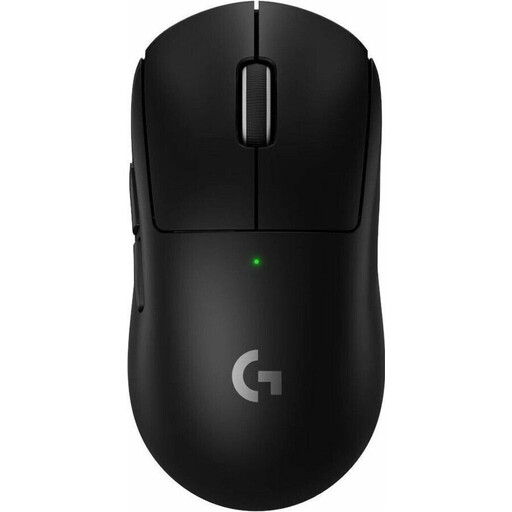
Why it stands out: The Logitech G PRO X SUPERLIGHT 2 is consistently designed for e-sports performance. Weighing only 60 grams and featuring the HERO 2 sensor, which achieves a tracking rate of up to 44,000 DPI, it enables extremely fast and precise movements. The LIGHTSPEED wireless technology, combined with an 8K polling rate, ensures nearly lag-free signal transmission.
Pros:
Who is it for? This model is aimed at competitive gamers and e-sports enthusiasts who prioritise minimal weight, maximum precision, and the fastest possible response time.
View the Logitech G PRO X SUPERLIGHT 2 on Joybuy.de
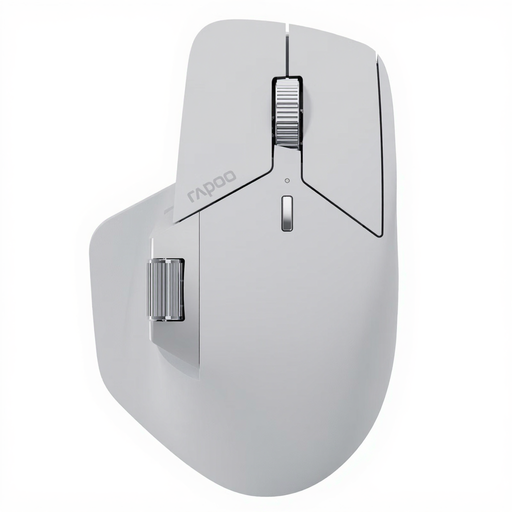
Why it stands out: The RAPOO MT760 PRO is a versatile mouse for work and demanding users. Its strength lies in its connectivity: it can be connected to up to seven devices via NearLink, Bluetooth, and cable. The M+ Cross-Computer technology allows you to move the cursor seamlessly between different computers and transfer files. With 11 programmable buttons and on-board memory, it is highly customisable.
Pros:
Who is it for? Ideal for power users, developers, and creative professionals who work across multiple devices and operating systems and need a highly customisable and efficient multi-device mouse.
View the RAPOO MT760 PRO on Joybuy.de
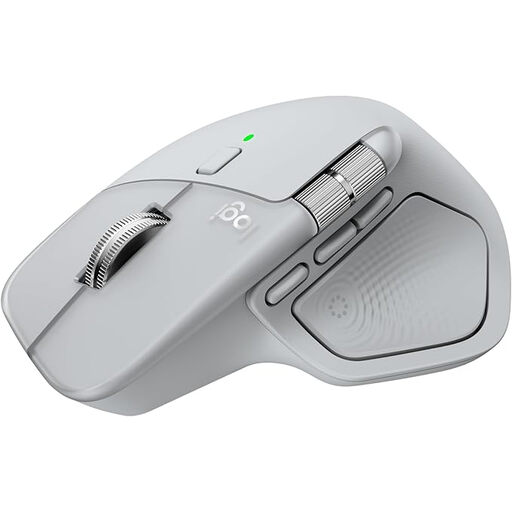
Why it stands out: The Logitech MX Master 4 focuses on ergonomics and productivity. Its shape is optimised for a natural hand posture and is complemented by a thumb wheel for horizontal scrolling. The MagSpeed scroll wheel can fly through 1,000 lines per second, according to Logitech. The 8K DPI sensor even works on glass surfaces. Haptic feedback and customisable actions via the Logi Options+ software increase work efficiency.
Pros:
Who is it for? This ergonomic mouse is for professional users, designers, and anyone who spends long hours at their desk and values comfort, precision, and advanced productivity tools.
View the Logitech MX Master 4 on Joybuy.de
The selection presented here covers specific use cases. If you haven't found the right model for your needs yet, you can find more alternatives in our broader category. Many modern mice use the USB-C standard for charging, which further simplifies handling.
Discover more models in our Type-C Mouse category.
A 2.4 GHz mouse uses a dedicated USB dongle for connection. This often results in lower latency and a more stable connection, making it advantageous for gaming. A Bluetooth mouse connects directly to the computer without needing a dongle, which saves USB ports and simplifies use with laptops.
Yes, modern wireless gaming mice are hardly inferior to their wired counterparts in terms of performance. Technologies like Logitech LIGHTSPEED or Razer HyperSpeed offer extremely low latencies that are indistinguishable from a wired connection to the human senses. A high polling rate (1000 Hz or more) and a stable wireless connection are important here.
The DPI number determines the mouse's sensitivity. A high value is not universally better; it depends on the use case and screen resolution. For gaming and large 4K monitors, a high DPI setting can be useful for moving the cursor quickly across the screen. For precise graphic work or standard office tasks, lower DPI values between 800 and 2000 are often more comfortable. The key is that the DPI levels are adjustable.