
Lieferung heute & morgen

Qualitätsgarantie

Willkommens-Angebote freischalten: KOSTENLOSE Lieferung | Bis zu 80 % RABATT | Kostenlose 30-Tage-JoyPlus-Testphase
App herunterladen
The search for the right wireless mouse can quickly become overwhelming. Manufacturers advertise high DPI numbers, countless buttons, and vague promises about ergonomics. But not every advertised feature is genuinely useful in daily life. Many users invest in models with expensive extras they never use or are disappointed by fundamental flaws in practice.
This guide will help you separate marketing hype from genuine benefits. We'll highlight the most common pitfalls when buying a wireless mouse and show you which technical features really matter, so you can make an informed decision that meets your needs.
The 3 Most Common Pitfalls When Buying a Wireless Mouse:
To avoid a bad purchase, you should focus on three core aspects that directly impact user comfort and functionality.
The type of wireless connection is crucial for stability and compatibility.
An ergonomic mouse is designed to reduce strain on the wrist and arm. However, the ideal shape depends heavily on your hand size and grip style (e.g., Palm Grip, Claw Grip). Look for a shape that naturally supports your hand. Vertical mice, where the hand is held in a "handshake" position, can be a sensible alternative for those with existing discomfort.
The precision of a mouse is determined by its optical sensor and DPI setting. As mentioned, a high DPI isn't always better. What's more important is a mouse with adjustable DPI. This allows you to adapt the cursor speed to your task: a lower DPI for precise design work and a higher one for fast navigation or gaming. For most users, models with adjustable levels between 800 and 2400 DPI are an excellent choice.
Based on the criteria above, we have identified a few models that are particularly well-suited for specific user groups.
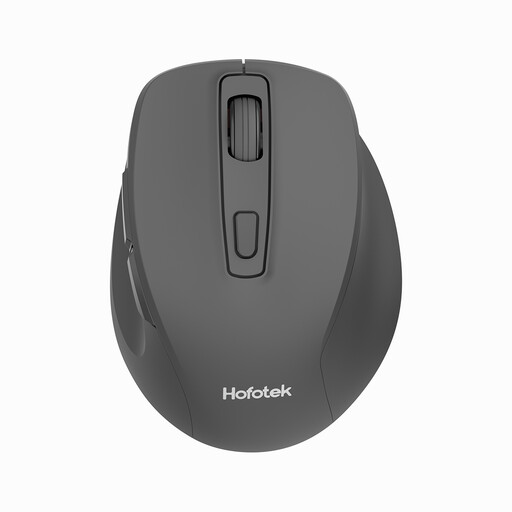
Why This Fits Their Persona: This model focuses on the essentials: reliable, quiet operation for everyday tasks. Ideal for students and home users looking for a straightforward, functional mouse without expensive extra features.
It sidesteps the multi-device trap with a stable 2.4 GHz connection and avoids the DPI myth with practical, adjustable settings (800-1600 DPI) that are optimal for office applications.
Quiet clicks for a peaceful work environment; simple plug-and-play setup via the USB receiver.
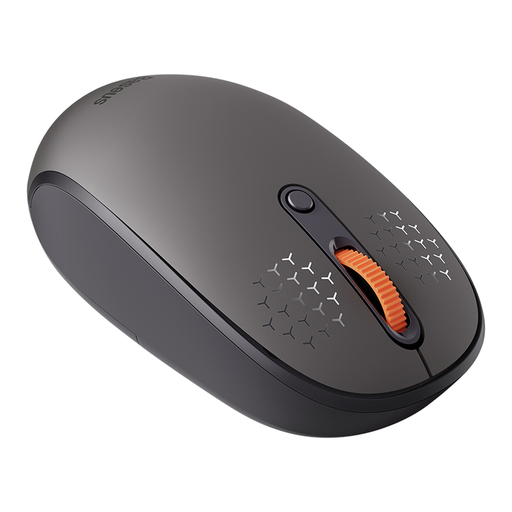
Why This Fits Their Persona: Perfect for professionals and creatives who regularly switch between a desktop PC, laptop, and tablet. The ability to manage three devices boosts productivity and declutters the desk.
It solves the multi-device trap with three dedicated connection modes (2.4 GHz, Bluetooth 5.0, Bluetooth 3.0) and a simple switch button, making device switching reliable and not just a marketing promise.
Seamless switching between up to three devices; quiet buttons and an ergonomic design for comfortable work over long periods.
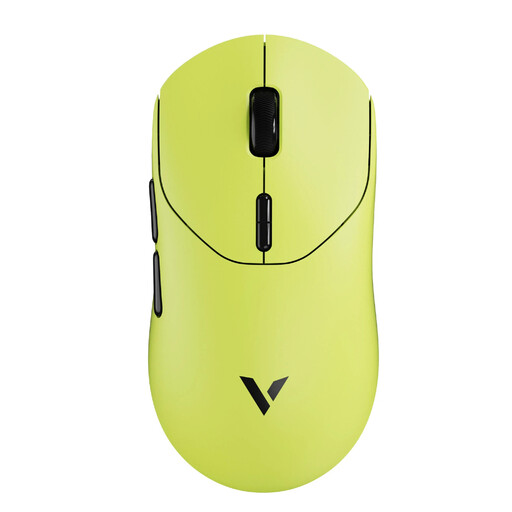
Why This Fits Their Persona: Designed for gamers where every millisecond counts. The ultra-lightweight design, high polling rate, and precise sensor are built for fast-paced, competitive games where precision and reaction speed are crucial.
Instead of just advertising high DPI numbers, it delivers technologically sound performance with an extremely high polling rate (up to 8K) and a dedicated gaming sensor. This ensures minimal latency—a critical factor that basic office mice ignore.
Extremely lightweight design (53g) for rapid movements; V+ wireless gaming technology for a stable, fast connection; 10 programmable buttons.
We have compiled a complete, up-to-date list of products that fully meet these strict selection criteria and German safety regulations.
Choose a 2.4 GHz mouse if you need maximum stability and minimal latency for gaming or at a fixed workstation. A Bluetooth mouse is the better choice if you want flexibility, travel frequently, and need a mouse for devices like laptops or tablets without a free USB port.
Mice with replaceable AA or AAA batteries often offer a very long runtime, from several months to over a year. When the battery is dead, it can be replaced instantly. Models with a built-in rechargeable battery must be charged via a USB cable, which means a short period of downtime unless they can be used while charging. On the other hand, you avoid the cost of buying new batteries. The choice is a matter of personal preference.
For most users who primarily browse the internet, edit documents, or perform other everyday tasks on their PC, an extremely high DPI is not necessary. Values between 800 and 1600 DPI are ideal for this. However, a mouse with adjustable DPI is advantageous as it allows you to adjust the sensitivity depending on the task. Only professional gamers or users with very large 4K/8K monitors truly benefit from values above 3000 DPI.