
Lieferung heute & morgen

Qualitätsgarantie

Willkommens-Angebote freischalten: KOSTENLOSE Lieferung | Bis zu 80 % RABATT | Kostenlose 30-Tage-JoyPlus-Testphase
App herunterladen
A tidy, clutter-free desk promotes focus and creates a more pleasant work environment. A wireless mouse is a key component for such a setup, whether in the office, at home, or for your studies. It offers greater flexibility and eliminates a distracting cable. However, the market is filled with a vast array of models featuring different technologies and functions.
This guide is here to help you navigate your options. We'll outline the objective criteria to consider when choosing a wireless PC mouse and present a selection of models that cater to various user needs.
The right model for you depends on your individual work habits and requirements. Three main criteria will help you narrow down your choices.
The connection type is a fundamental distinguishing feature.
If you spend many hours at the computer each day, the shape of the mouse should be a top priority. An ergonomic mouse is designed to support the natural posture of your hand and wrist, helping to prevent fatigue and strain. Pay attention to the following aspects:
Depending on your work environment, other features can be crucial.
Based on the criteria above, we have compiled a selection of models suitable for different user profiles.
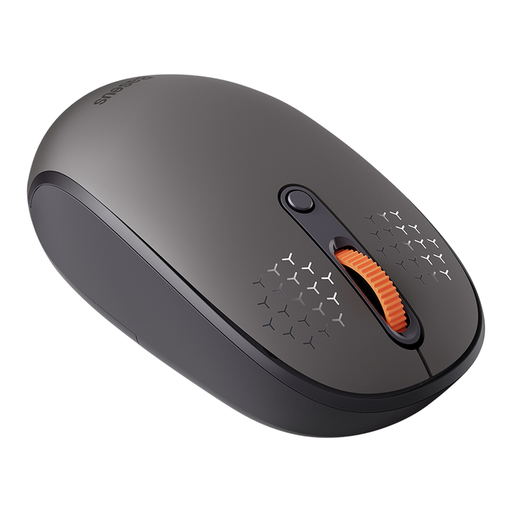
What sets it apart The Baseus F01B is designed for versatility. With three connection modes (2.4 GHz, Bluetooth 5.0, and Bluetooth 3.0), it allows for seamless switching between up to three devices, such as a PC, laptop, and tablet. This makes it a flexible solution for users working within a multi-device ecosystem.
Pros
Who it's for This model is an excellent choice for students and home office users who need a multi-device mouse and value quiet operation.
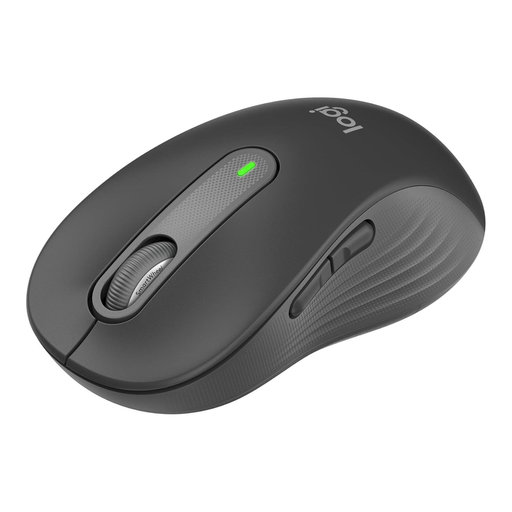
What sets it apart The Logitech wireless mouse Signature M650 L focuses on comfort and productivity. The "L" in its name stands for "Large," catering to users with larger hands. Its SmartWheel scroll wheel automatically switches between precise, line-by-line scrolling and high-speed scrolling.
Pros
Who it's for Ideal for office professionals and power users with larger hands who are looking for an exceptionally comfortable and silent mouse for all-day use.
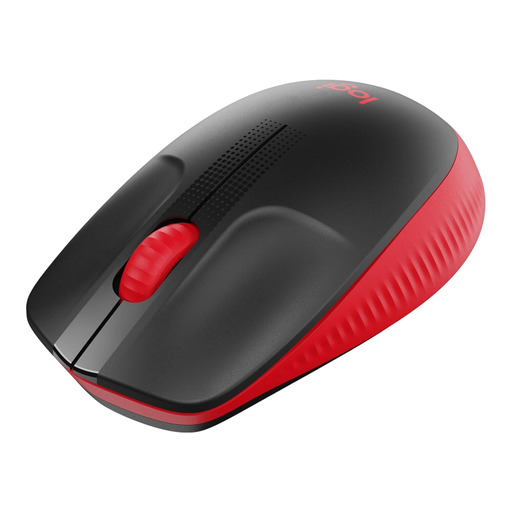
What sets it apart The Logitech M190 is a reliable and straightforward input device for daily use. Its curved, symmetrical design is suitable for both right- and left-handed users. It focuses on the essential functions of a mouse for laptops and PCs.
Pros
Who it's for This model is a solid choice for users seeking a simple, dependable, and budget-friendly wireless mouse for standard office applications and web browsing.
A wireless mouse is the first step towards a clutter-free desk. If you want to further improve your workspace organisation and tame the remaining cables from your monitor, chargers, and other peripherals, a suitable cable management solution can make all the difference.
Discover our selection of cable management mats here to create a completely organised setup.
A 2.4 GHz wireless mouse connects to the computer via a dedicated USB receiver, which often ensures a very stable and responsive connection. A Bluetooth mouse pairs directly with the device without occupying a USB port. The choice depends on whether you have a free USB port and how important a dongle-free solution is to you.
For standard office tasks and web browsing, an extremely high DPI number isn't necessary. Values between 800 and 1600 DPI, common in most office mice, provide precise and comfortable control. An adjustable DPI feature is useful for tailoring the sensitivity to the specific task or screen resolution.
Yes, many modern wireless mice support multi-device connectivity. Models like the Baseus F01B allow you to switch between a PC, a laptop, and a tablet at the touch of a button. Look for terms like "Multi-Device," "Dual-Mode," or "Tri-Mode" in the product description.
Your Joybuy Product Recommendation Officer