
Lieferung heute & morgen

Qualitätsgarantie

Willkommens-Angebote freischalten: KOSTENLOSE Lieferung | Bis zu 80 % RABATT | Kostenlose 30-Tage-JoyPlus-Testphase
App herunterladen
A wireless mouse is a core tool for productivity and leisure at the computer. However, the market is crowded, and many products don't live up to their marketing promises. Misleading performance claims, unreliable connections, or an uncomfortable design often lead to frustration and wasted money. This guide will help you identify the crucial features and make an informed decision based on objective criteria.
Before we dive into the technical details, it's important to understand the most common problems that can arise during selection. Avoiding these traps will not only save you money but also ensure you get a durable and functional product.
To make an informed choice, you should pay special attention to three technical aspects. These fundamentally determine the performance and user comfort of your future mouse.
The precision of a mouse depends on its sensor. Two values are key here:
The type of wireless connection directly impacts stability and compatibility.
A good mouse should feel like a natural extension of your hand. Pay attention to:
Here are some recommendations tailored to specific user profiles that take the above criteria into account.
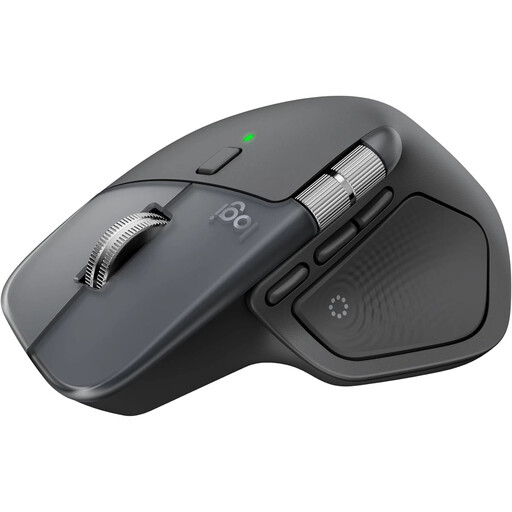
Why This Fits Their Persona: Engineered for power users and creatives who spend many hours at their desk daily. The mouse offers advanced features to boost productivity and reduce hand fatigue.
Its distinct ergonomic shape and thumb wheel sidestep the poor ergonomics trap. The stable Logi Bolt connection and Bluetooth options prevent connectivity issues.
MagSpeed scroll wheel for ultra-fast or precise scrolling; 8K DPI sensor that works even on glass; multi-device pairing for up to 3 devices.
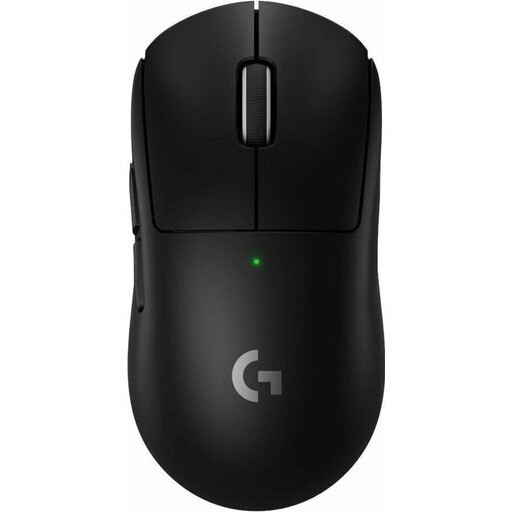
Why This Fits Their Persona: For esports athletes and ambitious gamers where every millisecond and every gram counts. This mouse is designed for maximum speed, precision, and reliability.
Evades the "gaming" trap with professional-grade specs: The HERO 2 sensor and LIGHTSPEED wireless technology provide the precision and zero-latency performance required for competition.
Extremely low weight of only 60g; HERO 2 sensor with up to 44,000 DPI; LIGHTFORCE hybrid switches for tactile and reliable feedback.
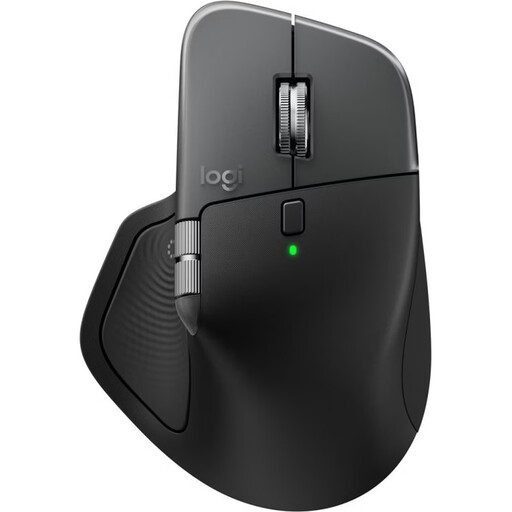
Why This Fits Their Persona: Specifically designed for users within the Apple ecosystem. This mouse for Mac offers seamless integration with macOS and iPadOS, along with a matching design aesthetic.
Solves the problem of compatibility and unstable connections by being optimized for Apple's Bluetooth implementation, ensuring smooth pairing and operation.
Optimized for macOS and iPadOS; easy switching between MacBook, iMac, and iPad; USB-C to USB-C charging; all the benefits of the standard MX Master 4 model.
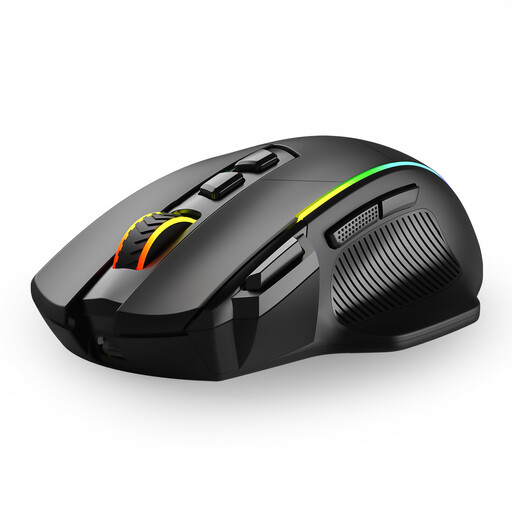
Why This Fits Their Persona: Ideal for users who need a versatile mouse for the office, home office, and occasional gaming without a premium budget. The mouse combines flexibility with a solid feature set.
With tri-mode connectivity (2.4G, Bluetooth, wired), it provides a solution to the unstable connection trap, allowing for flexible use across different devices and scenarios.
Tri-mode connectivity for up to 3 devices; 8 programmable buttons; 6 adjustable DPI levels up to 10,000 DPI; rechargeable via USB-C.
If you're looking for a mouse with a specific connection type, we've compiled a complete, up-to-date list of products that meet strict selection criteria.
1. How long does the battery of a rechargeable mouse last? Battery life varies greatly depending on the model and usage. Office and productivity mice like the Logitech MX Master 4 can last up to 70 days on a full charge, according to the manufacturer. High-performance gaming mice with high polling rates and lighting, such as the Logitech G PRO X SUPERLIGHT 2, typically offer up to 95 hours of active use. Most modern mice feature a quick-charge function via USB-C, which often provides several hours of use after just a few minutes of charging.
2. Is a Bluetooth mouse suitable for gaming? For casual players and many game genres, a modern Bluetooth mouse is sufficient. However, for competitive and fast-paced games (e.g., first-person shooters), a connection via a 2.4 GHz dongle is recommended. This offers lower latency and a more stable signal transmission, which can make a difference in critical game situations. Many gaming mice therefore offer both options.
3. What does "silent clicks" mean, and is it important? Mice labeled with "silent clicks" use special switches that significantly reduce the clicking sound. According to Logitech, the noise reduction on models like the MX Master 4 can be up to 90%. This is particularly beneficial in open-plan offices, libraries, or a home office where you don't want to disturb others with constant clicking noises. For the user, the tactile feedback of the click is still preserved.