The search for a new wireless mouse can quickly become overwhelming. Manufacturers advertise high DPI figures, vague battery promises, and a multitude of connection options. But not every advertised feature is relevant to every user or lives up to its promise. As your Joybuy Product Recommendation Officer, I'll help you navigate the marketing noise and make an informed decision based on objective criteria.
The 3 Most Common Pitfalls When Buying a Wireless Mouse
Before we dive into the important features, let's look at the typical traps that often lead to disappointment and unnecessary expense.
- The DPI Myth: Many marketing campaigns highlight extremely high DPI (Dots Per Inch) values of 10,000, 20,000, or more. In practice, however, most users don't need such high sensitivity. An excessively high DPI can make the cursor uncontrollable and is primarily relevant for gamers with very high-resolution monitors. For everyday office work, values between 1,200 and 2,400 DPI are often perfectly sufficient.
- The Battery Trap: Claims like "months of battery life" are often imprecise and based on minimal usage. The type of power supply is more crucial. Models with built-in batteries, rechargeable via USB-C, offer more convenience and are more cost-effective in the long run than those reliant on disposable batteries. Look for clear specifications on battery capacity (in mAh) and the ability to use the mouse while it's charging.
- Unstable Connections: A wireless mouse is only as good as its connection. Budget models often suffer from signal dropouts or noticeable delays (latency). A Bluetooth mouse is practical because it doesn't occupy a USB port, while a 2.4 GHz connection via a dongle is often more stable and has lower latency—a key factor for a wireless gaming mouse. Models with multi-device capability, which can seamlessly switch between a PC, laptop, and tablet, are a significant value-add for productivity.
What Really Matters: The Core Parameters of a Good Wireless Mouse
To make the right choice, focus on the following three objective criteria that determine actual user comfort and performance.
H2: Connectivity: 2.4 GHz, Bluetooth, or Multi-Device?
The choice of connection technology depends directly on your use case:
- 2.4 GHz Wireless (with USB Dongle): This technology typically offers the lowest latency and a very stable connection. It is the preferred choice for demanding gaming and precision work where every millisecond counts. The downside is that a USB port is always occupied by the receiver.
- Bluetooth: A Bluetooth mouse connects directly to your laptop's or PC's integrated module without needing a dongle. This makes it ideal for mobile users and ensures a clutter-free workspace. Modern Bluetooth versions (5.0 and higher) have significantly improved latency and stability, but they don't always reach the level of a dedicated 2.4 GHz connection.
- Multi-Device Connectivity: For users who regularly switch between multiple devices (e.g., desktop PC, work laptop, and tablet), this feature is crucial. Mice with this capability can be paired with up to three devices simultaneously, and switching is often done at the touch of a button.
H2: Sensor and Precision: More Than Just High DPI
The precision of a mouse is determined by two main factors:
- DPI (Dots Per Inch): Indicates how sensitive the mouse is to movement. Instead of looking for the highest number, you should choose a model with adjustable DPI levels that suit your needs.
- Office and Everyday Use: 800–2,400 DPI is ideal.
- Gaming and Graphic Design: 1,600–10,000 DPI provides the necessary flexibility for fast movements and pixel-perfect precision.
- Polling Rate: Measured in Hertz (Hz), this value indicates how often the mouse reports its position to the computer. A standard value of 125 Hz is sufficient for office work. For a responsive wireless gaming mouse, however, 1000 Hz (1 ms response time) or more is the standard to ensure lag-free input.
H2: Ergonomics and Design: Comfort for Long Workdays and Intense Sessions
A mouse that doesn't fit well in your hand can lead to fatigue or even pain over time.
- Shape and Size: Choose a mouse that matches your hand size and grip style (Palm, Claw, or Fingertip Grip). An ergonomic mouse is specially shaped to keep the wrist in a more natural position.
- Weight: Lighter mice (under 80g) are popular with gamers as they facilitate quick movements. Heavier models may feel more premium and controlled to some users.
- Buttons and Click Sound: The number of programmable buttons is important for power users and gamers. A silent mouse with dampened clicks is a considerate choice for offices or quiet home work environments.
Recommended Picks for Every User
Here are some recommendations based on the objective criteria above, tailored to specific user profiles.
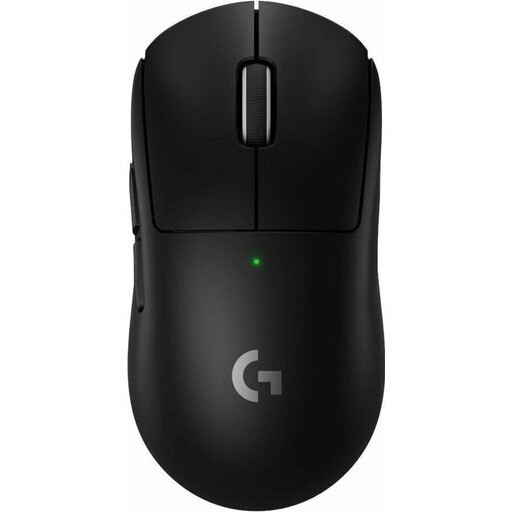
BEST FOR: COMPETITIVE GAMERS
Why It's a Match: Developed in collaboration with esports professionals, this model focuses on the essentials: low weight (60g) and an extremely low-latency LIGHTSPEED wireless connection. Ideal for fast-paced, competitive games where every millisecond counts.
How It Avoids the Pitfalls
It sidesteps the pure DPI hype by focusing on a precise HERO 2 sensor and a high polling rate. The battery life is clearly stated at up to 95 hours, and the connection is designed for maximum stability.
Key Advantage
Extremely low weight for rapid maneuvers and a reliable wireless technology designed for professional gaming.
BEST FOR: PRODUCTIVITY POWER USERS
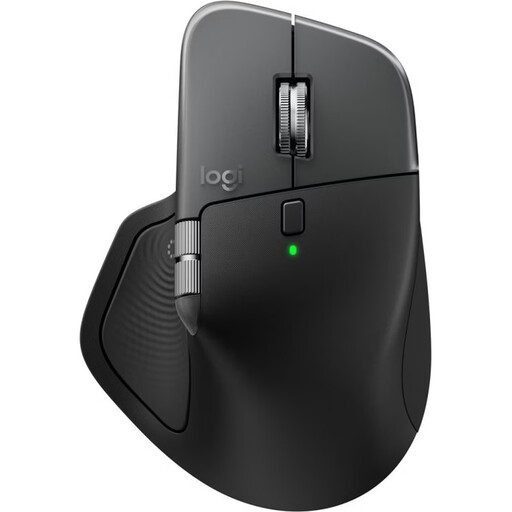
Why It's a Match: This mouse is engineered for maximum productivity. Its pronounced ergonomic shape supports the hand during long workdays, while the thumb wheel and multi-device capability ensure a seamless workflow across PC and Mac.
How It Avoids the Pitfalls
It solves the connectivity problem with a stable multi-device connection via Bluetooth and the Logi Bolt USB receiver. The battery is transparently rechargeable via USB-C and offers up to 70 days of runtime, according to Logitech.
Key Advantage
The MagSpeed electromagnetic scroll wheel allows for hyper-fast or line-by-line precision scrolling. Its high degree of customization via software boosts efficiency.
BEST FOR: THE MINIMALIST HOME OFFICE
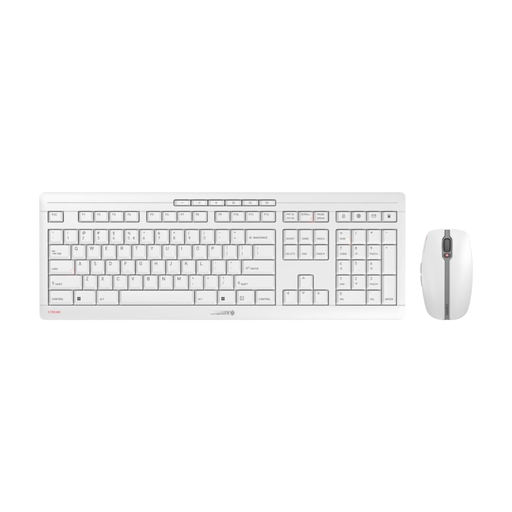
Why It's a Match: This wireless keyboard and mouse set is an all-in-one solution for a clean and quiet workspace. The keyboard's CHERRY SX scissor technology and the mouse's silent clicks are ideal for environments where noise should be kept to a minimum.
How It Avoids the Pitfalls
It masterfully solves the battery trap with integrated NiMH batteries that are conveniently rechargeable via USB-C. The stable 2.4 GHz connection with AES-128 encryption ensures reliable and secure data transmission.
Key Advantage
A high-quality and coordinated all-in-one solution from an established manufacturer. The combination of quiet operation, stability, and rechargeability is highly practical.
Looking for More Options?
We have compiled a complete, up-to-date list of products that fully meet these strict selection criteria and German safety regulations.
Frequently Asked Questions (FAQ)
H3: How do I connect a wireless mouse without a USB receiver?
A wireless mouse without a dedicated USB receiver (dongle) connects via Bluetooth. To do this, activate Bluetooth pairing mode on the mouse (often by long-pressing a button) and search for the device in the Bluetooth settings of your computer, laptop, or tablet to pair it.
H3: What does DPI mean for a mouse and what value is best?
DPI (Dots Per Inch) describes the sensitivity of the mouse sensor. A higher value means the cursor travels a greater distance on the screen for the same physical movement.
- For standard office applications and browsing, 1,200 to 2,400 DPI is generally optimal.
- For gaming or working on large 4K monitors, a higher, adjustable DPI of up to 10,000 can be useful for switching between fast turns and precise aiming.
H3: Can you use a rechargeable mouse while it's charging?
Yes, most modern rechargeable wireless mice with a USB-C port can be used while charging. When you connect the mouse to the computer via the charging cable, it typically functions like a conventional wired mouse while the battery recharges simultaneously.