
Lieferung heute & morgen

Qualitätsgarantie

Willkommens-Angebote freischalten: KOSTENLOSE Lieferung | Bis zu 80 % RABATT | Kostenlose 30-Tage-JoyPlus-Testphase
App herunterladen
Choosing the right wireless mouse can significantly impact your daily workflow on a PC or laptop. However, the market is flooded with models whose technical specs often create more confusion than clarity. Many users invest in features they will never need, or only realise after weeks of use that their new device is uncomfortable or doesn't perform as expected. This guide will help you identify the crucial features and sidestep common purchasing traps.
Before we dive into the technical details, it's important to be aware of the most common mistakes. These often lead to dissatisfaction and unnecessary expense.
To make an informed decision, you should focus on a few, but crucial, technical features.
The connection type is a key criterion. A wireless mouse primarily uses two technologies:
The DPI number indicates how sensitive the mouse is to movement.
The shape of the mouse should suit your hand.
Here are some recommendations tailored to specific user needs that avoid the pitfalls mentioned earlier.
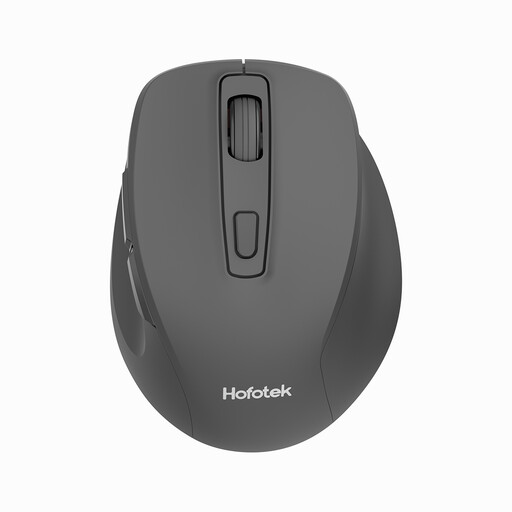
Why This Fits Their Persona: Ideal for users seeking a reliable and quiet mouse for everyday tasks like email, browsing, and office applications without a large budget. Its light weight also makes it highly portable.
This mouse offers a practical sensitivity range of 800-1600 DPI, avoiding the premium price for unnecessarily high DPI values. As a dedicated 2.4 GHz mouse, it's designed for a fixed workstation, sidestepping connectivity complexities.
The silent clicks (silent mouse) are a major advantage in quiet environments like libraries or home offices. At just 55g, it is also extremely lightweight.
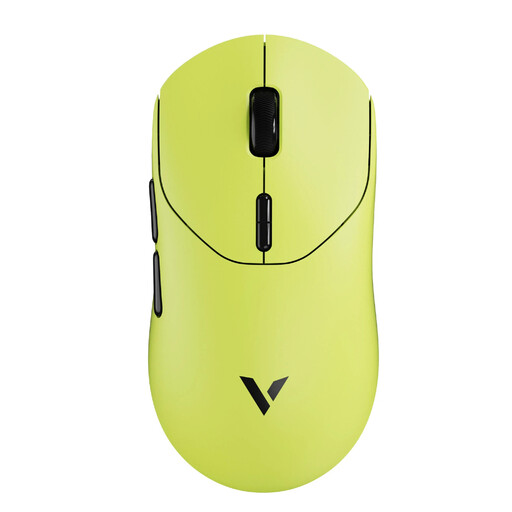
Why This Fits Their Persona: Engineered for competitive players who value minimal latency, maximum precision, and customisability. The ultralight design supports fast, fatigue-free movements for hours on end.
This mouse delivers performance that makes a tangible difference in gaming with a true 8K Hz wireless polling rate and a 26,000 DPI sensor, rather than just advertising big numbers. Its ergonomics are engineered for performance, not just aesthetics.
The extremely low weight of 53 grams and the high polling rate enable exceptionally direct and responsive control. 10 programmable buttons offer extensive customisation options.
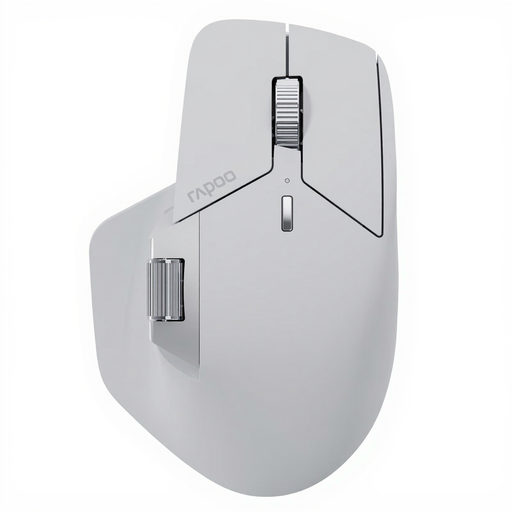
Why This Fits Their Persona: Perfect for power users and professionals who need to switch seamlessly between multiple devices like a desktop PC, laptop, and tablet. The mouse is designed for maximum productivity and workflow efficiency.
This model elegantly solves the connectivity problem by allowing connections with up to 7 devices via NearLink, Bluetooth, and cable. Its ergonomic shape also prevents fatigue during long-term use.
The M+ Cross-Computer Technology allows you to move the cursor across multiple screens and transfer files via copy-and-paste. The long battery life of up to 120 days is another major plus.
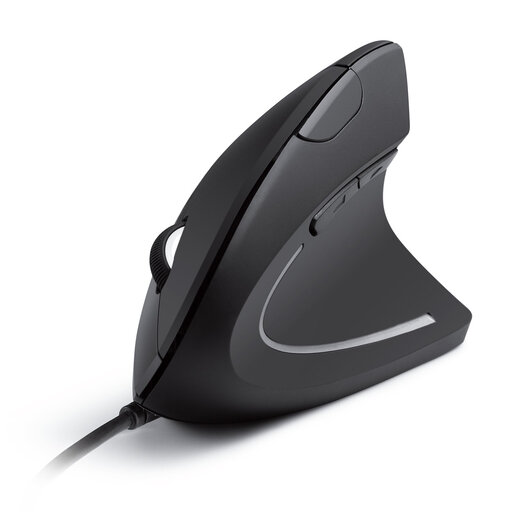
Why This Fits Their Persona: For users who spend many hours at their desk and want to actively reduce wrist and arm strain. The focus here is clearly on health and comfort.
This vertical mouse is the direct answer to the ergonomics pitfall. It guides the hand into a more natural posture, prioritising comfort over other features. As a wired mouse, it also offers an interference-free, stable connection.
The design promotes a neutral "handshake" position that can reduce muscle strain. The additional forward/back buttons facilitate browser navigation.
We have compiled a complete, up-to-date list of products that fully meet these strict selection criteria and safety standards.
1. How long does the battery of a wireless mouse last? Battery life varies greatly depending on the model and usage. Basic models with AA batteries can last up to 12 or 18 months according to manufacturer specifications (e.g., Rapoo 1680, Logitech M220). Rechargeable mice with built-in lithium batteries often offer runtimes of 90 to 120 days per charge (e.g., RAPOO MT760 series). The actual duration depends on daily usage time and enabled features.
2. Can I use a Bluetooth mouse without a dongle? Yes, that is the main advantage of a Bluetooth mouse. As long as your computer, laptop, or tablet has a built-in Bluetooth module, you can pair the mouse directly without occupying a USB port with a dongle. This is especially convenient for ultra-portable laptops and tablets.
3. What is the key difference between a gaming mouse and an office mouse? A gaming mouse (like models from Razer or Logitech G) is optimised for speed and precision. It features sensors with very high DPI values, high polling rates for minimal delay, and often additional programmable buttons. An office mouse, on the other hand, focuses on ergonomics for long-lasting comfort, silent clicks, and often multi-device connectivity for productive work across multiple devices.