
Lieferung heute & morgen

Qualitätsgarantie

Willkommens-Angebote freischalten: KOSTENLOSE Lieferung | Bis zu 80 % RABATT | Kostenlose 30-Tage-JoyPlus-Testphase
App herunterladen
A tidy, cable-free desk promotes focus and efficiency. A wireless mouse is an essential element in achieving this, but choosing the right model can be a challenge given the vast array of features and designs. Whether for precise design work, long office days, or responsive gaming, the requirements vary significantly.
This article serves as your guide. We will introduce the key criteria for your decision and present a selection of wireless mice for different use cases, based on their technical specifications and features.
The decision for a specific model should be based on objective parameters that match your individual needs. Three main factors are particularly relevant.
An ergonomic mouse is shaped to support a natural hand posture, reducing strain on the wrist and forearm during extended use. Pay close attention to the shape and size of the mouse. Models like a dedicated mouse for large hands offer more surface area and prevent a cramped grip, while more compact mice are better suited for smaller hands. Rubberised grips can also further enhance control and comfort.
The type of wireless connection affects both compatibility and performance:
DPI (Dots Per Inch) indicates the sensitivity of the mouse sensor. A higher DPI value means the cursor travels a greater distance on the screen with the same hand movement. For an everyday wireless mouse for work, values between 800 and 1,600 DPI are often sufficient. Creative professionals working on high-resolution monitors or gamers benefit from sensors with higher DPI values (e.g., 8,000 DPI or more) for finer and faster cursor movements. However, more important than the maximum value is a precise sensor that functions reliably on various surfaces.
Based on the criteria mentioned, we have compiled a selection of models that are well-suited for different user groups due to their specific features.
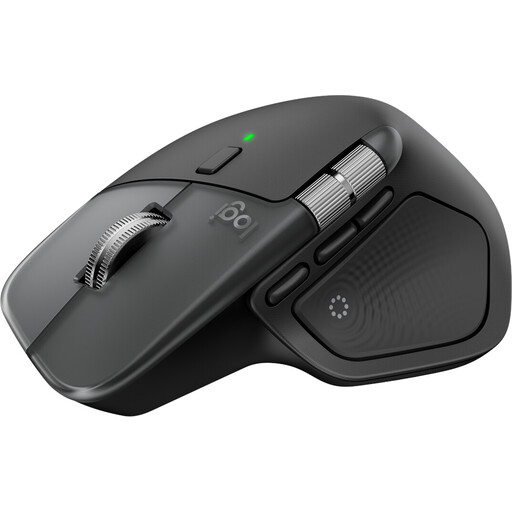
The Logitech MX Master 4 for Mac is designed for maximum productivity within the Apple ecosystem. It combines an ergonomic shape with advanced features like customisable haptic feedback and the Actions Ring, which displays context-sensitive shortcuts directly at the cursor. The MagSpeed scroll wheel allows for a quick switch between precise and hyper-fast scrolling.
This model is aimed at creative professionals, developers, and power users who primarily work with macOS and iPadOS and appreciate a highly advanced, customisable workflow.
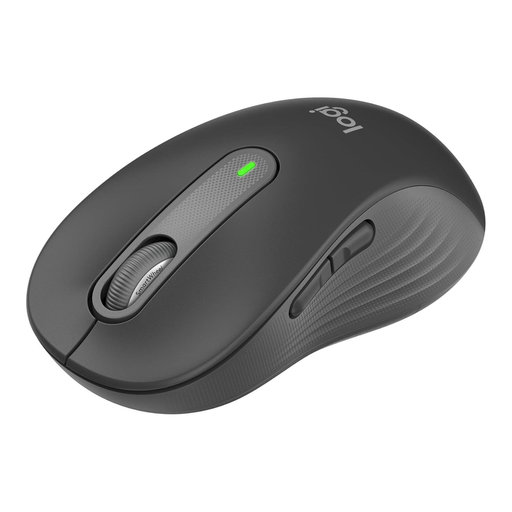
The Logitech Signature M650 L focuses on comfort and efficiency for the daily work routine. The "L" version is specifically designed as a mouse for large hands. With its SilentTouch technology, it is an exceptionally quiet mouse, making it ideal for open-plan offices or the home office. The long battery life of up to 24 months ensures uninterrupted work.
Ideal for professionals seeking a reliable, comfortable, and quiet mouse for long workdays, especially for users with larger hands.
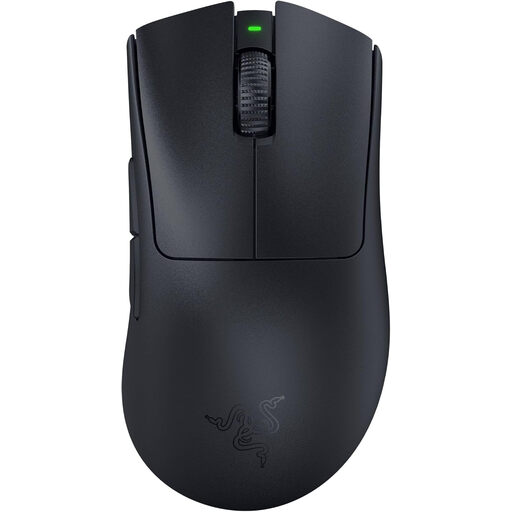
The Razer DeathAdder V3 Pro is an ergonomic mouse uncompromisingly designed for gaming performance. Weighing only 63 grams, it is extremely lightweight and allows for fast, precise movements. The combination of the Focus Pro 30K sensor, 3rd generation optical switches, and HyperSpeed Wireless technology aims for minimal latency and maximum responsiveness.
This model is the choice for ambitious gamers and esports enthusiasts for whom low weight, high precision, and a lag-free connection are crucial.
The mice presented cover specific use cases. However, if you are looking for models with a special button layout to further optimise your workflow, a mouse with additional, programmable buttons might be the right choice.
Explore our selection of computer mice with side buttons to find the perfect model for your needs.
Three aspects are central to an ergonomic mouse: size, shape, and button placement. The mouse should fit comfortably in your hand without you having to severely curl or spread your fingers. A vertical or steeply sloped shape can bring the wrist into a more neutral position. Ensure that all buttons, including the side buttons, are easily reachable without contorting your hand.
For casual gamers, a modern Bluetooth mouse can be sufficient. However, for competitive gaming, a connection via a 2.4 GHz dongle is generally recommended. Technologies like Razer HyperSpeed or Logitech Lightspeed are optimised to reduce latency (delay) to a minimum, which is crucial for fast reaction times in games. Bluetooth tends to have slightly higher latency.