
Lieferung heute & morgen

Qualitätsgarantie

Willkommens-Angebote freischalten: KOSTENLOSE Lieferung | Bis zu 80 % RABATT | Kostenlose 30-Tage-JoyPlus-Testphase
App herunterladen
A wireless mouse keeps your workspace tidy and is especially handy when your laptop, PC or MacBook has only a few ports. At the same time, models differ significantly in connection type, power supply, ergonomics and sensor technology. A flashy DPI number alone doesn’t tell you much about whether a mouse will be reliable in everyday use.
A mouse with high DPI moves the cursor faster across the screen for the same hand movement. This can be useful for large monitors or certain games. In the office, for image editing or when writing, however, what also matters is whether the sensitivity can be adjusted sensibly and whether the sensor works steadily on the surface you’re using.
A Bluetooth mouse connects directly to many laptops, tablets and MacBooks. No USB receiver is required. A classic wireless mouse with a 2.4 GHz receiver, on the other hand, can be used easily with PCs that don’t have a Bluetooth module. Before buying, you should therefore check which ports and wireless standards your target device supports.
Models with dual or multi-mode connectivity offer more flexibility, but they need a clear switching method and, if necessary, a free USB port. On a MacBook, a Bluetooth connection can be more practical, while a desktop PC benefits from a receiver.
A silent mouse reduces clicking noise, but it doesn’t necessarily work silently. The scroll wheel and movement across the desk also create sound. For open-plan offices, libraries or home offices, terms like “Silent Click” are helpful, but should be understood as noise reduction rather than absolute silence.
For a mouse for a laptop or MacBook, Bluetooth 5.0 or Bluetooth 5.1 and broad operating system support are relevant specifications. A mouse for a PC may additionally need a 2.4 GHz USB receiver. Check beforehand:
A multi-device mouse can simplify switching between your work computer, laptop and tablet. The maximum number of connected devices and the method of switching should be clearly stated in the product description.
DPI refers to the resolution with which the sensor translates movement. For office tasks, moderate settings are usually sufficient. Creative applications benefit from finely adjustable values, while a gaming mouse often offers additional profiles and a high polling rate.
Don’t just look at the maximum value, but also at:
A sensor with 8,000 DPI isn’t automatically more useful for every user than a model with 4,000 DPI. What matters is the combination of feel, software settings and surface.
An ergonomic mouse should suit your hand size and preferred grip style. Right-handed models often have a pronounced thumb rest, but are less suitable for left-handed users. Compact mice save space and are good for travel; larger models can offer more surface area for long work sessions.
When it comes to power supply, there are two concepts to choose from:
The stated battery life is a manufacturer’s figure and depends on factors such as usage time, wireless mode and lighting. For lithium batteries, follow the manufacturer’s safety instructions. Damaged or swollen batteries must not be used and must be disposed of according to local regulations.
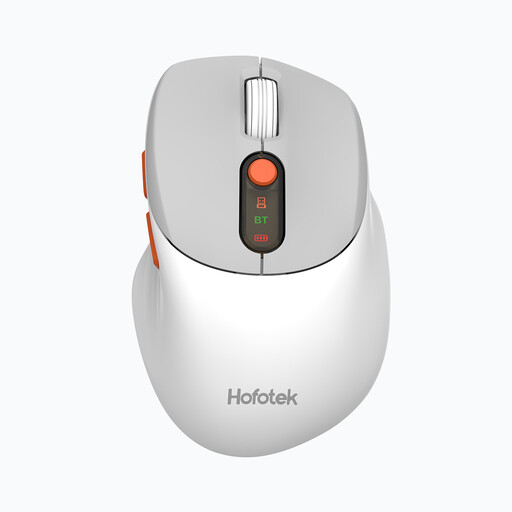
Why this product suits the profile: This compact office mouse connects via 2.4 GHz wireless or Bluetooth 5.1 and supports up to three devices. The five DPI levels from 800 to 4,000 cover typical office and laptop tasks.
The dual-mode connection reduces the risk of ending up with an incompatible solution due to a missing Bluetooth module or USB port. Silent clicks are intended for shared workspaces.
62 g weight, three devices and a pre-installed AA battery.
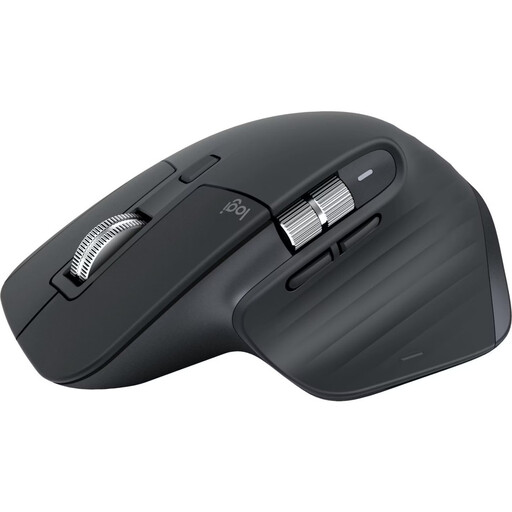
Why this product suits the profile: This right-handed model is designed for long workflows with documents, spreadsheets and multiple devices. Bluetooth, USB-C charging, seven programmable buttons and up to 8,000 DPI are clearly stated features.
The connection works without an additional receiver. Noise-reduced clicks and customisable buttons are clearly described for office and home office situations.
Up to three devices, MagSpeed scroll wheel and rechargeable battery with USB-C port.
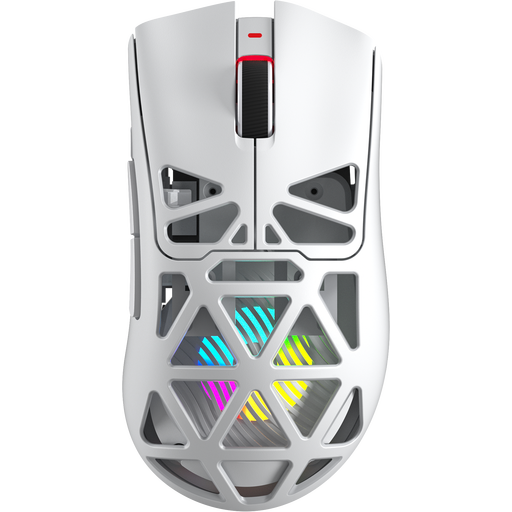
Why this product suits the profile: This gaming mouse is aimed at users who want to combine Bluetooth, 2.4 GHz wireless and USB-C in one model. The PixArt PAW3311 sensor, up to 12,000 DPI, 8 kHz polling rate and seven programmable buttons are relevant for gaming and customisable workflows.
The three connection types make the usage options transparent. The DPI and button specifications show which settings are actually available, rather than just advertising a single peak figure.
67 g weight, 400 mAh battery and USB-C port.
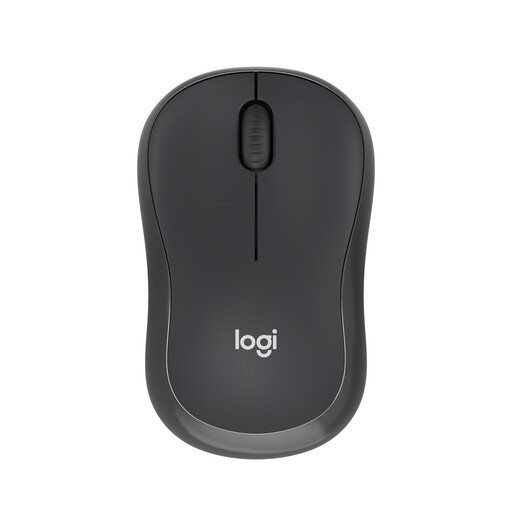
Why this product suits the profile: This compact, ambidextrous Bluetooth mouse doesn’t need a USB receiver and is specified for Windows, macOS, iPadOS, ChromeOS, Linux and Android.
The Bluetooth connection saves a USB port. The stated auto-sleep mode can help limit battery consumption in everyday use.
AA battery included and stated battery life of up to 18 months.
We’ve put together a complete, regularly updated list of products that fully meet these strict selection criteria and the safety regulations in force in the EU.
For a Bluetooth mouse, activate Bluetooth in the system settings, turn the mouse on and select it from the device list. For a wireless mouse, plug in the USB receiver. After that, no additional software is usually required, depending on the model. For programmable buttons or DPI profiles, the manufacturer’s app may be necessary.
That depends on the battery type, wireless mode, lighting and usage. Models with an AA battery can run for many months according to the manufacturer. A rechargeable mouse is charged via USB-C; the actual runtime may differ from the stated figures depending on usage.
For office work, internet browsing and creative tasks, Bluetooth is often sufficient. For a gaming mouse, the polling rate, latency, sensor behaviour and the availability of a 2.4 GHz mode are also relevant. If you need fast reactions, you should therefore compare the specific technical specifications of each model.