
Lieferung heute & morgen

Qualitätsgarantie

Willkommens-Angebote freischalten: KOSTENLOSE Lieferung | Bis zu 80 % RABATT | Kostenlose 30-Tage-JoyPlus-Testphase
App herunterladen
A wireless mouse can make your desk tidier, save space when you’re working on the go, and make using a laptop more comfortable. That said, not every wireless mouse automatically leads to a good purchase decision. High DPI values, exceptionally long battery lives or quiet clicks are often advertised, yet these figures alone don’t tell you much about how well the mouse will perform in everyday use.
Before you buy, you should therefore check how the mouse connects, which hand size it suits, and what kind of power supply actually matches your usage habits. The following criteria will help you avoid the typical mistakes when buying a wireless mouse.
A mouse with 2.4 GHz wireless usually requires a USB receiver. This gives you a straightforward plug-and-play connection, but it does take up a USB port. A Bluetooth mouse connects directly to a compatible device and doesn’t need a dongle. That’s especially handy with modern laptops, tablets or MacBooks.
Check before you buy:
If you’re looking for a Bluetooth mouse without a dongle, you’ll find more suitable models in the selection of Bluetooth mice without a dongle.
DPI describes the sensitivity of the sensor, not automatically its accuracy. For office tasks, moderate values are often perfectly sufficient. A wireless gaming mouse with 26,000 or 44,000 DPI is aimed more at users who want to configure sensitivity, polling rate and button functions in detail.
More important than the highest possible maximum value are:
“Up to” figures depend on usage time, wireless technology, lighting and power-saving mode. A mouse with an AA battery can last many months or longer, whereas a model with a built-in rechargeable battery needs regular charging. For travel, a battery compartment or a long battery life is practical; for gaming, USB-C charging while in use may be more important.
Also pay attention to whether the battery life is stated for Bluetooth, 2.4 GHz wireless or a specific polling rate.
A wireless mouse for PC or a wireless mouse for a laptop should be compatible with your operating system and available ports. A nano-USB receiver works well with devices that have a USB-A port. Bluetooth models save you the receiver, but they need a compatible Bluetooth module and have to be paired once.
With a multi-device mouse, it should be clearly stated how many devices are supported and whether switching is done via a button or software. Models with 2.4 GHz, Bluetooth and a cable offer extra flexibility, but they are usually more complex than a simple office mouse.
An ergonomic mouse doesn’t have to be large. What matters is whether your palm rests on it comfortably and your fingers can reach the buttons easily. Compact models fit well into small workspaces and travel bags. Large right-handed mice, on the other hand, often have a pronounced thumb rest.
Left-handed users should look for a symmetrical or ambidextrous shape. For longer sessions, weight, glide feet and the position of the side buttons also count. A trackball mouse can be a good idea if you don’t have much room on your desk for mouse movements.
A quiet mouse reduces noise when you’re working in libraries, offices or in the evening. Claims like “90 % less click noise” should be understood as manufacturer statements and may be perceived differently depending on your environment.
For typical office tasks, three buttons are enough. Additional side buttons are useful for forward and back navigation or freely assignable functions. Gamers benefit from programmable buttons and a sensor with multiple profiles. A free-spinning scroll wheel is handy for long documents, while a precise notched wheel can help when working with spreadsheets.
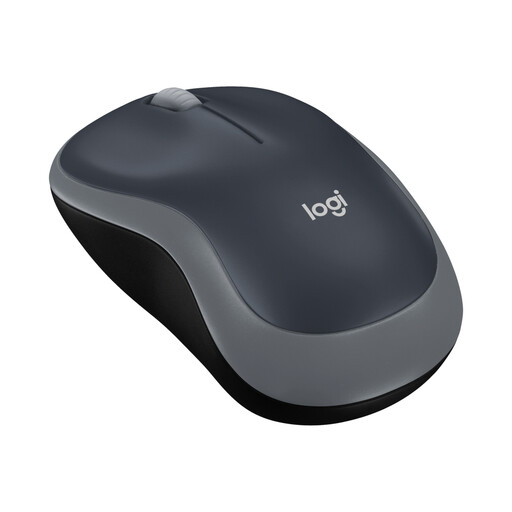
Why this product fits the profile: This compact three-button mouse is designed for everyday tasks on a PC, laptop or in the home office, and connects via a nano-USB receiver.
The technical specs are kept simple: 1,000 DPI, 2.4 GHz connection, up to 10 m range and one AA battery. This means you’re not paying for unnecessary features.
Ambidextrous shape, 75.2 g weight including battery and, according to the manufacturer, up to twelve months of battery life.
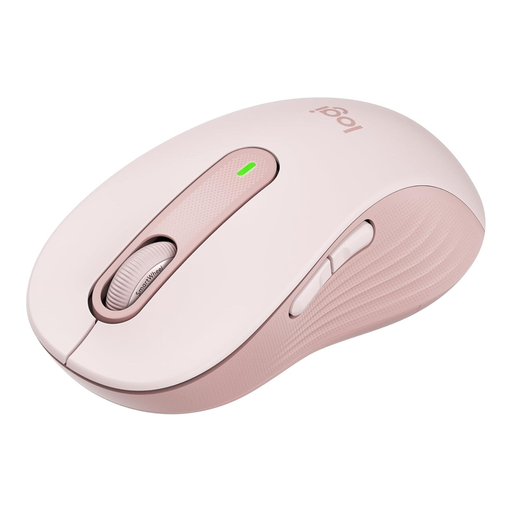
Why this product fits the profile: The L version is designed for larger hands and right-handed users, and offers both Bluetooth and Logi-Bolt USB connection.
The correct size is clearly stated. Plus, you can use the connection with or without a USB receiver, depending on your device.
SilentTouch clicks, customisable side buttons and, according to the manufacturer, up to 24 months of battery life with one AA battery.
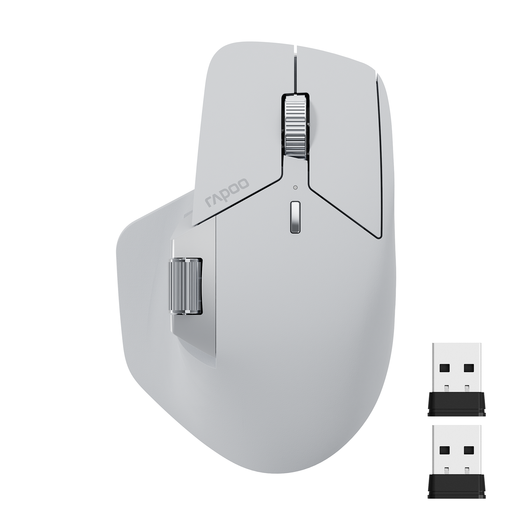
Why this product fits the profile: This multi-device mouse supports up to four devices according to the manufacturer, and connects via Bluetooth 5.0, 2.4 GHz or a cable.
The connection types and the number of devices are clearly specified. The battery life is stated separately for each wireless mode, making it easier to assess.
11 programmable buttons, seven DPI levels up to 4,000 and an 800 mAh rechargeable battery with USB-C charging port.
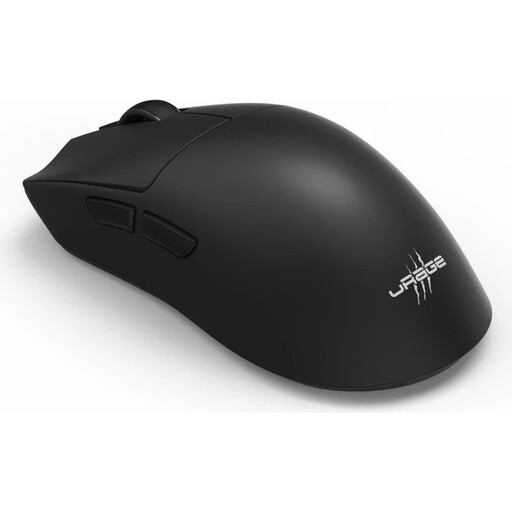
Why this product fits the profile: This model is aimed at right-handed users who need programmable buttons, high DPI values and a combination of wireless and Bluetooth connectivity.
Alongside the maximum sensor resolution, the polling rate, weight, number of buttons and battery life are also stated. This makes it easier to compare with your actual gaming style.
26,000 DPI, 8,000 Hz polling rate, six programmable buttons, 57 g weight and up to 72 hours of battery life according to the manufacturer.
We’ve put together a complete, regularly updated list of products that fully meet these strict selection criteria and the safety regulations in force in the EU.
With a 2.4 GHz wireless mouse, plug the USB receiver into a suitable port and switch the mouse on. A Bluetooth mouse is selected and paired in your laptop’s Bluetooth settings. If you’re using multiple devices, follow the switch button or the relevant software instructions.
That depends on the battery, wireless mode and usage. Models with an AA battery can last anywhere from several months up to two years, according to the respective product specifications. Rechargeable mice are charged via USB-C; their battery life is usually stated in hours or days. Power-saving features can reduce consumption.
Yes, provided the sensor, polling rate, connection and battery life match the game you’re playing. For office applications, a simple wireless or Bluetooth connection is usually sufficient. For fast-paced games, low latency, stable 2.4 GHz technology and a weight that suits your hand are more important than the highest possible DPI maximum value.