
Lieferung heute & morgen

Qualitätsgarantie

Willkommens-Angebote freischalten: KOSTENLOSE Lieferung | Bis zu 80 % RABATT | Kostenlose 30-Tage-JoyPlus-Testphase
App herunterladen
A wireless mouse clears the clutter from your desk, makes working on the go easier and, depending on the model, can control several devices. At the same time, many product claims can lead to the wrong purchase: a high DPI number doesn't automatically mean better everyday performance, a long battery life depends heavily on how you use it, and a seemingly ergonomic shape won't suit every hand.
This guide explains which specifications really matter before buying a wireless mouse and which models suit different types of users.
DPI describes the sensitivity of the sensor, not its quality. For office programmes, browsing and documents, moderate settings are often sufficient. Very high values are mainly useful for certain gaming scenarios or large screen resolutions. What also matters is consistent tracking, a suitable surface and the ability to adjust the sensitivity.
For a mouse that uses AA batteries, the battery life is usually given in months or years. For a rechargeable mouse, it depends on factors such as lighting, polling rate, connection type and how long you use it. Figures like "up to" should therefore be understood as maximum values. Also check whether a USB-C cable is included and whether the mouse can be used while charging.
An ergonomic mouse should fit your hand size and preferred grip style. Small, flat models are often good for travel and smaller hands. A larger design can be more comfortable for extended use, but needs more desk space. Left-handed users should look for a symmetrical shape, while right-handed users can also choose specially contoured models.
A Bluetooth mouse connects directly to compatible computers, tablets and smartphones. This saves a USB port, but requires a Bluetooth module on the device. A wireless mouse with a 2.4 GHz receiver usually works via plug-and-play, but needs a free USB-A port or a suitable adapter.
Models with dual or tri-mode connection combine Bluetooth, 2.4 GHz and wired operation. This is useful if you want to use one mouse for your PC and laptop, tablet or smartphone. For multiple devices, easy-switch buttons or saved connection channels are handy.
Optical sensors are common in the office sector. The DPI setting affects how far the cursor moves for a given movement. For selection purposes, several adjustable steps are usually more useful than a single peak value.
For gaming mice, the polling rate describes how often the mouse sends position data to the computer. 1,000 Hz is sufficient for many games. 8,000 Hz can shorten the transmission intervals, but increases system resource demands and can affect battery life.
A low weight can make quick movements easier, but isn't ideal for every grip or surface. Check the number of buttons and whether they can be assigned via software. For office tasks, side forward and back buttons are helpful; gamers also look for macros, profiles and switch technology.
For a quiet mouse, the noise reduction should be explicitly stated in the product specifications. "Silent" or "Quiet Click" usually describes the switch and click acoustics, not necessarily every sound from the scroll wheel.
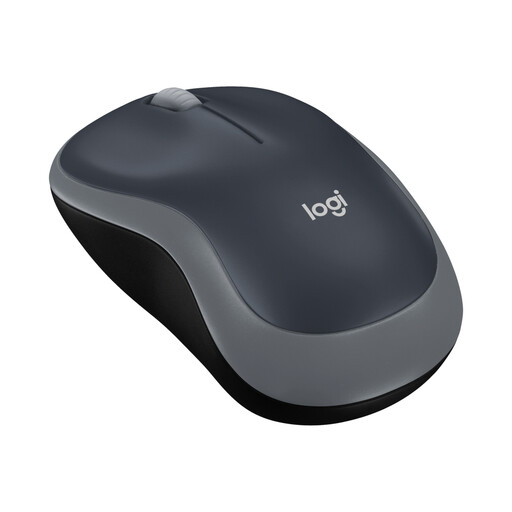
Why this product suits the profile: This compact Logitech mouse is aimed at users who want a straightforward solution for a Windows PC, Mac, laptop or Chromebook. The nano USB receiver makes setup simple.
The specifications state a 2.4 GHz connection, a range of up to 10 m and an AA battery. This makes the connection and power supply clear to assess before purchase.
Optical sensor, three buttons, symmetrical shape and a stated battery life of up to twelve months.
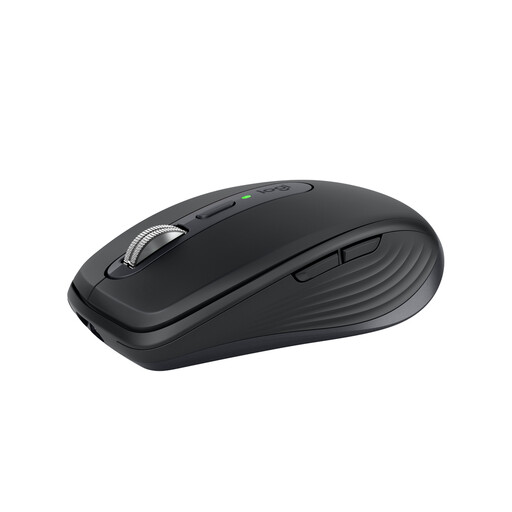
Why this product suits the profile: For mobile professionals and home office users, this model combines Bluetooth, optional receiver use and switching between up to three devices.
The product specifications list the connection options, battery technology and a USB-C battery life of up to 70 days separately. This makes it easier to estimate daily charging needs.
800 to 8,000 DPI, six programmable buttons, quiet clicks and a Darkfield sensor according to the manufacturer.
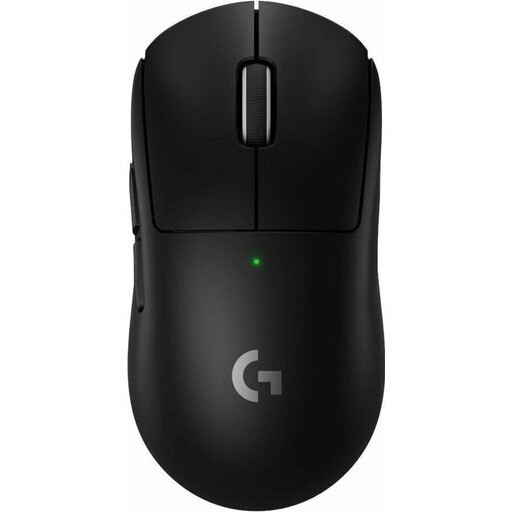
Why this product suits the profile: This wireless gaming mouse is designed for users who prioritise low weight, high sensor resolution and a rechargeable power supply.
Weight, polling rate, sensor resolution and battery life are given as concrete technical values. This makes it easier to distinguish between genuine gaming performance and mere marketing claims.
60 g weight, HERO 2 sensor with up to 44,000 DPI, USB-C charging and a stated battery life of up to 95 hours.
We've put together a complete, regularly updated list of products that fully meet these strict selection criteria and the safety regulations in force in the EU.
For a wireless mouse, plug the USB receiver into a free port and switch the mouse on. A Bluetooth mouse is selected in the Bluetooth settings of your computer, tablet or smartphone. For multiple devices, follow the pairing instructions and then switch using the relevant button or device channel.
The lifespan depends on the switches, battery or rechargeable battery, how often you use it and how well you look after it. Manufacturer figures for power supply range from several months to several years, depending on the model. A rechargeable mouse should be charged with the supplied cable and protected from moisture, heat and knocks.
For battery-powered models, you'll have ongoing costs for AA batteries. A mouse with a rechargeable battery instead needs electricity to charge. So the total cost includes not just the purchase price, but also battery consumption, charging accessories and, if necessary, a separately available receiver or module for special functions.