
Lieferung heute & morgen

Qualitätsgarantie

Willkommens-Angebote freischalten: KOSTENLOSE Lieferung | Bis zu 80 % RABATT | Kostenlose 30-Tage-JoyPlus-Testphase
App herunterladen
A wireless mouse frees up space on your desk and makes using a laptop, tablet or desktop PC easier. However, not every wireless mouse automatically offers greater comfort. Details such as connection type, shape, click noise and power supply often determine whether a model is genuinely suitable for everyday use.
This buying guide helps home users, students, office workers and gamers understand technical specifications and avoid common purchasing mistakes.
A Bluetooth mouse connects directly to devices that support Bluetooth. No USB receiver is required. This saves ports and is particularly suitable for modern laptops and tablets.
A 2.4 GHz wireless mouse, on the other hand, usually requires a USB nano receiver. This can be practical if a computer does not support Bluetooth or if you want a connection without prior pairing. With tablets and very slim laptops, however, the receiver may require an adapter.
Models with a dual-mode connection combine both options. Before buying, check which ports and operating systems are available on your device.
DPI describes how far the mouse pointer moves in response to a particular movement. A high value is not automatically better. Moderate settings are often sufficient for office work, word processing and web browsing. More precise adjustment can be useful for photo editing or gaming.
More important than a single maximum value are:
A mouse with adjustable DPI is therefore more versatile than a model with just one fixed sensitivity setting.
An ergonomic mouse needs to suit your hand size, grip style and preferred hand. Compact models are practical for travelling, but may offer less support for larger hands. Larger bodies require more space and are not automatically comfortable for everyone.
Weight also plays a role. Lightweight mice are easy to carry and move quickly. Heavier models can sit more securely on your desk. For longer work sessions, you should also consider the thumb rest, button placement and scroll wheel.
Before buying, check:
A multi-device mouse can be useful if you switch between a work laptop, tablet and personal computer. The switching button should be easy to reach.
Battery-powered models often use AA or AAA batteries. Their advantage is that a flat battery can be replaced quickly. Integrated batteries, on the other hand, are charged via USB and eliminate the need to buy batteries regularly. Actual battery life depends on the connection type, usage, power-saving mode and battery type.
Statements such as ‘up to one month’ or ‘up to 24 months’ are manufacturer specifications and should be treated as guidelines. For rechargeable mice, charging time, the USB connection and whether the mouse can be used while charging are all relevant considerations.
A quiet mouse is worth considering for open-plan offices, libraries and shared spaces. ‘Silent’ or ‘Silent Touch’ generally describes reduced click noise, rather than a completely silent device.
You should also consider:
For gaming, the sensor, polling rate, response behaviour and wired backup operation are also important. An office mouse does not need to offer the same functions.

Why this product suits the profile: This compact 2.4 GHz mouse is designed for users looking for a simple solution for the office, studying or laptop use. According to the product specifications, it weighs around 55 g and comes with a USB receiver and AA battery.
The four DPI levels from 800 to 1600 allow you to adjust the sensitivity instead of relying on a fixed value. The Silent Touch design also takes noise-sensitive workplaces into account.
55 g weight, optical sensor, compatibility with Windows, macOS and Android, plus a pre-installed AA battery.
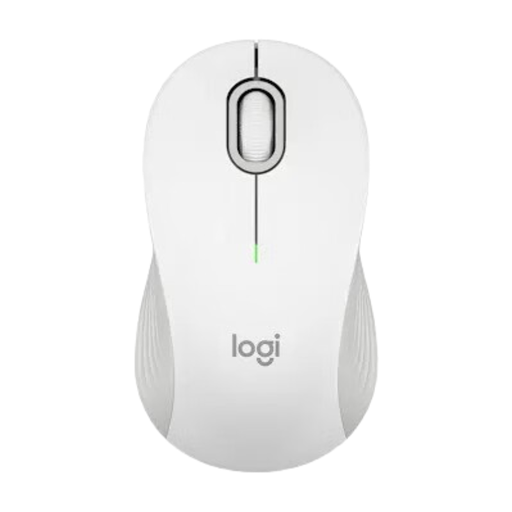
Why this product suits the profile: This mouse combines Bluetooth with a Logi Bolt receiver and is available in standard or L size. This allows you to choose the right option for your hand size and workspace.
The specifications list both connection types, a range of up to 10 m and optical resolution of up to 4000 DPI. This makes it easier to choose based on your specific requirements.
SmartWheel, customisable side buttons, Silent Touch clicks and a manufacturer-stated battery life of up to 24 months via Logi Bolt.
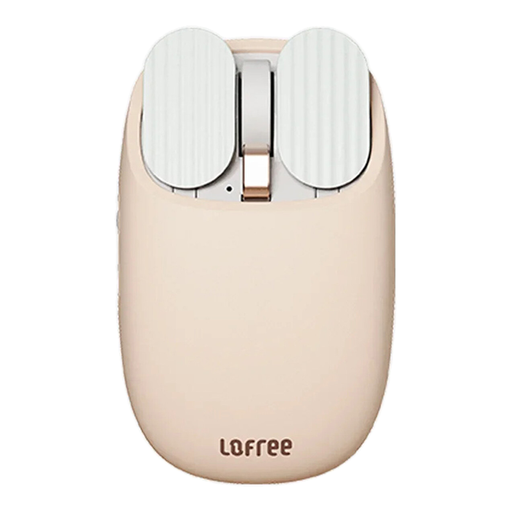
Why this product suits the profile: This dual-mode mouse is designed for users with multiple devices. It supports Bluetooth and 2.4 GHz and offers five DPI levels for work, studying and everyday navigation.
Instead of offering just one connection option, it supports Bluetooth and 2.4 GHz wireless. The compatibility specifications list Windows, macOS, iPadOS, iOS and Android.
PAW3220LU sensor, DPI levels from 800 to 3600, integrated 800-mAh battery and approximately one month of battery life according to the product specifications.
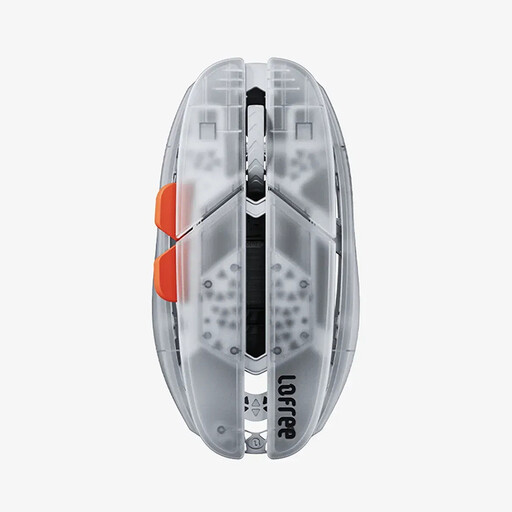
Why this product suits the profile: This model is aimed at gamers and users who want to switch between a wired connection, Bluetooth and 2.4 GHz wireless. Its weight is listed as approximately 47 g.
The tri-mode connection reduces reliance on a single wireless technology. The mouse can also be used via USB-C with a wired connection when the battery needs charging.
PAW3950 sensor, configurable DPI from 100 to 40,000 via the web application and, according to the manufacturer, up to 100 hours of use in Bluetooth mode.
We have put together a complete, regularly updated list of products that fully meet these strict selection criteria and the safety regulations applicable in the EU.
It depends on the device. Bluetooth saves a USB port and is suitable for laptops or tablets with built-in Bluetooth. A 2.4 GHz mouse with a receiver can be more straightforward with older computers or desktop PCs. Dual-mode models offer both options.
Battery life varies depending on the model and how it is used. Some battery-powered mice are advertised with a manufacturer-stated battery life of up to twelve or 24 months. For integrated batteries, battery life is usually specified in hours or weeks. Power-saving features and the connection type used affect the actual figure.
Medium sensitivity is often sufficient for office work. The key is to ensure that you can move the mouse pointer with control. If you switch between spreadsheets, graphics programmes and games, you will benefit from several DPI levels rather than one fixed setting.