
Lieferung heute & morgen

Qualitätsgarantie

Willkommens-Angebote freischalten: KOSTENLOSE Lieferung | Bis zu 80 % RABATT | Kostenlose 30-Tage-JoyPlus-Testphase
App herunterladen
A wireless mouse keeps your desk tidy and works with PCs, Macs, laptops and tablets. However, not every wireless mouse automatically delivers a better work or gaming experience. The key factors are connectivity, shape, sensor, power supply and actual compatibility with your devices.
The following recommendations from the Joybuy Product Recommendation Officer help you assess technical specifications and avoid common purchasing mistakes.
An 8K DPI mouse or a model with 44,000 DPI may initially sound highly capable. DPI primarily describes sensor sensitivity, not necessarily its everyday precision. Office work often requires significantly lower settings. For gaming, tracking speed, polling rate, sensor performance and the ability to customise settings are also important.
If you focus solely on the highest DPI figure, you may end up paying for a range you never use.
A Bluetooth mouse does not require a USB receiver, but its performance can vary depending on the device and environment compared with a 2.4 GHz wireless mouse. A USB dongle often provides a direct connection to the computer, but it does occupy a port. Some models support Bluetooth, 2.4 GHz and wired operation, while others offer only one of these options.
Before buying, check the following:
Statements such as “up to 70 days” or “up to 95 hours” are based on defined usage scenarios. Polling rate, lighting, wireless standard, software and daily usage all affect the actual runtime. A rechargeable mouse with USB-C is convenient, but the charging cable or power adapter is not always included.
Gaming mice with high polling rates can consume more power in particular. A realistic purchasing decision should therefore consider both the advertised battery life and whether the mouse can be used while charging.
Bluetooth is practical for notebooks, tablets and many Macs because no receiver is required. For desktop PCs or gaming, a 2.4 GHz connection via USB dongle may be the better choice. It requires a free port but provides a dedicated wireless link.
A tri-mode mouse combines Bluetooth, 2.4 GHz and USB cable operation. This is particularly useful if you plan to use one mouse with a PC and Mac, smartphone or tablet. With multi-device mice, you should also check how many devices can be stored. Some models allow switching between three devices, while others support up to four.
For office work, web design and image editing, a stable sensor and finely adjustable pointer speed are usually more important than an extreme maximum value. In gaming mice, polling rates of 1,000 Hz or 8,000 Hz indicate how frequently signals are transmitted. A higher rate can improve perceived responsiveness, but it requires suitable hardware and may reduce battery life.
The DPI setting should suit your workspace, screen resolution and grip style. A very low value can feel sluggish across large monitor surfaces, while excessive sensitivity can make precise control more difficult.
An ergonomic mouse should match your hand size, preferred grip and working posture. Right-handed users may find asymmetrical designs particularly comfortable, while compact models are easier to carry. A lightweight gaming mouse weighing around 53 to 67 grams supports rapid movements, whereas heavier office and productivity mice often provide more controls and a larger palm rest.
Programmable buttons are useful if you regularly use keyboard shortcuts, media controls or application commands. Before buying, however, check whether the required software is available for Windows and macOS.
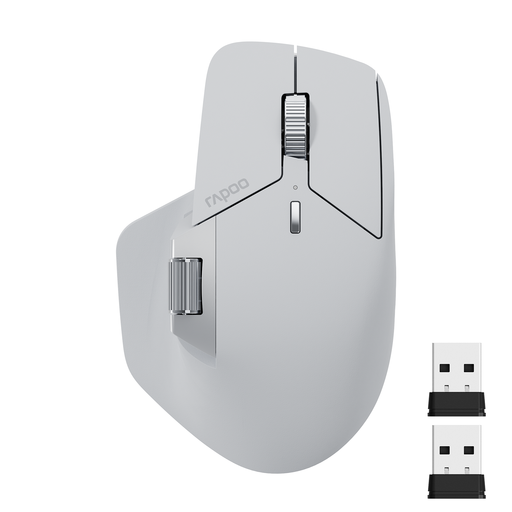
Why it suits this profile: This compact multi-device mouse supports Bluetooth 5.0 and 2.4 GHz and, according to the product specifications, can be used with up to four devices. It is suitable for laptops, PCs, smartphones and tablets.
Seven DPI levels from 800 to 4,000 are more practical for typical office and everyday tasks than an unnecessarily high maximum setting.
11 programmable buttons, USB-C charging and, according to the manufacturer, up to 150 hours in Bluetooth mode or 160 hours in 2.4 GHz mode.
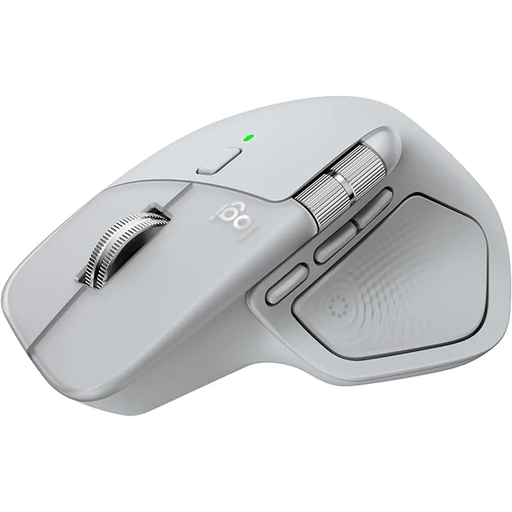
Why it suits this profile: The mouse is listed as compatible with Windows, macOS, Linux, ChromeOS, iPadOS and Android, and can be paired with up to three devices. Its design is intended for users who spend many hours at their desk.
The shape, thumb rest and scroll wheel take centre stage rather than a purely promotional DPI claim. Its weight of around 141 grams should be considered carefully before purchase.
USB-C charging, a MagSpeed scroll wheel, seven controls and, according to the manufacturer, up to 70 days of battery life.
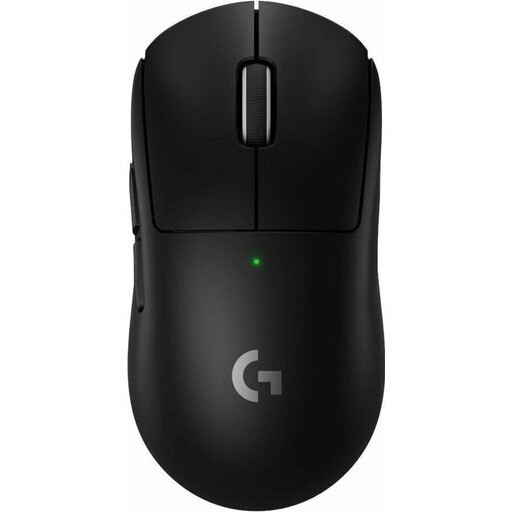
Why it suits this profile: Weighing just 60 grams and featuring LIGHTSPEED wireless connectivity and five programmable buttons, this model is aimed at users who prefer a lightweight gaming mouse for rapid movements.
The 8,000 Hz polling rate and HERO 2 sensor are specific technical features. They should only take priority if your PC, monitor and games can make sensible use of these settings.
Up to 44,000 DPI according to the manufacturer, a USB-C charging port, PTFE mouse feet and up to 95 hours of battery life.
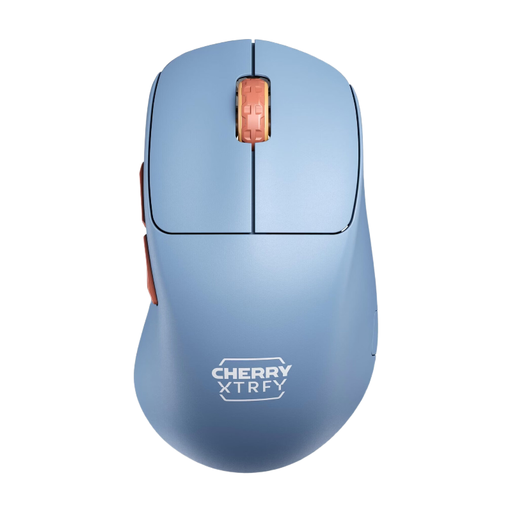
Why it suits this profile: The right-handed design, 53-gram weight and 2.4 GHz connection appeal to users who prefer a streamlined gaming mouse without mandatory driver software.
DPI and polling-rate settings can be adjusted directly on the mouse. No additional software is therefore required for the essential settings.
PixArt 3395 sensor, USB-C charging, selectable polling rates of up to 1,000 Hz and, according to the manufacturer, up to 90 hours of battery life.
We have put together a current selection of products that take these buying criteria and relevant German safety requirements into account.
That depends on the model and connection type. Many Bluetooth mice work with Windows and macOS, while USB receivers require a suitable port. Before buying, check the operating-system version, connection type and available configuration software.
Depending on the model, manufacturers quote anything from several hours to several weeks. Actual battery life depends on factors including wireless mode, polling rate, lighting and usage time. A USB-C port makes recharging convenient; some models can continue to be used in wired mode while charging.
Not necessarily. For office work, the right shape, quiet clicks, a precise scroll wheel and a reliable connection are usually more important. A high DPI setting can be useful with multiple monitors or specialised workflows, but it is not a standalone measure of quality.