
Lieferung heute & morgen

Qualitätsgarantie

Willkommens-Angebote freischalten: KOSTENLOSE Lieferung | Bis zu 80 % RABATT | Kostenlose 30-Tage-JoyPlus-Testphase
App herunterladen
A wireless mouse keeps your desk tidy and is more practical on the go than a wired model. However, wireless mice vary considerably in their connectivity, noise levels, shape and power supply. If you focus only on the brand or a high DPI value, you could end up with a model that doesn’t suit your laptop, PC or Mac in everyday use.
A mouse can connect wirelessly via Bluetooth or a 2.4 GHz USB nano receiver. Bluetooth leaves a USB port free and works with many laptops, tablets and Macs. A USB receiver, on the other hand, is often straightforward: plug it in, switch on the mouse and connect.
Before you buy, check:
A Bluetooth mouse isn’t automatically compatible with every older computer. Conversely, a mouse with a USB nano receiver may not be practical with an ultra-slim laptop that only has USB-C ports.
DPI describes how far the mouse pointer moves in response to a particular movement. For office work, studying and browsing the web, moderate values such as 1,000 DPI are often sufficient. A higher adjustable range can be useful if you switch between different ways of working.
A reliable optical sensor, smooth movement and a suitable surface matter more than a big number on the spec sheet. A precise optical mouse may work more reliably on a clean, matt surface than on glass or highly reflective surfaces.
A quiet mouse typically reduces the sound of its clicks. The scroll wheel and side buttons may still be audible. Claims such as “up to 90 per cent less click noise” are made by the manufacturer and shouldn’t be taken to mean the mouse is completely silent.
SilentTouch or Quiet Click features can be useful in libraries, shared offices or when working from home. If you often work in noisy surroundings, you may value a comfortable shape or long battery life more.
Many models have a stated wireless range of up to 10 metres. In practice, furniture, metal surfaces and other wireless signals can affect the connection. A stable connection over a few metres is usually enough at a desk.
Depending on the model, a multi-device mouse can switch between two, three or up to four devices. This can be useful if, for example, you use a work PC, personal laptop and tablet side by side. Before you buy, check whether you switch between devices using a button, software or automatically.
An ergonomic mouse needs to suit your hand size and preferred grip. Compact models are easy to carry, but may offer less support for larger hands. Right-handed users should look for a contoured shape; ambidextrous models work for both left- and right-handed users.
For longer sessions, consider:
A mouse for a laptop and PC can be compact, but it shouldn’t be so small that your hand stays cramped.
Battery-powered mice usually need an AA or AAA battery. Models with an automatic sleep mode can help extend battery life. Rechargeable models charge via USB-C, but need to be connected to a power source regularly.
The stated battery life is a guide and depends on factors including how often you use the mouse, the wireless standard and the power-saving mode. If you want to change batteries as rarely as possible, look for a mouse with long battery life. For travel, a battery compartment that’s easy to access can be handy.
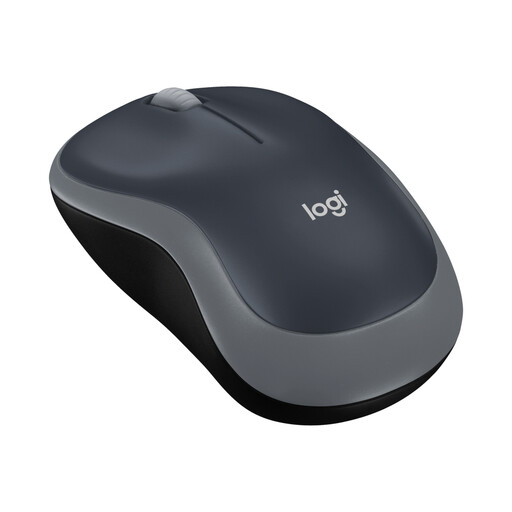
Why this product suits this user: This compact Logitech wireless mouse connects via 2.4 GHz and a USB nano receiver. It’s listed as compatible with Windows, macOS, Linux and ChromeOS, and is suitable for everyday tasks on a laptop or PC.
The connection technology and USB port required are clearly specified. The stated battery life is up to 12 months.
1,000-DPI optical sensor, three buttons, ambidextrous shape and a stated wireless range of up to 10 metres.
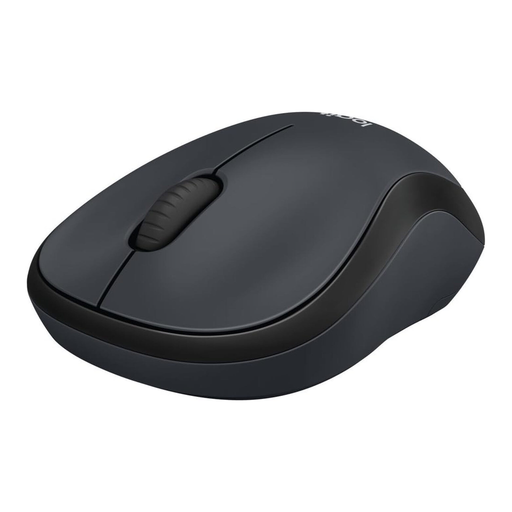
Why this product suits this user: The M220 is a quiet mouse with an ambidextrous shape and compact dimensions. It’s designed for people working from home, in shared offices or in study spaces.
The SilentTouch feature is stated to reduce click noise by over 90 per cent compared with conventional mice, not to eliminate noise completely.
2.4 GHz connection, optical tracking and a stated battery life of up to 18 months.
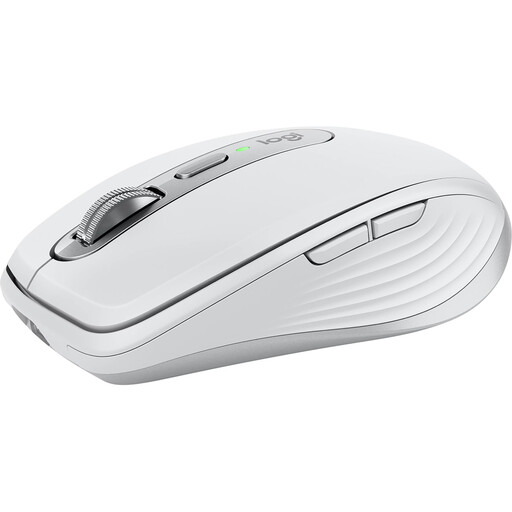
Why this product suits this user: This compact mouse combines Bluetooth, optional wireless connectivity and USB-C charging. It’s designed for people who switch between multiple devices and need programmable buttons.
You can use it without a USB receiver. Compatibility, charging port and support for up to three devices are also listed as specific features.
8,000-DPI Darkfield sensor, MagSpeed scroll wheel, six programmable buttons and a stated battery life of up to 70 days.
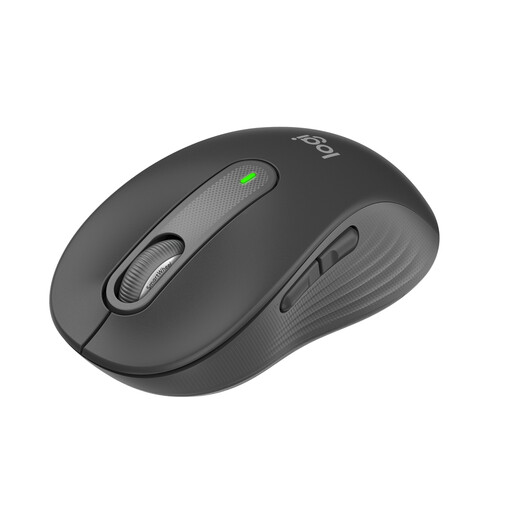
Why this product suits this user: Designed for small to medium hands, this mouse combines Bluetooth and a Logi Bolt receiver with a contoured shape. It’s suitable for regular office work and longer sessions.
The recommended hand size and connectivity options are clearly specified. You can customise the buttons using the accompanying software.
Five buttons, SmartWheel, SilentTouch and a stated battery life of up to 24 months.
We’ve put together a complete, regularly updated list of products that meet these strict selection criteria and the safety regulations in force in the EU.
With a model that uses a USB nano receiver, plug the receiver into a suitable USB port. Then check the battery and power switch. Pair a Bluetooth mouse through your laptop’s Bluetooth settings. The exact menu names may vary depending on your operating system.
For the battery-powered mice mentioned here, manufacturers state a battery life of around 12 to 24 months. Rechargeable models often give usage time in days or hours. Actual battery life depends on how long you use the mouse, its sleep mode and the type of connection.
Many Bluetooth mice support both macOS and Windows. The specifications for the particular model are what matter. Before you buy, check your operating system version, whether Bluetooth is available and whether any software is required.