
Lieferung heute & morgen

Qualitätsgarantie

Willkommens-Angebote freischalten: KOSTENLOSE Lieferung | Bis zu 80 % RABATT | Kostenlose 30-Tage-JoyPlus-Testphase
App herunterladen
A wireless mouse clears clutter from your desk and makes using a laptop, PC or tablet much easier. The choice ranges from a simple radio-frequency mouse and Bluetooth mouse to a rechargeable multi-device model. However, product claims aren’t always directly comparable. What really matters is the connection type, compatibility, shape and ongoing costs.
A radio-frequency mouse with a 2.4 GHz connection usually requires a USB receiver. This often allows straightforward plug-and-play setup, but it does need a free USB port. On a modern laptop with only a few USB-A sockets, you might need an adapter.
A Bluetooth mouse, on the other hand, connects directly through your device’s Bluetooth settings. This is handy for tablets and slim notebooks, but it only works if the target device supports Bluetooth. Some models combine both Bluetooth and a USB receiver, giving you greater flexibility.
DPI describes how sensitive the sensor is to movement. A high value isn’t automatically useful for every task. For office work, moderate settings are often sufficient, while graphics programmes or gaming can benefit from adjustable sensitivity. More important than the highest possible number is smooth tracking and a setting that suits your workspace.
A mouse that uses AA batteries can last many months, depending on the model. However, regular battery changes mean ongoing costs. A rechargeable mouse, by contrast, needs a charging cable and must be charged in good time. Figures like “up to” refer to manufacturer values and can vary depending on usage intensity, connection and power-saving mode.
Check before you buy:
A compact wireless mouse is ideal for travel and small work surfaces. For larger hands, a longer or taller casing may be more comfortable. Left-handed users should look for a symmetrical design, while a specially shaped ergonomic mouse is often designed for one hand only.
With trackball models, the mouse stays on the desk; you control the cursor with your thumb. This saves desk space but takes a little getting used to. Descriptions of comfort or ergonomic support should be understood as design features, not medical benefits.
A quiet mouse can be suitable for open-plan offices, libraries or a home office shared with others. Manufacturer claims about noise reduction refer to defined test conditions and should not be equated with complete silence.
Also pay attention to:
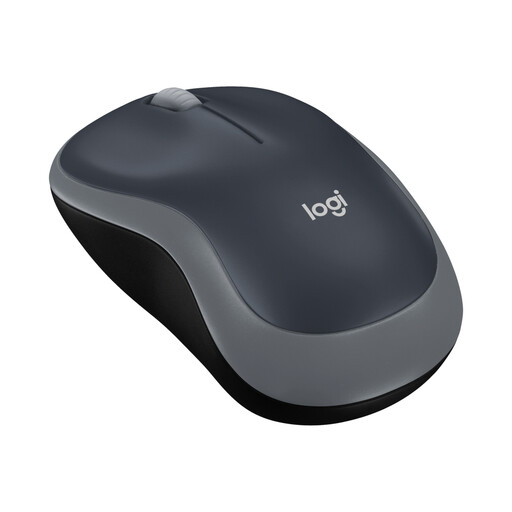
Why this product fits the profile: This compact radio-frequency mouse is aimed at users who want a straightforward mouse for their PC, laptop or office. The USB nano receiver plugs in, and no complicated setup is required.
The specifications clearly state a 2.4 GHz connection, a free USB port and an AA battery. This means you can check the need for adapters and charging cables before buying.
Optical sensor with 1000 DPI, symmetrical design, stated range of up to 10 metres and up to 12 months battery life according to product specifications.
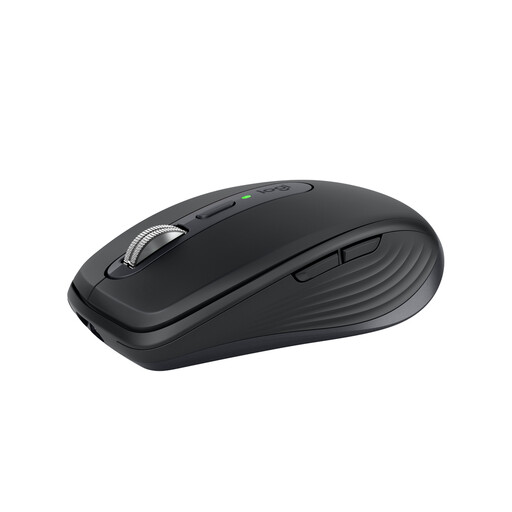
Why this product fits the profile: This compact Logitech mouse is designed for mobile work, the office and changing work surfaces. Bluetooth and the optional use of a Logi Bolt receiver support flexible setups.
The mouse doesn’t just rely on a DPI number; it specifies the sensor, connection, battery type and compatibility. The optional receiver must be considered separately or matched to your setup.
Darkfield sensor with 200 to 8000 DPI, USB-C rechargeable battery with up to 70 days according to product specifications, quiet clicks and switching between up to three devices.
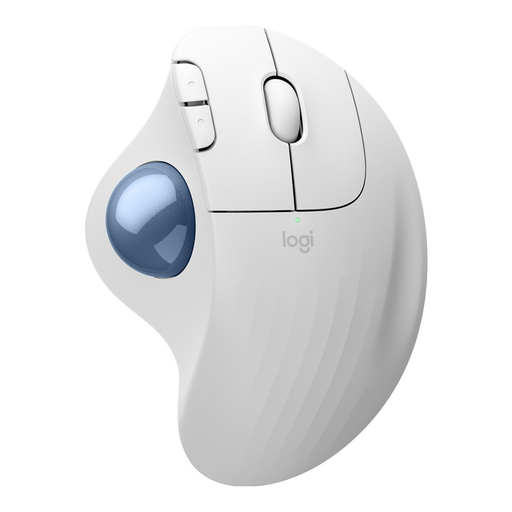
Why this product fits the profile: This trackball mouse is suitable for workstations with limited desk space and for users who prefer an alternative thumb-operated cursor control.
The fixed trackball concept is clearly identifiable before purchase. If you expect a traditional mouse movement, you should choose a conventional model instead.
Bluetooth and Logi Bolt USB receiver, three customisable buttons and a stated battery life of up to 18 months.
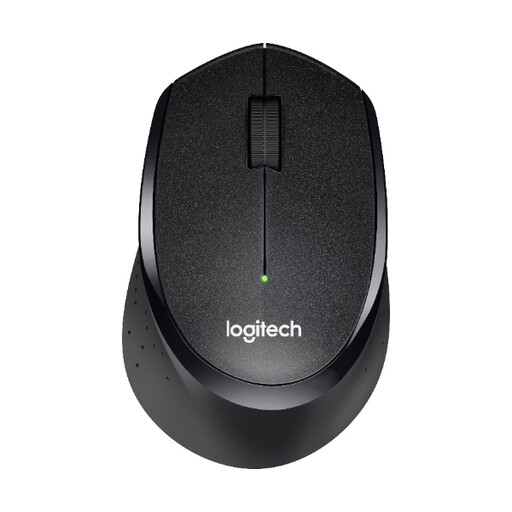
Why this product fits the profile: This quiet radio-frequency mouse is designed for the office, home office and shared spaces where clicking sounds should be kept to a minimum.
The SilentTouch feature is explicitly stated as a product characteristic. At the same time, the USB receiver, three buttons and 2.4 GHz connection remain clearly specified.
Range of up to 10 metres, optical tracking, right-handed design and, according to product specifications, up to 24 months battery life.
We’ve put together a complete, regularly updated list of products that fully meet these strict selection criteria and the safety regulations in force in the EU.
For a radio-frequency mouse, plug the USB receiver into a suitable port, insert the battery if needed and switch the mouse on. A Bluetooth mouse is paired through the Bluetooth settings of your computer, tablet or smartphone. For multiple devices, switching is done via a button or switch on the mouse.
The lifespan depends on the switches, casing, usage and power supply. The battery life of individual models ranges from several months to several years, according to manufacturer specifications. For a rechargeable battery, charge cycles and regular use are key factors. Battery life figures should therefore be understood as guidelines.
With a battery-powered model, you’ll have costs for replacement batteries, while a rechargeable mouse needs electricity and a suitable charging cable. For light use, an AA battery can last a long time. Heavy users should also check whether the mouse can be used while charging and whether a USB-C cable is included in the box.