
Lieferung heute & morgen

Qualitätsgarantie

Willkommens-Angebote freischalten: KOSTENLOSE Lieferung | Bis zu 80 % RABATT | Kostenlose 30-Tage-JoyPlus-Testphase
App herunterladen
A wireless mouse keeps your desk tidy and is more practical on the go than a wired model. However, wireless mice differ significantly in terms of connection, power supply, ergonomics and features. A cheap mouse can become impractical in daily use if the USB receiver frequently goes missing, the shape doesn't suit your hand, or the battery needs changing too often.
A mouse with adjustable DPI can be adapted to different tasks. However, high maximum values are mainly relevant for certain gaming situations. For word processing, spreadsheets and web browsing, lower settings are often sufficient. What really matters is whether the sensitivity can be adjusted effectively and whether the sensor works reliably on the surface you're using.
A Bluetooth mouse connects directly to devices that support Bluetooth. A classic wireless mouse, on the other hand, usually uses a 2.4 GHz USB receiver. This is straightforward for most PCs and laptops with a USB-A port, but can be impractical on a device with few ports. Multi-mode models combine both transmission types, offering greater flexibility.
With battery-powered models, the runtime depends on usage, the sensor, power-saving mode and battery quality. With a rechargeable mouse, the charge level, polling rate and lighting all affect operating time. Figures like "up to" should therefore be understood as manufacturer values under specific conditions, not as guaranteed usage time.
For the office and home office, a 2.4 GHz connection with a nano receiver is often sufficient. Check before you buy:
A wireless mouse for PC and laptop should match the ports you have available. For tablets and smartphones, Bluetooth is usually the more practical option. A multi-device mouse can be useful if you regularly switch between a work computer, laptop and tablet.
The shape must suit your hand size and preferred grip style. Right-handed users often find contoured models with a thumb rest that fit well, while a symmetrical design can also be suitable for left-handed users. An ergonomic mouse can enable different movement patterns thanks to a special housing shape, a vertical orientation or a trackball. This is a matter of personal adjustment and doesn't replace individual workstation setup.
Weight also affects usage: compact models are easier to transport, while larger mice offer more surface area to rest on. Also pay attention to the number of buttons, the position of the side buttons and the width of the scroll wheel.
A quiet mouse is suitable for libraries, shared offices or late-night home office work. Manufacturer claims about noise reduction should be understood as a product feature; the perceived noise level also depends on the surface and the force of your clicks.
For power supply, you can choose between AA or AAA batteries, built-in rechargeable batteries and USB-C charging ports. Batteries can be replaced quickly, while a rechargeable mouse reduces the need for disposable batteries. For most office tasks, around 800 to 2,400 DPI is sufficient. For gaming, additional profiles, a higher polling rate and fast switching may be more important.
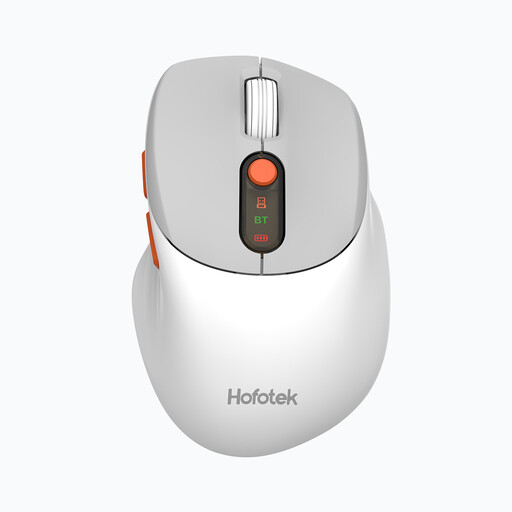
Why this product fits the profile: This compact model combines 2.4 GHz and Bluetooth 5.1 and can switch between up to three devices. This makes it suitable for a laptop, PC and compatible mobile devices in everyday use.
The connection isn't limited to a single transmission type. The DPI steps of 800, 1600, 2400, 3200 and 4000 allow you to adapt to different tasks.
62 g weight, quiet clicks, three devices and a pre-installed AA battery.
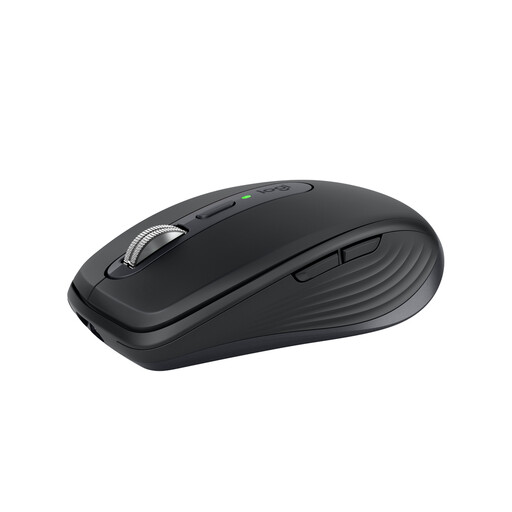
Why this product fits the profile: This compact Bluetooth mouse supports up to three devices and is designed for mobile work and changing workstations.
The 200–8000 DPI range is adjustable. Bluetooth is built in; an optional Logi Bolt receiver can be used separately.
USB-C charging port, Quiet Clicks, MagSpeed scroll wheel and sensor with up to 8000 DPI.

Why this product fits the profile: The vertical design with a 57-degree angle is aimed at users who want to try an alternative hand position during long work sessions.
The connection works via Bluetooth or USB receiver. Up to three devices can be managed, so there's no need to reconnect every day.
400–4000 DPI, USB-C rechargeable battery, up to four months battery life according to the manufacturer, and four customisable buttons.
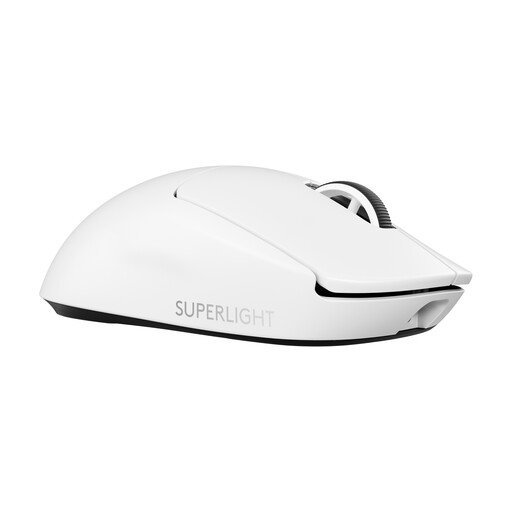
Why this product fits the profile: This model is aimed at PC gamers who need a low weight, a high polling rate and a wide DPI range for competitive gaming.
The LIGHTSPEED connection works with a USB receiver. This keeps the wireless link clearly defined for a compatible PC; Windows 10 or later is specified for the software.
60 g weight, USB-C charging, up to 95 hours according to the manufacturer and a HERO 2 sensor with up to 44,000 DPI.
We've put together a complete, regularly updated list of products that fully meet these strict selection criteria and the safety regulations in force in the EU.
With a wireless mouse, plug in the USB receiver, turn the mouse on and wait for automatic pairing. With a Bluetooth mouse, activate Bluetooth on your laptop, select the mouse in the settings and start the pairing process. The exact procedure may vary depending on your operating system.
This depends on the model, usage time and power-saving features. The product values stated for the selected mice range from several months to several years. Manufacturer figures such as 18 or 24 months, or three years, are guidelines and may differ in practical use.
Yes, provided the connection, polling rate, sensor and weight suit the game. A gaming mouse like the Logitech G PRO X SUPERLIGHT 2 offers 2.4 GHz LIGHTSPEED, up to 8000 Hz polling rate and a low weight. For simple games or office tasks, these features aren't essential.