
Lieferung heute & morgen

Qualitätsgarantie

Willkommens-Angebote freischalten: KOSTENLOSE Lieferung | Bis zu 80 % RABATT | Kostenlose 30-Tage-JoyPlus-Testphase
App herunterladen
A wireless mouse keeps your desk tidy and can be used flexibly with a laptop, PC, Mac or tablet. However, not every model is right for every workspace. Marketing terms such as “precise”, “ergonomic” or “particularly quiet” do not tell you much on their own. What really matters is the connection technology, design, power supply and compatibility with your device.
A Bluetooth mouse requires a Bluetooth module on the target device. A model with 2.4 GHz wireless connection, on the other hand, usually works via a USB receiver. This is convenient for many PCs, but modern laptops or tablets without a USB-A port may require an additional adapter.
A wireless mouse with several connection options offers greater flexibility, but it is not automatically easier to set up. So check whether you need Bluetooth, USB-A, USB-C or a particular receiver.
DPI describes pointer sensitivity. A high figure can be useful for certain games or large screens, but it does not replace stable tracking or a suitable shape. Moderate DPI settings are often sufficient for office applications. With a gaming mouse, polling rate, sensor performance, weight and programmable mouse buttons are also important.
A quiet mouse reduces clicking noise, but it can still make sounds from the scroll wheel, contact between parts of the casing and movement across the desk surface. Claims such as “up to 90% less clicking noise” should be treated as manufacturer information. How quiet a mouse actually seems depends on the room, surface and how it is used.
If you use several devices, a multi-device mouse with Bluetooth and a 2.4 GHz receiver is a sensible choice. According to the product information, models such as the Rapoo MT760 series support up to four devices. Pay attention to the operating system too: Windows, macOS, ChromeOS, Linux, iPadOS and Android are not supported equally by every model.
A mouse for PC and Mac should also be checked to make sure the additional software is available for both systems. Basic functions such as moving, clicking and scrolling often work without drivers; programmable buttons or app profiles, however, may require software to be installed.
The size of the mouse should suit your hand. A mouse specifically designed for large left hands is not suitable for right-handed users. If you use it for long periods, the thumb rest, grip zones and position of the side buttons are also important.
An ergonomic mouse may offer a more upright hand position or a special thumb control. However, personal preferences vary. With a trackball, such as the Logitech ERGO M575S, the mouse itself does not move across the desk; you control the cursor with your thumb. This saves space, but does require some time to get used to.
With a rechargeable mouse, check the battery capacity, charging connection and whether it can be used while charging. A USB-C mouse can be charged with a widely available cable. For battery-powered models, the stated battery life and easy access to the battery compartment are important.
Manufacturer claims such as “up to 70 days” or “up to 24 months” depend on usage intensity, wireless mode and energy-saving functions. Integrated lithium batteries are subject to additional guidance concerning transport, charging and disposal. Damaged batteries should no longer be used and must be disposed of in accordance with local requirements.
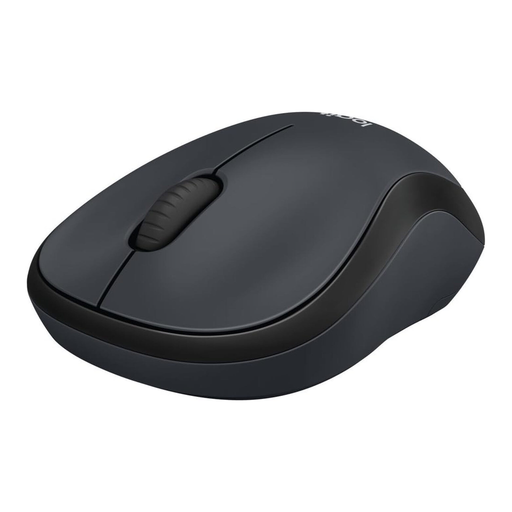
Why this product suits this profile: This compact model combines an ambidextrous design with 2.4 GHz wireless connection and a USB nano receiver. This makes it suitable for simple office tasks, school, travel and occasional use with a PC or Mac.
The technical specifications are easy to understand: three buttons, optical tracking and a clearly described USB connection. The battery can be replaced, so you are not dependent on an integrated rechargeable battery.
Ambidextrous design, USB nano receiver, stated battery life of up to 18 months and SilentTouch technology according to the product description.
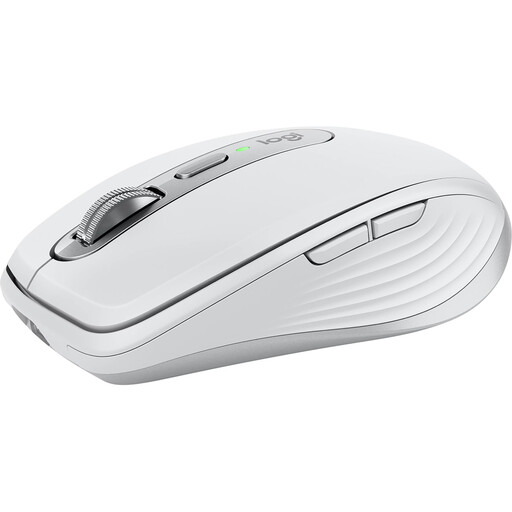
Why this product suits this profile: This compact model is designed for mobile working and multiple operating systems. Bluetooth, support for up to three devices, USB-C charging and six programmable buttons make it appealing to users who switch between the office, home working and working on the go.
The connection options and charging connection are clearly specified. This allows you to check before buying whether your existing device can be used without a USB-A adapter.
Stated 8,000 DPI sensor, USB-C battery, battery life of up to 70 days according to the product description, and compatibility with Windows, macOS, Linux, ChromeOS, iPadOS and Android.

Why this product suits this profile: The combination of Bluetooth 5.0, 2.4 GHz wireless connection and USB-C cable is aimed at gamers who want to switch between wireless and wired play.
The high DPI and polling rate specifications are supported by further concrete details: PixArt PAW3311 sensor, 67 g weight, seven programmable buttons and a 400-mAh battery.
Stated resolution of up to 12,000 DPI, 8-kHz polling rate, Fire Button, RGB lighting and three connection options.
We have put together a complete, regularly updated list of products that fully meet these strict selection criteria and the safety regulations applicable in the EU.
With Bluetooth models, activate Bluetooth on the device, switch on the mouse and start the pairing process. With a 2.4 GHz mouse, plug the USB receiver into a suitable port. For USB-C devices, check whether an adapter is required. Some models support both options.
Battery life depends on the battery, rechargeable battery, wireless mode and usage. Depending on the model, product specifications may state anything from several weeks to 24 months. A rechargeable mouse uses fewer disposable batteries after purchase, but needs to be charged regularly. With a battery-powered mouse, you should plan for replacement batteries and proper disposal.
That depends on latency, polling rate, sensor, weight and connection. A basic wireless mouse may be sufficient for everyday gaming. For fast-paced competitive applications, specific features such as an 8,000 Hz polling rate, programmable buttons and a stable wireless receiver are more relevant than an especially high DPI figure alone.