
Lieferung heute & morgen

Qualitätsgarantie

Willkommens-Angebote freischalten: KOSTENLOSE Lieferung | Bis zu 80 % RABATT | Kostenlose 30-Tage-JoyPlus-Testphase
App herunterladen
A wireless mouse can help keep your workspace tidy and give you the flexibility to use it with a laptop, PC or Chromebook. However, not every model automatically delivers a comfortable experience for everyday use. Small differences in shape, connectivity and power supply determine whether a wireless mouse is the right long-term choice for the way you work.
When looking for a computer mouse for the office and home office, shoppers often run into similar purchasing pitfalls. The following criteria can help you assess marketing claims objectively.
The term ergonomic mouse alone does not tell you much. A compact shape may suit smaller hands, but can force larger hands into a curled position. Left-handed users also need either a symmetrical mouse or a model specifically designed for the left hand.
You should therefore check:
A quiet mouse or silent mouse usually reduces the clicking sound of the main buttons. The scroll wheel, side buttons or middle-click button may still be audible. For example, the RAPOO N1600 product information points out that the middle button is not silent when clicked.
For shared offices, libraries or working late at night, you should therefore check exactly which buttons are covered by the noise reduction.
A Bluetooth mouse requires Bluetooth Low Energy on the target device. A mouse with a USB receiver, on the other hand, needs a free USB port. On modern laptops with limited connectivity, a receiver may be inconvenient to use without an adapter.
Models with Bluetooth and a USB receiver offer more flexibility here. However, you should check whether the receiver is included and whether the required software works with your operating system.
For long working days, weight is not the only factor that matters. A larger mouse may fill the palm more comfortably, while a compact model is easier to carry around. A mouse for large hands should not be too short. Left-handed users should choose a genuine left-handed mouse or a symmetrical design.
According to the product information, the Logitech Signature M650 L is designed for large right hands. The Logitech Signature M650 L Left, by contrast, is specifically intended for large left hands. Both feature a contoured shape, a thumb rest and rubberised side grips.
A Bluetooth connection saves a USB port on compatible devices. A 2.4 GHz receiver can be a practical alternative for desktop PCs or devices without Bluetooth. A multi-device mouse is particularly useful if you switch between several work devices.
Before buying, check:
Long battery life reduces the need for frequent battery changes. For models using an AA battery, the manufacturer’s specification should be understood as an “up to” figure, as usage intensity and connection type affect actual battery life.
The Logitech Signature M650 L comes with an AA battery and is rated for up to 24 months according to the product information. The Dell MS5120W specifies up to 36 months with an AA battery. With a mouse featuring an integrated rechargeable battery, regular charging needs to be factored in instead. You should also ensure that used batteries are disposed of properly.
For office work, web research and word processing, optical sensors with a moderate DPI setting are often sufficient. A higher DPI value does not automatically mean more precise control. What matters is whether the pointer can be moved accurately and whether the surface is recognised reliably.
According to the product description, the HOFOTEK M311 offers several DPI levels from 800 to 4000. The HOFOTEK M308 operates with selectable settings from 800 to 1600 DPI. This allows the pointer speed to be adjusted to the screen size and your personal preferences.
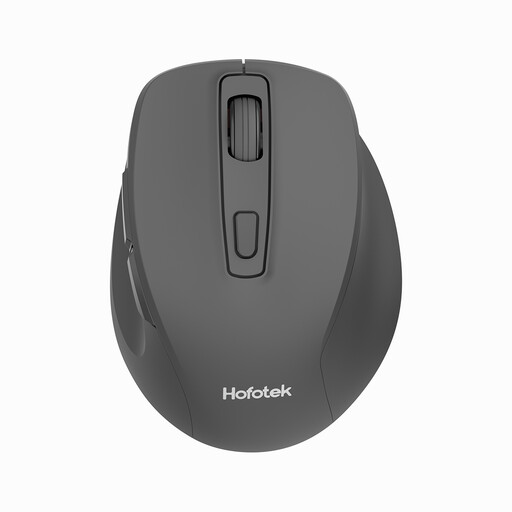
Why this product suits the profile: This compact wireless mouse is designed for office tasks, mobile working and basic use with Windows, macOS or Android.
The DPI levels are specified, and the 2.4 GHz USB receiver and an AA battery are included according to the product information.
Weight of 55 ± 5 g, an optical sensor and several selectable DPI levels.
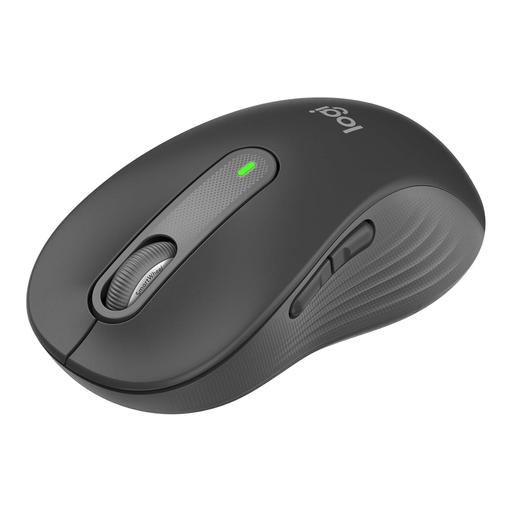
Why this product suits the profile: Designed for large right hands, this model combines Bluetooth Low Energy with a Logi Bolt USB receiver and offers customisable side buttons.
The hand size and right-handed design are clearly specified. According to the manufacturer’s description, SilentTouch reduces clicking noise by up to 90%.
SmartWheel for precise, fast scrolling and up to 24 months of battery life according to the product information.
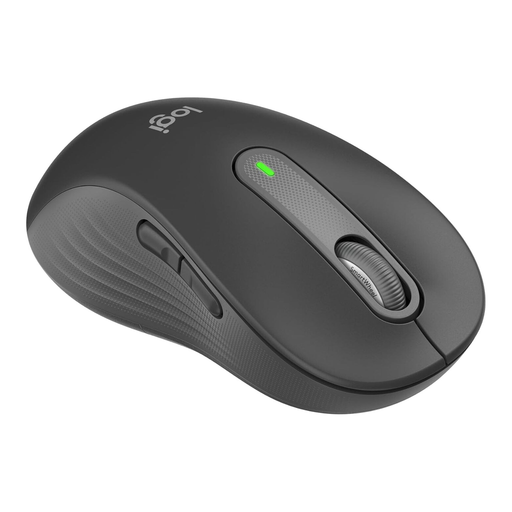
Why this product suits the profile: This left-handed mouse is designed for large left hands and is suitable for extended use in the office or home office.
The left-handed design is explicitly stated. The side buttons can also be customised using Logitech Options+ on Windows and macOS.
Bluetooth and Logi Bolt, SmartWheel and a stated battery life of up to 24 months.
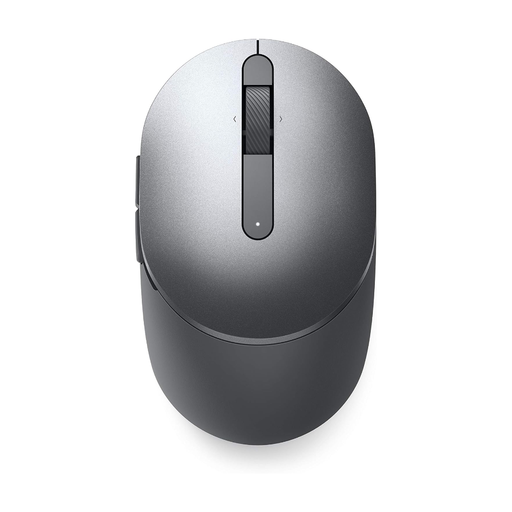
Why this product suits the profile: This mouse combines Bluetooth 5.0 and 2.4 GHz wireless connectivity and is designed for use with two devices.
Dual connectivity reduces the risk of being limited to a single connection method because of a missing Bluetooth module or USB port.
1600 DPI sensor, seven buttons, programmable functions and up to 36 months of battery life according to the product information.
We have put together a complete, regularly updated list of products that fully meet these strict selection criteria and the safety regulations applicable in the EU.
For a mouse with a USB receiver, plug the receiver into a free USB port and switch on the mouse. A Bluetooth mouse can be found and paired in the laptop’s Bluetooth settings. Follow the instructions for the relevant model. If the laptop has a USB-C port, a suitable adapter may be required for older receivers.
Battery life depends on the model, battery, usage time and power-saving function. Product specifications such as “up to 24 months” or “up to 36 months” are maximum figures under certain conditions. An AA battery should be replaced as soon as the connection or pointer response begins to deteriorate. If the mouse will not be used for an extended period, removing the battery can reduce the risk of leakage.
Yes, provided its shape, connectivity and noise level suit the workspace. For quiet environments, a silent mouse with clearly described noise reduction is recommended. Users with large hands and left-handed users should pay particular attention to the design. For reliable operation, you should also plan for a suitable surface, a free USB port or Bluetooth support, and regular breaks during extended use.