
Lieferung heute & morgen

Qualitätsgarantie

Willkommens-Angebote freischalten: KOSTENLOSE Lieferung | Bis zu 80 % RABATT | Kostenlose 30-Tage-JoyPlus-Testphase
App herunterladen
A wireless mouse can help keep your workspace tidy and make switching between a laptop and PC easier. However, not every model is suited to every use. Marketing terms such as “ergonomic”, “quiet” or “gaming” alone say little about how practical a mouse is for everyday use. The key factors are technical details that are not always immediately apparent from the product name.
Typical poor purchases come down to three points:
A 2.4 GHz mouse usually communicates via a small USB nano receiver. Setup is often straightforward: plug in the receiver, switch on the mouse and connect it. This approach is suitable for many Windows PCs, laptops and compatible systems. Nevertheless, check whether a USB-A port is available or an adapter is required.
A Bluetooth mouse connects directly to the computer or tablet’s integrated Bluetooth module, leaving a USB port free. Multi-device mice are useful if you work with several devices. These combine Bluetooth and wireless connectivity and allow you to switch between multiple saved connections.
The range is often stated as up to 10 metres. In everyday use, however, actual stability depends on distance, furniture, casing and the surrounding wireless environment. This range is usually sufficient for a desk, but it does not replace checking the available ports and operating systems.
An ergonomic mouse should suit your hand size and preferred grip style. Important details include:
A symmetrical design can suit both right- and left-handed users, while specially shaped models provide greater support for a particular hand. If you work for several hours every day, price should not be your only consideration. A short description of the product’s size is helpful, but where possible it should not replace comparing it with the mice you already use.
DPI describes the sensitivity of the sensor. Moderate settings are often enough for office tasks, while a higher setting may be useful with large monitors or for certain games. Several preset levels that can be switched directly using a button or software are particularly practical.
A quiet mouse reduces clicking noise, which can be useful in libraries, open-plan offices or when working near other people. Check whether the claim refers to the clicks or also to the mouse wheel. These can be perceived as having different noise levels.
When it comes to long battery life, you need to distinguish between replaceable batteries and an integrated rechargeable battery. AA or AAA batteries can be replaced quickly. An integrated battery is charged via USB-C, but after several years the entire device may need to be replaced. Battery-life claims such as “up to” depend on usage intensity, lighting, polling rate and power-saving mode.
The following models meet different requirements. The details are based on the respective product descriptions and technical specifications.
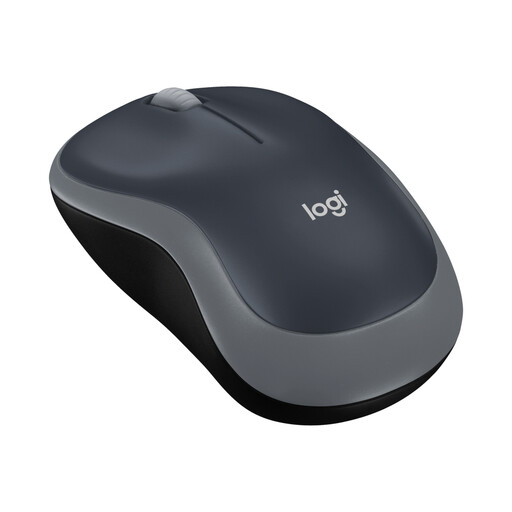
Why this product suits the profile: This compact wireless mouse is designed for easy operation and is suitable for laptops, office use and occasional use on the go.
The connection is made via a nano USB receiver, so the required connection type is clearly stated. The symmetrical shape is designed for both right- and left-handed use.
2.4 GHz connection, 1,000 DPI, three buttons and a battery life of up to 12 months according to the supplier.
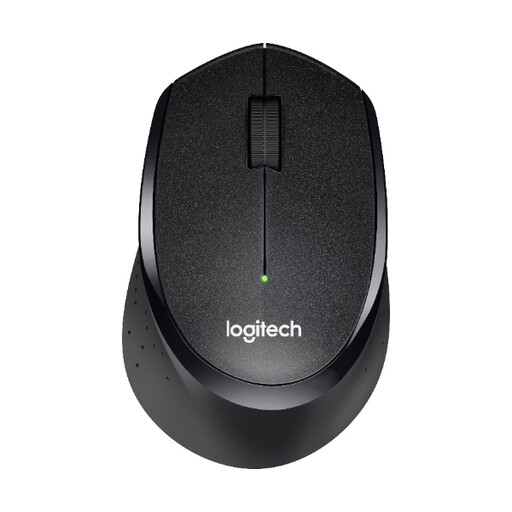
Why this product suits the profile: Designed for right-handed users, this mouse has soft rubber surfaces and is aimed at office and home-office users who value quiet clicking.
According to the product description, the SilentTouch feature reduces clicking noise by more than 90 per cent compared with conventional mice.
USB nano receiver, optical tracking, a range of up to 10 metres and a stated battery life of up to 24 months.
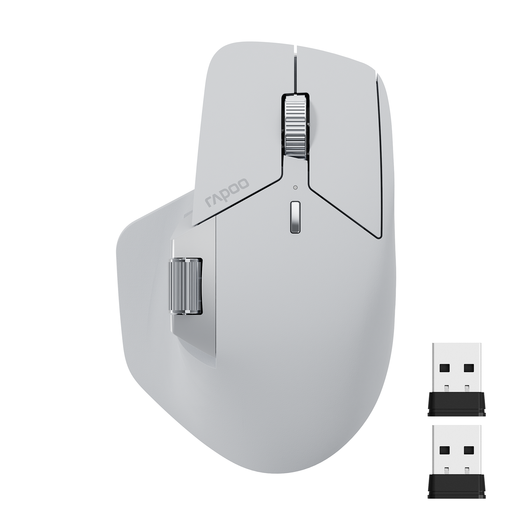
Why this product suits the profile: For users with a PC, laptop, tablet or smartphone, this multi-device mouse offers several connection options and programmable buttons.
Bluetooth 5.0 and 2.4 GHz wireless connectivity are explicitly listed. Before buying, check whether you need the desired number of device connections and the software functionality.
Support for up to four devices, seven DPI levels between 800 and 4,000, plus USB-C charging.
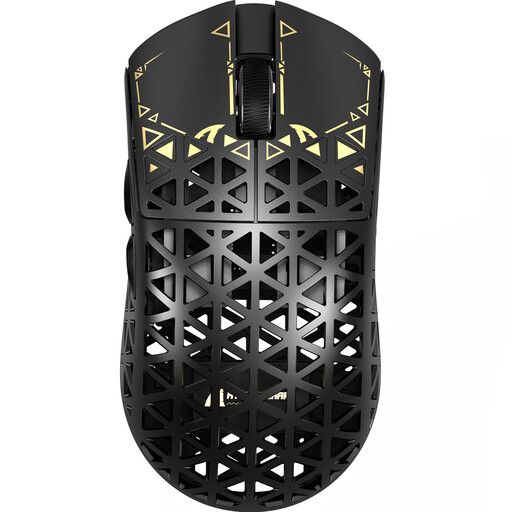
Why this product suits the profile: This gaming mouse is aimed at players who prefer several connection options, adjustable polling rates and a low weight.
You can connect it by cable, via 2.4 GHz wireless or through Bluetooth. This lets you choose the right operating mode depending on the device and your preferred latency.
According to the product data, it weighs around 42 grams and features a PAW3950 sensor, a polling rate of up to 8,000 Hz and several DPI levels.
We have put together a complete, regularly updated list of products that fully meet these strict selection criteria and the safety regulations applicable in the EU.
With a wireless mouse, plug in the USB receiver, insert the battery or rechargeable battery and switch the device on. A Bluetooth mouse is found and paired in the PC’s Bluetooth settings. If the connection is not established, try changing the USB port, switching the device on and checking its power status.
Its lifespan depends on the switches, housing, battery or rechargeable battery and intensity of use. Depending on the model, suppliers’ battery-life claims range from several months to up to 24 months, for example. Gaming mice with a high polling rate and lighting may need charging considerably more often.
Battery-powered models incur the cost of replacement batteries unless rechargeable batteries are used. Models with an integrated rechargeable battery require electricity to charge and may lose capacity after extended use. USB receivers normally do not involve any additional connection costs.