
Lieferung heute & morgen

Qualitätsgarantie

Willkommens-Angebote freischalten: KOSTENLOSE Lieferung | Bis zu 80 % RABATT | Kostenlose 30-Tage-JoyPlus-Testphase
App herunterladen
A wireless mouse keeps your desk tidy and makes using a laptop or PC easier. The choice ranges from a simple wireless mouse for office tasks to a programmable gaming mouse with a high polling rate. However, descriptions such as ‘ergonomic’, ‘quiet’ or ‘long battery life’ alone reveal little about how practical a mouse is for everyday use.
Anyone who focuses only on the price or DPI rating before buying will often overlook important details. The following criteria will help you assess marketing claims and choose a Bluetooth mouse or wireless mouse that suits the way you use it.
A Bluetooth mouse connects directly to devices that support Bluetooth. A USB receiver is normally not required. This leaves a port free and is particularly practical with many laptops.
A classic wireless mouse or 2.4 GHz wireless mouse, on the other hand, usually requires a nano or USB receiver. The set-up is often straightforward: plug in the receiver, switch on the mouse and start using it. Before buying, check whether your computer has suitable USB-A ports or Bluetooth. A USB-A receiver may require an additional adapter when used with a laptop that only has USB-C ports.
With a quiet mouse, the actual noise reduction of the buttons and scroll wheel is what matters. Claims such as ‘up to 90% less click noise’ are manufacturer specifications and should not be taken to mean completely silent. In an open-plan office, library or when working at night, a Silent Touch design can nevertheless make a practical difference.
It is also important to check whether only the main buttons are quieter or whether the scroll wheel has also been designed to reduce noise. If you regularly work with long documents, check this point separately in the product description.
DPI describes the sensitivity of the sensor, not automatically its accuracy. Moderate settings are often sufficient for office work, research and studying. Very high resolution is mainly relevant if you want to fine-tune sensitivity or use several profiles for gaming.
The surface, tracking performance and ability to actually change the DPI settings are also important. A wireless gaming mouse often includes additional software features that are not needed for everyday office use.
For a mouse for laptop and PC, there are three options:
If you use several devices, a multi-device mouse is worth considering. Models with Easy-Switch or similar functions can switch between two, three or more devices. Special features such as controlling the cursor across devices may require software installation and a shared network.
The term ergonomic mouse is not a consistent quality standard. The actual dimensions, weight and orientation are what matter:
For example, the Logitech M190 measures 99.5 × 59.8 × 38.6 millimetres and is designed as a full-size model. The Logitech Signature M650 L Left, on the other hand, is specifically designed for left-handed users with large hands. Before buying, consider how you hold your mouse at home: palm grip, claw grip and fingertip grip require different shapes.
A mouse with long battery life may use an AA battery or an integrated lithium battery. Battery-powered models avoid charging breaks, but regularly replacing batteries creates ongoing costs. Rechargeable mice require a charging cable and should be charged regularly.
Battery life depends, among other things, on lighting, polling rate, connection type and frequency of use. Manufacturer claims such as ‘up to 18 months’ or ‘up to 95 hours’ should therefore be understood as maximum figures, not guaranteed usage times.
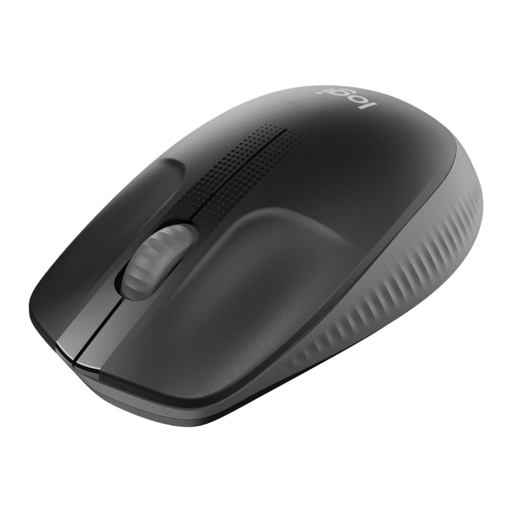
Why this product suits the profile: The full-size shape, 2.4 GHz USB receiver and plug-and-play set-up are designed for everyday office, study and home-working tasks.
Battery life of up to 18 months and the optical sensor are clearly specified. This makes it easier to assess ongoing use.
Full-size housing, optical tracking and up to 18 months of battery life according to the product details.
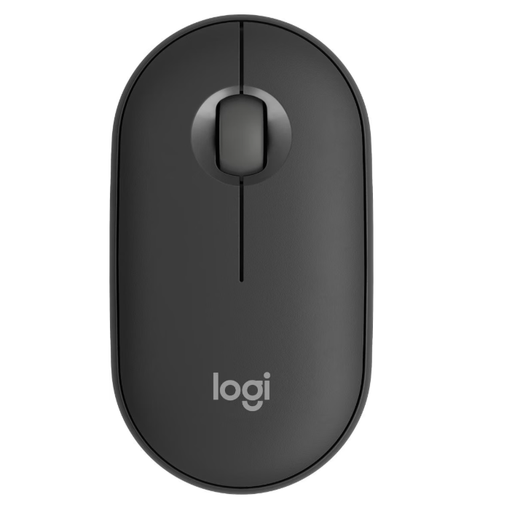
Why this product suits the profile: The flat, symmetrical housing, Silent Touch and ability to connect up to three devices suit flexible workspaces.
The connection types, switching between devices and compatibility with several operating systems are specified in the product details.
Up to three devices, a maximum sensor resolution of 4,000 DPI and a flat, ambidextrous design.
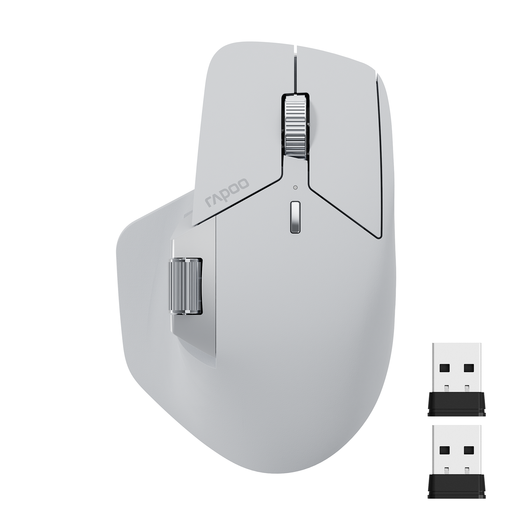
Why this product suits the profile: For users with several computers, the mouse offers Bluetooth 5.0, 2.4 GHz wireless, support for up to four devices and programmable buttons.
The seven DPI levels range from 800 to 4,000. The stated battery life distinguishes between Bluetooth and 2.4 GHz operation.
11 programmable buttons, USB-C charging and up to 90 days of battery life according to the product description.
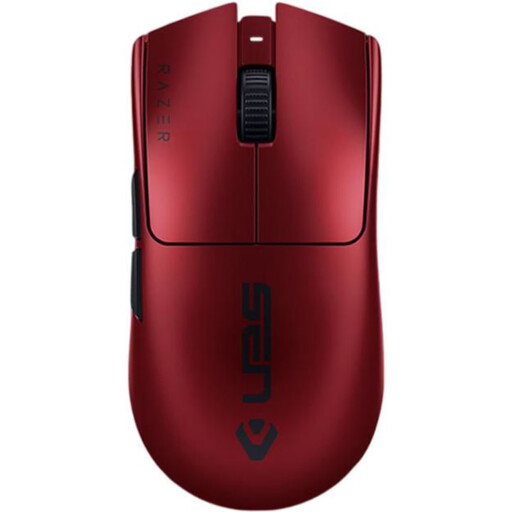
Why this product suits the profile: Weighing just 54 grams, with six programmable buttons and wireless or USB-C connectivity, this mouse is aimed at PC gamers who demand extensive customisation options.
The maximum DPI resolution, polling rate, number of buttons and battery life are clearly specified. Razer Synapse software is required for configuration.
35,000 DPI maximum resolution, 8,000 Hz polling rate and up to 95 hours of battery life according to the manufacturer.
We have put together a complete, regularly updated list of products that fully meet these strict selection criteria and the safety regulations applicable in the EU.
With a Bluetooth mouse, activate Bluetooth in your system settings and select the mouse model shown. With a wireless mouse, plug in the USB receiver and switch on the mouse. If the laptop only has USB-C ports, a suitable adapter may be required.
Battery life depends on the model, usage and connection type. For the mice mentioned, product specifications range from around 18 months with an AA battery to several hours or days with integrated rechargeable batteries. With rechargeable models, you should also check whether the mouse can continue to be used via USB while charging.
Yes, provided it offers a stable 2.4 GHz connection, a suitable polling rate, low latency and sufficient battery life. These specifications are less important for office tasks. Gamers should also consider the shape, weight, sensor, programmable buttons and required software.