
Lieferung heute & morgen

Qualitätsgarantie

Willkommens-Angebote freischalten: KOSTENLOSE Lieferung | Bis zu 80 % RABATT | Kostenlose 30-Tage-JoyPlus-Testphase
App herunterladen
A wireless mouse can make your desk look tidier and simplify switching between a laptop, PC or tablet. However, connectivity is not the only factor to consider when buying one. Unclear information about connection type, hand shape or power supply often means the mouse quickly stops being suitable for everyday use.
A Bluetooth mouse connects directly to a compatible device. This saves a USB receiver, but requires Bluetooth Low Energy on your computer. A traditional wireless mouse usually works via a 2.4 GHz receiver. This can be practical with older PCs, but it occupies a USB port.
Before buying, make sure you know:
An ergonomic mouse needs to suit your hand size and preferred grip. A model designed for large hands may require an unnecessarily wide reach for smaller hands. Left-handed users also need either a symmetrical design or a model specifically labelled as a left-handed mouse.
Check the product dimensions and the shape of the thumb rest. Rubberised side sections can improve grip, but they cannot replace the right case size.
A quiet mouse typically reduces the clicking noise of the main buttons. The scroll wheel and placing the mouse on the desk may still be audible. For shared offices, libraries and home working, the overall noise level is therefore important, not just one marketing term.
For switching between multiple devices, a multi-device mouse with saved connections or a button for switching between them can be useful. Bluetooth is particularly suitable for notebooks and tablets. A USB receiver can be a straightforward alternative for desktop PCs.
Also check the list of supported operating systems. Windows, macOS, Linux, ChromeOS, iPadOS and Android are not supported equally by every model. Additional features such as programmable mouse buttons often require the manufacturer’s own software and, in some cases, an internet connection for setup.
DPI describes the sensor’s tracking resolution. A higher value moves the pointer further with the same hand movement, but does not automatically mean more precise use in every situation. Moderate settings are often sufficient for office applications. A gaming mouse, on the other hand, may offer wider adjustment ranges and additional buttons.
One example is the Razer DeathAdder Essential, with an optical sensor, up to 6,400 DPI and five programmable buttons. However, it is wired and therefore not a wireless mouse. This design may still be suitable for gamers who prefer a direct USB connection.
A rechargeable mouse reduces the need for disposable batteries. It is important to check whether it can still be used while charging. Models with AA or AAA batteries do not need a charging port, but they do incur ongoing replacement costs.
Check the following:
A soft, slightly damp cloth is generally sufficient for cleaning. Liquids, solvents and opened housings can damage the electronics.
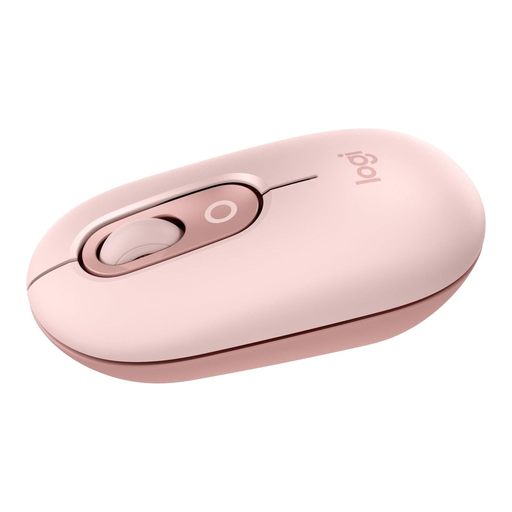
Why this product suits this profile: This compact Bluetooth mouse is designed for laptops, tablets and PCs, and can connect to up to three devices.
The Bluetooth connection and switching function are clearly designed for mobile use. A Logi-Bolt receiver is not included and must be purchased separately if required.
Compact dimensions, SmartWheel, customisable action button and Silent-Touch function according to the product details.
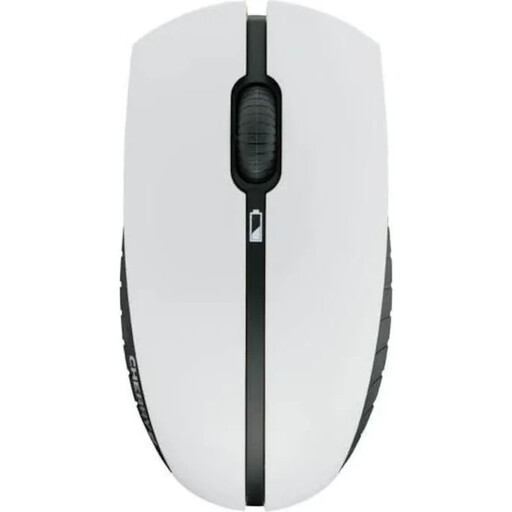
Why this product suits this profile: This wireless keyboard and mouse set combines a keyboard with a German QWERTZ layout and a symmetrical mouse for the office and home working.
The NiMH batteries are rechargeable, and according to the product description, the set can continue to be used while charging. The mouse offers 1,000 or 2,000 DPI.
2.4 GHz connection via a USB nano receiver, four multimedia keys and AES-128 encryption according to the manufacturer’s specifications.
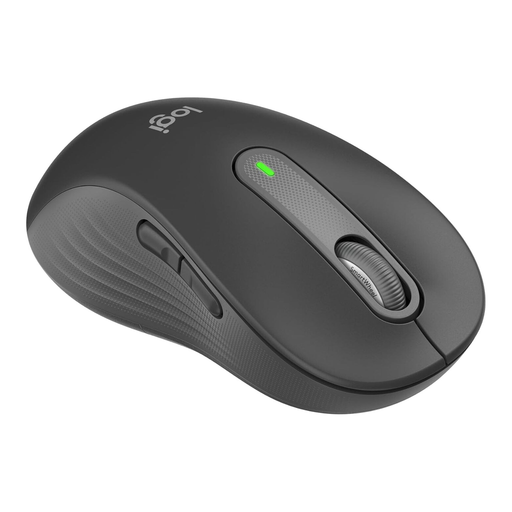
Why this product suits this profile: This version is specifically designed for left-handed users and larger palms, and supports Bluetooth and Logi Bolt.
The left-handed version prevents the common mistake of ordering a right-handed design. Before buying, check which hand you use and the case size you need.
Customisable side buttons, SmartWheel and connection via Bluetooth Low Energy or a Logi-Bolt receiver.
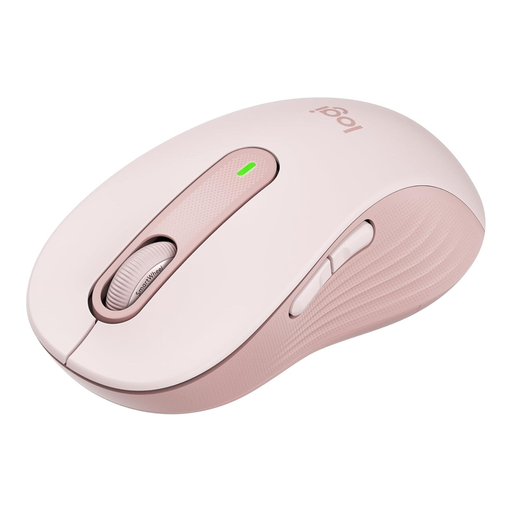
Why this product suits this profile: This right-handed mouse is designed for large hands and is aimed at users who need quiet clicks and several connection options in the office or while working from home.
This version clearly distinguishes between right-handed use and a large hand size. Buyers should therefore choose based not only on colour, but also on the specific variant.
Two connection options, configurable side buttons and power supplied by one AA battery according to the product details.
We have put together a complete, regularly updated list of products that fully meet these strict selection criteria and the safety regulations applicable in the EU.
For Bluetooth models, activate Bluetooth on your computer, switch on the mouse and select it in the system settings. With a wireless mouse, plug in the supplied USB receiver. On many models, the connection is established automatically once the mouse is switched on. If multiple devices are supported, select the intended connection channel afterwards.
Battery life depends on the battery, energy-saving mode, signal technology and daily usage. Replaceable batteries can be changed quickly. With a rechargeable mouse, check the charge level regularly. Claims such as “up to” refer to defined usage conditions and may vary in everyday use.
That depends on response behaviour, the sensor, connection and weight. A standard wireless mouse is sufficient for casual games and everyday tasks. For competitive gaming, buyers should also consider the polling rate, DPI settings, latency and programmable mouse buttons. A wired model such as the Razer DeathAdder Essential may be an alternative if a direct USB connection is more important than wireless freedom of movement.