
Lieferung heute & morgen

Qualitätsgarantie

Willkommens-Angebote freischalten: KOSTENLOSE Lieferung | Bis zu 80 % RABATT | Kostenlose 30-Tage-JoyPlus-Testphase
App herunterladen
Choosing a new PC mouse can be a challenge given the vast array of models, technologies, and designs. Whether for high-performance gaming, efficient office work, or everyday laptop use, the right mouse can significantly impact your precision, comfort, and productivity. This guide will help you understand the key technical features and make an informed decision perfectly tailored to your needs.
To find the right mouse, it's helpful to be familiar with a few key criteria. The following points will guide your selection.
The choice between a wired and a wireless mouse largely depends on your personal use case.
DPI (Dots Per Inch) indicates how sensitive a mouse is to movement. A high-DPI mouse moves the cursor further across the screen for the same hand movement than a low-DPI mouse.
An ergonomic mouse is shaped to support the natural posture of your hand, reducing strain on the wrist and arm. This is especially important for people who spend many hours a day at the computer. Pay attention to the shape, size, and whether the model is designed for right- or left-handed users (or is ambidextrous). For work environments like open-plan offices, a silent mouse with dampened clicks can also be a significant advantage.
Here, we present three models that cover different needs and use cases.
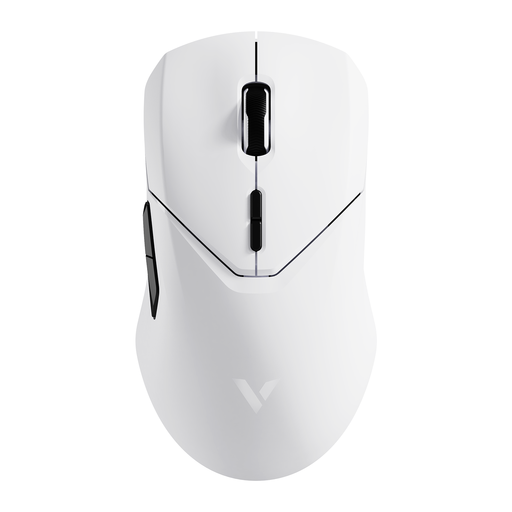
Why It Stands Out: The RAPOO VT9Pro is engineered for high-performance wireless gaming. With a 4K Polling Rate, it offers an extremely responsive connection that, according to the manufacturer, can compete with wired models. Its lightweight 68-gram design and precise sensor make it a tool for competitive players.
Pros:
Who Is It For? This model is aimed at esports athletes and competitive gamers looking for a wireless gaming mouse with minimal latency, high precision, and extensive customisation options. As a white mouse, it also fits well into light-coloured gaming setups.
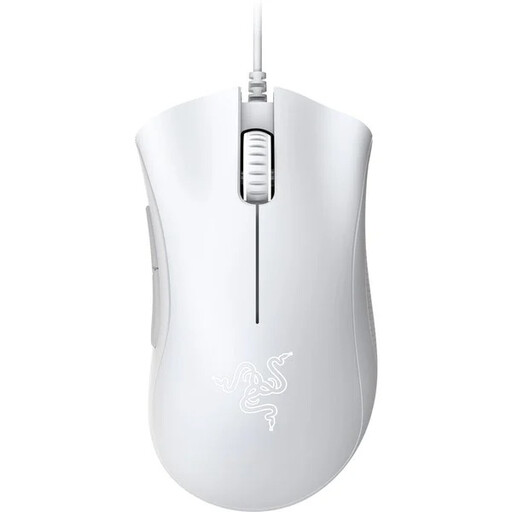
Why It Stands Out: The Razer mouse from the DeathAdder series is known for its proven ergonomic shape. The 2021 Essential version provides a solid foundation for getting into gaming without compromising on comfort and reliability. As a wired model, it delivers consistent performance.
Pros:
Who Is It For? The Razer DeathAdder Essential is a great choice for entry-level gamers and budget-conscious players seeking a durable, ergonomic, and reliable wired mouse from an established brand.
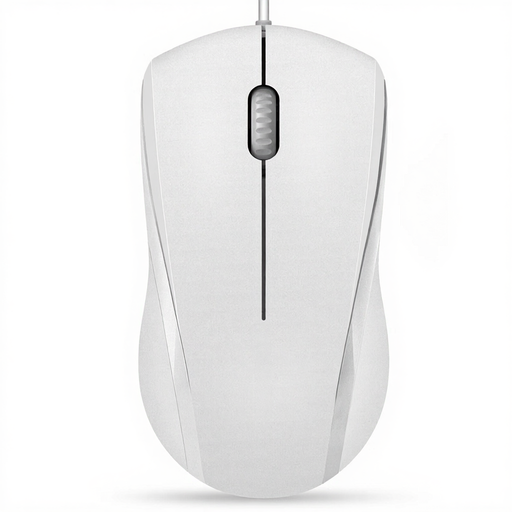
Why It Stands Out: The RAPOO N1600 focuses on the essentials: reliable and quiet operation for daily office use. Its clicks are dampened, making it a considerate choice for office environments or libraries. The symmetrical design and simple plug-and-play installation complete this straightforward package.
Pros:
Who Is It For? This silent mouse is ideal for users in the office, at home, or for students who need a functional, affordable, and discreet USB mouse for everyday tasks on a PC or laptop.
An optimised workspace or gaming station goes beyond just the mouse. A sturdy and ergonomic desk is just as crucial for comfort and performance. If you're looking to complete your setup, discover our selection of white gaming desks.
DPI stands for "Dots Per Inch" and describes the sensitivity of the mouse sensor. A higher DPI value means the cursor moves further across the screen with a small movement of the mouse. For general office work, 800–1600 DPI is sufficient, while gamers often prefer higher, adjustable values for quick reactions and precise aiming.
Yes, modern wireless gaming mice are absolutely suitable for high-performance gaming. Technologies like 2.4 GHz wireless connections and high polling rates (e.g., 4000 Hz) have reduced latency to a level that is virtually indistinguishable from a wired connection. A stable connection and sufficient battery life are key.
Disconnect the mouse from your computer before cleaning. Use a dry, soft microfibre cloth to wipe the body and buttons. For more stubborn dirt, the cloth can be lightly dampened with water or a mild cleaning solution. Ensure that no liquid gets inside the mouse. The optical sensor on the underside should only be gently cleared of dust with a dry cloth or a cotton swab. Avoid using harsh cleaning agents.