
Lieferung heute & morgen

Qualitätsgarantie

Willkommens-Angebote freischalten: KOSTENLOSE Lieferung | Bis zu 80 % RABATT | Kostenlose 30-Tage-JoyPlus-Testphase
App herunterladen
A wireless mouse promises a clutter-free desk and greater flexibility, whether you're in a home office, at the office, or on the go. But the market is crowded and full of marketing promises that often create more confusion than clarity. Many users invest in a model that becomes uncomfortable after a few months, has a battery that is constantly dying, or isn't compatible with all their devices.
This guide will help you navigate the typical pitfalls. We focus on the objective criteria that are crucial for reliable and comfortable everyday use, so you can make an informed decision.
Before we dive into the important features, let's shed light on the three most common marketing traps that lead to regrettable purchases.
To make the right choice, you should focus on three fundamental technical parameters that directly impact user comfort and functionality.
The type of connection is one of the most important decisions.
A good fit is crucial for comfortable work over many hours. Pay attention to the following aspects:
The power source has a direct impact on running costs and convenience.
Here are some recommendations tailored to different user profiles and their specific requirements.
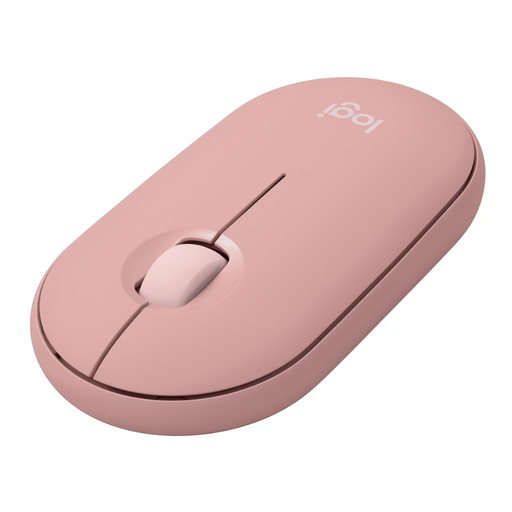
Why This Fits Their Persona: Ideal for users who are often on the go and need a compact, quiet mouse for their laptop and tablet. The flat design fits into any bag, and the multi-device function allows for quick switching between work and personal devices.
It focuses on practical features rather than an inflated DPI value. The Silent Touch technology is a real, tangible improvement for working in quiet environments like libraries or trains.
According to Logitech, the Silent Touch technology reduces click noise by over 90%. Additionally, the Easy-Switch button allows for seamless switching between up to 3 devices.
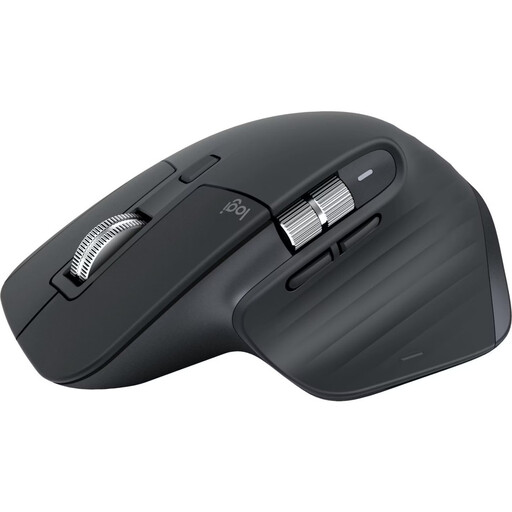
Why This Fits Their Persona: Designed for power users who spend many hours a day at the PC. The pronounced ergonomic shape for right-handers, the MagSpeed scroll wheel, and programmable buttons optimize workflows in complex applications.
Here, "ergonomic" is not an empty buzzword but a core design feature for long-lasting comfort. The 8K DPI sensor is not a gimmick but enables precise tracking even on glass surfaces—a practical advantage.
The electromagnetic MagSpeed scroll wheel automatically switches between line-by-line precision and hyper-fast scrolling. The mouse is rechargeable via USB-C and offers a battery life of up to 70 days.
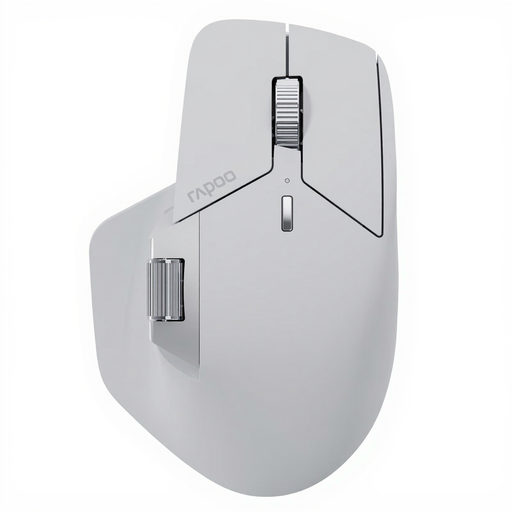
Why This Fits Their Persona: Perfect for power users who work with multiple computers and operating systems simultaneously. The mouse offers advanced connectivity options and high customisability for complex work environments.
This model bypasses the connectivity trap by offering a wide range of connection options (NearLink, Bluetooth, wired) and allowing switching between up to seven devices, making it extremely flexible.
The M+ Cross-Computer technology allows for controlling multiple computers and transferring files between them. With 11 programmable buttons and a 12K-DPI sensor, it offers a high degree of control and customisation.
We have compiled a complete, up-to-date list of products that fully meet these strict selection criteria.
A Bluetooth mouse connects directly to your computer's or laptop's built-in Bluetooth receiver, without occupying a USB port. An RF mouse (usually 2.4 GHz technology) requires a dedicated USB dongle that must be plugged into a free port to establish a connection.
Battery life varies greatly depending on the model and usage. Mice with replaceable AA or AAA batteries can achieve runtimes of 12 to 24 months. A rechargeable mouse with a built-in battery typically lasts between 40 and 70 days per charge. Many models feature a quick-charge function that provides several hours of use after just a few minutes of charging.
Most modern wireless mice are compatible with macOS. A mouse for Mac should ideally use Bluetooth, as newer MacBooks often only have USB-C ports. For RF mice with a USB-A dongle, you may need an adapter. Always check the manufacturer's stated compatibility with your macOS version before purchasing.