
Lieferung heute & morgen

Qualitätsgarantie

Willkommens-Angebote freischalten: KOSTENLOSE Lieferung | Bis zu 80 % RABATT | Kostenlose 30-Tage-JoyPlus-Testphase
App herunterladen
In a modern work environment where switching between a desktop PC, laptop, and tablet is routine, managing multiple input devices can quickly become cluttered and inefficient. A wireless multi-device mouse promises a solution, but not every model delivers on its promise. Before you make a decision, it's crucial to understand the common pitfalls that often lead to frustration and a wasted purchase.
This guide will help you identify the critical features and find a mouse that truly enhances your workflow.
Manufacturers' marketing claims are often tempting, but the devil is in the details. Pay close attention to these three points to avoid a bad investment:
To make the right choice, you should focus on the technical specifications that make a real difference in daily use.
A high-quality wireless multi-device mouse offers multiple connection modes to ensure maximum flexibility. The most common technologies are:
A model that combines all three options offers the greatest versatility for any situation and is a future-proof investment.
The mere ability to connect to multiple devices is only half the battle. The crucial factor is how easily and quickly you can switch between them. Look for a dedicated button for switching devices.
Advanced models also offer cross-computer control technologies. These allow you to move the mouse cursor seamlessly from one screen to another—even if one device is running Windows and the other is running macOS. Some mice even allow you to copy and paste files between connected computers, which significantly boosts productivity.
An ergonomic mouse for office work is essential for comfort during long periods of use. The shape should fit your hand size and grip style (Palm, Claw, or Fingertip Grip). Additional features like a thumb rest can further reduce strain.
For power users, a mouse with programmable buttons is a valuable tool. It allows you to assign frequently used commands, shortcuts, or macros to the mouse buttons, speeding up your workflow. In office environments, a wireless mouse with silent clicks can also be beneficial to minimise noise for colleagues.
Here are some recommendations tailored to specific user profiles that are designed to avoid the pitfalls mentioned above.
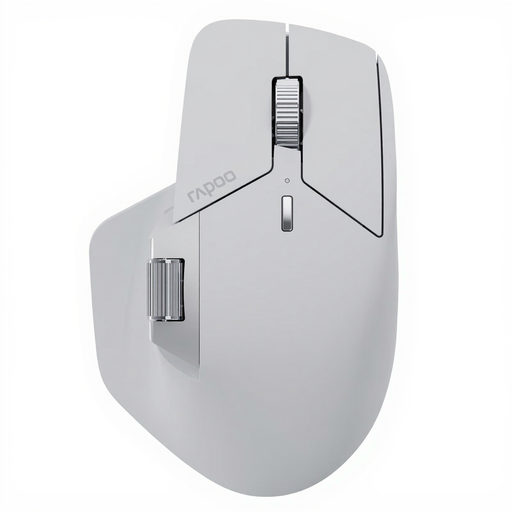
Why This Fits Their Persona: Ideal for users who work seamlessly across multiple operating systems, like a mouse for Mac and Windows. The M+ Cross-Computer technology enables control and file transfer between up to seven devices, radically simplifying workflow.
Solves the problem of unstable connectivity with NearLink technology and simple switching. The battery life of up to 120 days (according to the manufacturer) is due to energy-efficient technology, making it more realistic even for power users.
Connects with up to 7 devices (NearLink, Bluetooth, wired). Features 11 programmable buttons and silent clicks for focused work in an office environment.
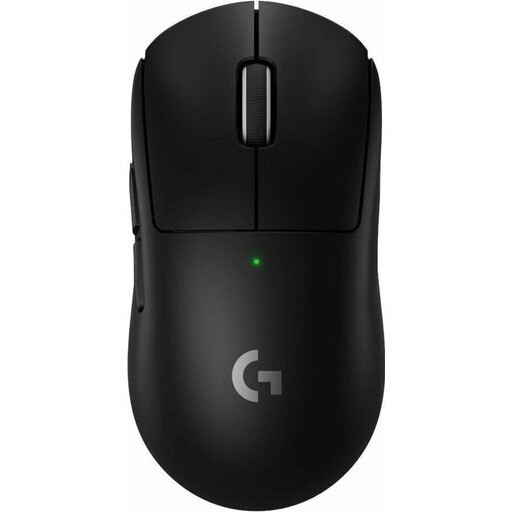
Why This Fits Their Persona: Perfect for graphic designers, developers, and other creatives who demand the highest precision. Its extremely low weight of 60g and high-resolution sensor allow for pixel-perfect control during demanding tasks.
Focuses on an extremely stable LIGHTSPEED wireless connection to minimise latency and dropouts. The battery life of up to 95 hours (according to the manufacturer) is solid for a high-performance device and is supplemented by fast charging via USB-C.
HERO 2 sensor with up to 44,000 DPI for exceptional precision. The lightweight, ergonomic design prevents fatigue during long work sessions.
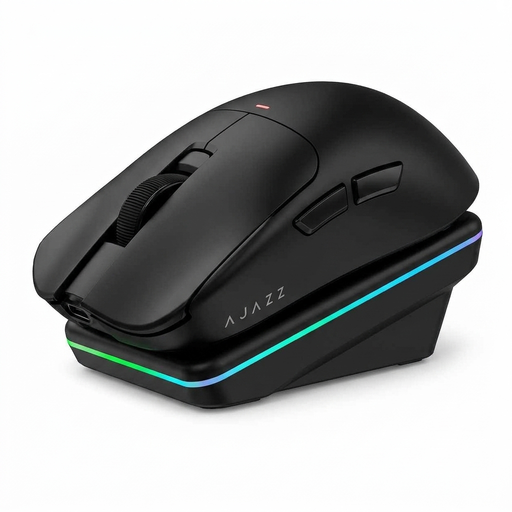
Why This Fits Their Persona: Suitable for users who switch between the office, home office, and travel. The tri-mode connectivity (Bluetooth, 2.4G, USB-C) and magnetic charging dock offer maximum flexibility and convenience for a mobile lifestyle.
The magnetic charging dock solves the problem of constantly plugging in a cable. Tri-mode connectivity ensures you always have a stable connection option, whether you can use a dongle or need to rely on Bluetooth.
PAW3311 sensor with up to 24,000 DPI for high precision. AI-powered features like voice interaction can further boost efficiency for specific tasks.
We have compiled a complete, up-to-date list of products that fully meet these strict selection criteria and safety regulations.
The process varies by model but is generally straightforward. You typically put the mouse into pairing mode and then select it in the Bluetooth settings of your computer, laptop, or tablet. For each additional device, you repeat this process on a different channel on the mouse. Switching between them is then done via a button on the mouse. For 2.4GHz connections, you simply plug the USB dongle into the desired device.
Yes, most high-quality multi-device mice are designed to be cross-platform compatible. You can easily switch between a Windows PC and an Apple device (Mac, iPad). Models with cross-computer control even allow for a seamless cursor transition between the different operating systems.