
Lieferung heute & morgen

Qualitätsgarantie
App herunterladen
Kategorien
Managing multiple devices like PCs, laptops, and tablets often leads to a cluttered workspace and inefficient workflows. A wireless multi-device mouse addresses this problem by enabling control over multiple systems with a single input device. This article analyses the technical criteria relevant to selecting such a mouse and presents a selection of models based on their specifications.
Written by: Joybuy Product Recommendation Officer
Selecting the right office mouse for multi-device use depends on objective parameters. The following criteria are essential for making an informed decision.
The type of wireless connection affects latency, stability, and compatibility.
The core function of a multi-device mouse is seamless switching between devices. Pay attention to the maximum number of pairable devices and the switching method. This is typically done via a dedicated button on the mouse. Technologies like M+ Cross-Computer allow you to move the mouse cursor past the edge of one screen onto another device on the same network.
The sensor's resolution, measured in DPI (Dots Per Inch), determines the mouse's sensitivity. A higher DPI number means the cursor travels a greater distance on the screen with the same physical movement. An adjustable DPI function is beneficial for adapting sensitivity to different screen sizes and tasks—from precise image editing to fast document navigation.
An ergonomic mouse is designed for long work sessions to reduce strain on the hand and wrist. The shape should suit the user's hand size and grip style. Features like a thumb rest, a contoured shape, and non-slip surfaces contribute to comfort.
Battery life is a crucial factor. Models with integrated lithium batteries are usually charged via USB-C, allowing for fast charging times. Some mice also offer compatibility with the Qi standard for wireless charging. Alternatively, there are models powered by replaceable AA or AAA batteries, which often achieve a battery life of several months.
Based on the technical criteria above, we have compiled a selection of models that cater to different user profiles.
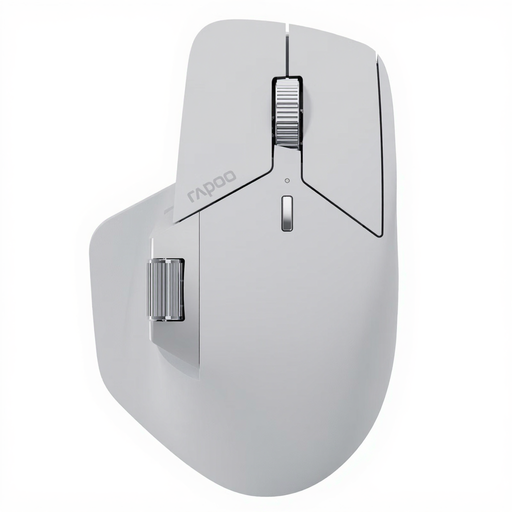
Why we're analysing this product: The RAPOO MT760 PRO is designed for power users who require maximum connectivity and performance. It uses NearLink technology, which the manufacturer claims offers extremely low latency and high energy efficiency. The ability to connect up to seven devices makes it a comprehensive solution for complex work environments that include Mac and Windows.
Pros:
Who it's for: Professionals, developers, and creatives who need to switch seamlessly between a multitude of devices and demand high precision and customisation.
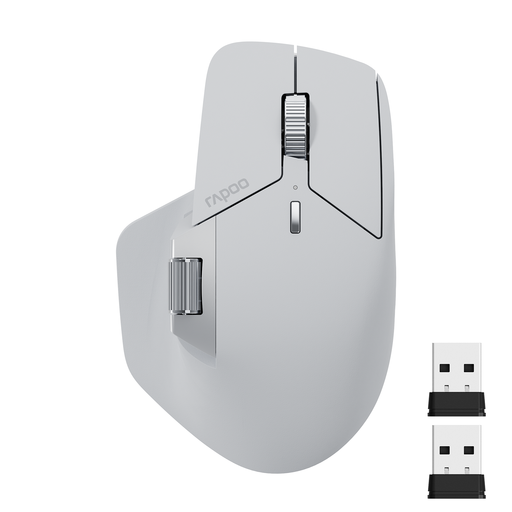
Why we're analysing this product: The RAPOO MT760L is a balanced solution for daily professional office use. It combines a reliable multi-mode connection for up to four devices with an ergonomic design and useful productivity features like a side scroll wheel and programmable buttons.
Pros:
Who it's for: Professionals in the office or working from home who need a reliable and ergonomic multi-device mouse (PC, laptop, tablet) and value efficiency-boosting features.
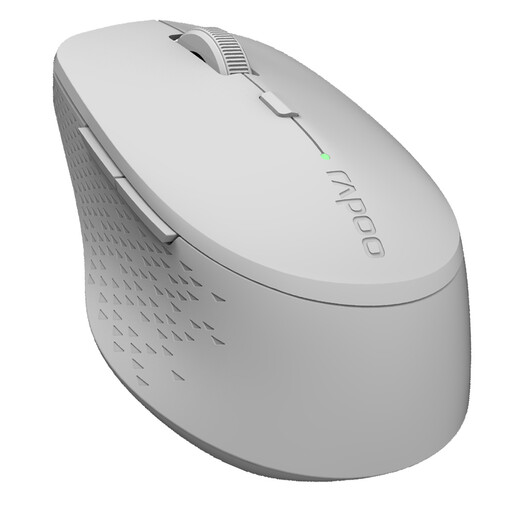
Why we're analysing this product: The RAPOO M300G focuses on mobility and a quiet work environment. As a silent mouse, it significantly reduces click noise. Its compact design and long battery life from a single AA battery make it a practical travel companion.
Pros:
Who it's for: Users who travel frequently, work in noise-sensitive environments (libraries, open-plan offices), or need a simple and reliable mouse for two devices.
An efficient and tidy workspace goes beyond choosing the right mouse. Reducing cables is key to both aesthetics and functionality. In addition to wireless input devices, other elements can help create a clean work environment. Thoughtful, cable-free lighting is one such aspect. You can find a selection of relevant solutions in our Cordless Lamps category.
Connection is made via Bluetooth or a 2.4 GHz USB receiver, depending on the model. For a Bluetooth connection, put the mouse into pairing mode and select it in the Bluetooth settings of your PC, laptop, or tablet. Repeat this process for each device on a different mouse channel. Switching between connected devices is then typically done via a dedicated button on the mouse.
A Bluetooth mouse connects directly to the end device without an additional adapter. A 2.4 GHz wireless mouse requires a specific USB dongle to be plugged into the device. 2.4 GHz mice often offer slightly lower latency, while Bluetooth mice are more flexible as they don't occupy a USB port and are compatible with devices like tablets. Multi-mode mice offer both options.