
Lieferung heute & morgen

Qualitätsgarantie

Willkommens-Angebote freischalten: KOSTENLOSE Lieferung | Bis zu 80 % RABATT | Kostenlose 30-Tage-JoyPlus-Testphase
App herunterladen
A wireless multifunction printer should reliably handle several tasks: printing documents, scanning paperwork, and making copies. In practice, however, disappointing purchases are often caused not by missing features, but by unclear running costs, limited connectivity, or an unsuitable printing technology.
This buying guide from the Joybuy Product Recommendation Officer provides an objective overview of the key criteria and shows which devices suit different usage profiles.
An affordable inkjet printer can be a sensible choice if you print only occasionally. However, if you regularly print large volumes, cartridge prices or optional ink subscriptions can significantly increase ongoing costs. Therefore, do not look only at the purchase price. Also consider:
An A4 laser printer uses toner and is particularly well suited to frequent text-document printing. A supertank printer may offer a different cost structure for high-volume colour or mixed printing. Specific page yields should always be understood as manufacturer specifications.
Duplex printing means printing on both sides of the paper. The key question is whether the paper is turned automatically or whether the user has to reload the sheets manually. Duplex support can also be implemented differently for copying and scanning.
Pay close attention to the exact wording in the specification sheet:
A wireless printer for home use should be compatible with your existing router and the devices you intend to use. Check whether the model supports the required frequency band and whether your smartphones and computers are compatible.
For mobile printing via AirPrint and Mopria, it is also important that iOS and Android devices are supported. Features such as Wi-Fi Direct, Bluetooth, a manufacturer’s app, or an Ethernet interface may vary from one model to another.
A monochrome printer with laser technology is designed for invoices, applications, scripts, and internal office documents. According to the product specifications, the Pantum BM2300AW and BM2300NW can print up to 22 pages per minute in A4 black-and-white mode. The recommended monthly duty cycle is 250 to 2,000 pages, according to the manufacturer’s specifications.
For photos, colour presentations, and family documents, an inkjet printer may be the better choice. The HP Smart Tank 7005 combines colour and black-and-white printing with a refillable ink-tank system. According to the manufacturer, it is designed to deliver high page yields; actual results depend on print content, settings, and usage.
A printer with scanner and copier should match the size of the originals you intend to process. A flatbed scanner is suitable for individual sheets, books, or identity documents. An automatic document feeder, or ADF, makes it easier to process multiple pages.
The Pantum BM2300AW includes a flatbed scanner with 1,200 × 1,200 dpi optical resolution, according to the specification sheet, as well as an ADF. The device can produce up to 99 copies and send documents to a PC, via email, or to network destinations.
Compact dimensions are helpful in a home workspace. At the same time, the paper tray should be large enough to avoid constant refilling. According to the product specifications, the Pantum devices have an input capacity of 150 sheets. The HP Smart Tank 7005 is described as having a 250-sheet paper tray.
In addition to the printer’s footprint, consider the space required to open the paper tray and operate the scanner. A device with automatic duplex printing can save time when processing longer documents, whereas manual duplex functions require additional attention.
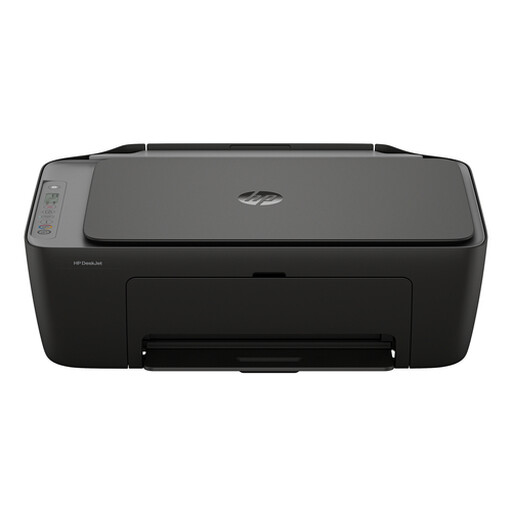
Why is this model a good fit? For students, small households, and users with modest printing needs, this compact device provides colour printing, scanning, and copying, together with wireless connectivity.
The stated rated output of up to 100 pages per month helps position the device realistically for occasional use. Instant Ink is optional and requires a separate subscription.
Colour all-in-one printing, Wi-Fi connectivity, and stated print speeds of up to 7.5 pages per minute in black-and-white and 5.5 pages per minute in colour.
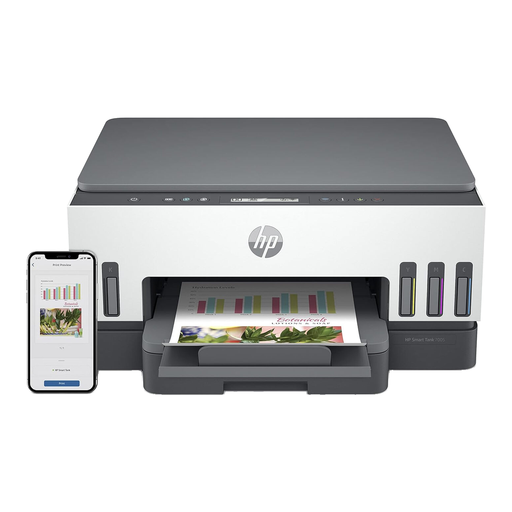
Why is this model a good fit? Families and home-office users who regularly print colour documents or photos get a refillable ink-tank system, along with printing, scanning, and copying functions.
The refillable tank system makes consumables more transparent than conventional cartridges. The quoted yield and included ink are manufacturer specifications and should not be treated as representative of every print job.
According to the product description, up to 12,000 black-and-white pages and 8,000 colour pages, automatic duplex printing, dual-band Wi-Fi, and a 250-sheet paper tray.
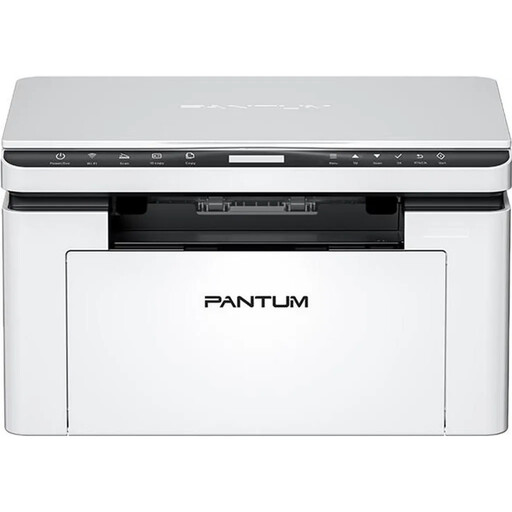
Why is this model a good fit? For small offices and workspaces handling large volumes of text pages, this device combines monochrome laser printing with scanning and copying.
The specifications explicitly state that duplex printing is manual. Anyone wishing to print on both sides must therefore turn the sheets over themselves. According to the specification sheet, there is no Ethernet port.
Up to 22 pages per minute, 2.4 GHz and 5 GHz Wi-Fi, Bluetooth, AirPrint, Mopria and the Pantum app, plus a 150-sheet input capacity.
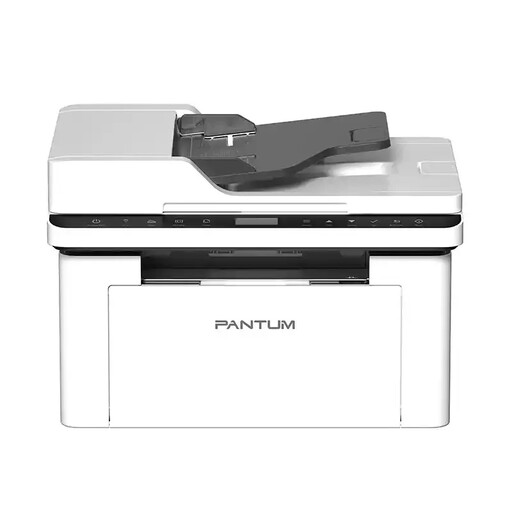
Why is this model a good fit? This compact white printer is well suited to households and home-office users who mainly print A4 text documents and want to work wirelessly.
According to the technical specifications, the duplex function is manual. This prevents unrealistic expectations of fully automatic two-sided printing. The monochrome model is not designed for colour printing.
22 pages per minute, flatbed scanner with 1,200 × 1,200 dpi optical resolution, Wi-Fi, Bluetooth, Wi-Fi Direct, AirPrint, and Mopria.
Our complete selection includes additional printer models for a wide range of requirements and budgets. Before buying, always check the printing technology, running costs, duplex mode, and device compatibility.
After unpacking, first remove all packaging materials, load the paper, and install the appropriate printer software. For wireless models, setup is best completed within range of the router. The device can then be moved to its intended workspace.
Depending on the model, smartphones and tablets can use AirPrint, Mopria, Wi-Fi Direct, Bluetooth, or a manufacturer’s app. Check the operating-system version in advance. According to the product specifications, the Pantum models support Windows, macOS, Linux, Android, and iOS, among other platforms.
Service life depends heavily on print volume, maintenance, paper quality, and consumables. Keep ventilation openings clear, protect the printer from moisture, and use only suitable toner or ink products. Internal components in laser printers can become hot during operation; children should not use the device unsupervised.
For predominantly black-and-white A4 documents, compact laser models such as the PANTUM BM2300AW or BM2300NW are worth considering. If you regularly print colour documents, a supertank printer such as the HP Smart Tank 7005 may be a better option. The decisive factors are print volume, colour requirements, and the type of duplex automation you need.
Not necessarily. Look for specific information about AirPrint, Mopria, Wi-Fi Direct, Bluetooth, and supported operating systems. The Wi-Fi frequency and router configuration can also affect setup.
Both depend on your individual printing volume. Toner can offer more predictable costs for regular black-and-white documents, while an ink-tank system may provide a different cost structure for frequent colour and mixed printing. Compare page yields, refill or replacement prices, and the expected number of pages printed each month.