
Lieferung heute & morgen

Qualitätsgarantie

Willkommens-Angebote freischalten: KOSTENLOSE Lieferung | Bis zu 80 % RABATT | Kostenlose 30-Tage-JoyPlus-Testphase
App herunterladen
A reliable mouse is a central tool for daily work in the office or at home. Cable clutter, imprecise tracking, or a loud clicking noise can disrupt concentration and hinder productivity. Finding the right wireless office mouse is about more than just getting rid of a cable. It's about comfort, efficiency, and adapting to modern workflows that often involve multiple devices.
This article serves as a guide. We will introduce objective criteria relevant to your selection and present a range of models designed for various professional requirements.
The decision for a specific model depends on your individual work habits and ergonomic needs. The following criteria will help you make an informed choice.
Anyone who spends many hours at the computer each day should prioritise an ergonomic mouse. The shape and size of the mouse must fit your hand to prevent strain on your wrist and fingers. Models are available in different versions for right- and left-handers, as well as for small, medium, and large hands. A contoured shape with a thumb rest and rubberised grips can significantly increase comfort during prolonged use.
The type of connection is a crucial factor, especially for users who are frequently on the go or use multiple devices.
Additional features can make the workday noticeably easier. A silent mouse with noise-reduced clicks is a considerate choice for open-plan offices or a quiet home office. Programmable side buttons allow you to assign frequently used commands or shortcuts, which speeds up workflows. The scroll wheel also offers differences: models with SmartWheel or MagSpeed technology allow for a quick switch between precise line-by-line and hyper-fast scrolling.
Based on the criteria mentioned, we have compiled a selection of models suitable for different professional user profiles.
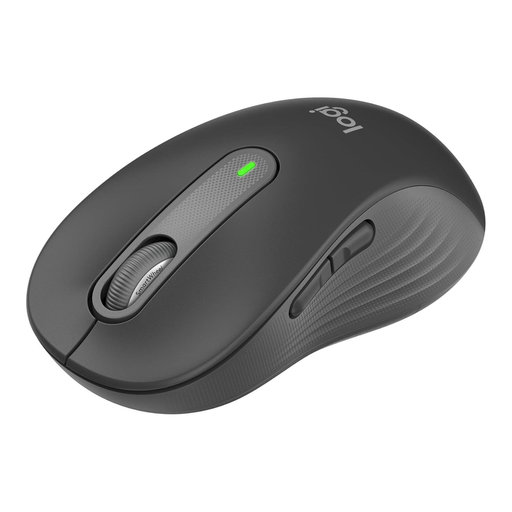
Why it stands out: The Logitech Signature M650 L is designed as a versatile tool for all-day use. Its main feature is the combination of comfort and functionality. The SilentTouch technology reduces click noise by 90%, according to the manufacturer, making it an excellent silent mouse. The SmartWheel scroll wheel automatically switches between precise and fast scrolling. It is also available in different sizes (here in the L version for large hands) and for left-handers.
Pros:
Who it's for: Users in the office and home office who are looking for a reliable, comfortable, and especially quiet all-round mouse for daily use and who value a shape adapted to their hand size.
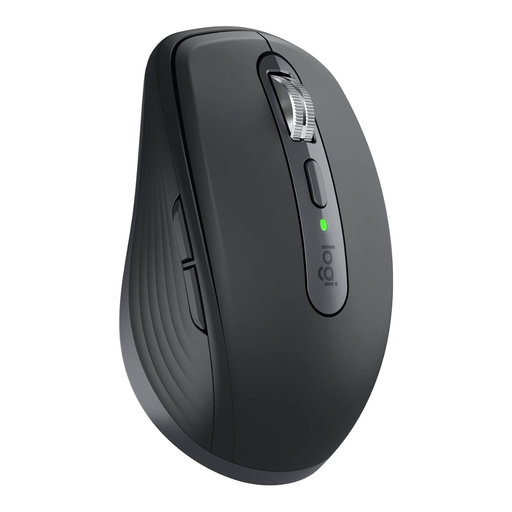
Why it stands out: The MX Anywhere 3S for Business is engineered for mobility and high performance. Its compact form factor makes it the ideal laptop mouse for users and mobile professionals. The standout feature is the 8000 DPI Darkfield Sensor, which enables precise tracking on virtually any surface, even on glass. The electromagnetic MagSpeed scroll wheel can scroll up to 1,000 lines per second and stops with pixel-perfect precision, according to the manufacturer.
Pros:
Who it's for: Mobile professionals, consultants, and anyone who frequently works in different locations and needs a compact yet powerful mouse that functions reliably on any surface.
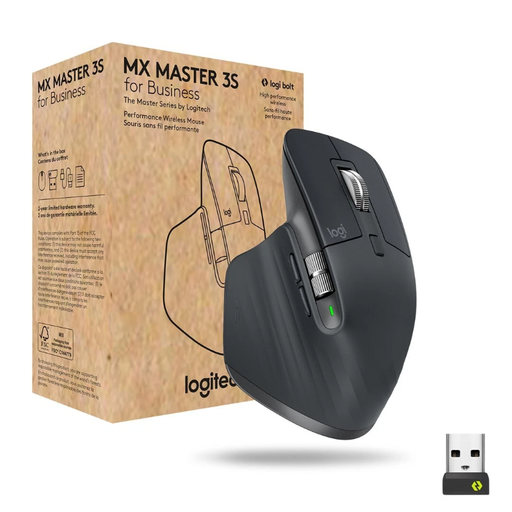
Why it stands out: The MX Master 3S for Business is the flagship model for demanding users. Its highly contoured, ergonomic mouse shape is optimised for right-handers and offers maximum comfort during long work sessions. Like the MX Anywhere 3S, it features the 8000 DPI Darkfield Sensor and the MagSpeed scroll wheel. An additional thumb wheel enables horizontal scrolling, which is particularly useful when working with wide spreadsheets or in video editing.
Pros:
Who it's for: Power users, developers, designers, and all creative professionals who demand the highest standards of precision, ergonomics, and customisability and are looking for a tool for maximum productivity at a fixed workstation.
While a wireless office mouse offers flexibility and a clutter-free desk, some users prefer a wired solution for latency-free performance or to avoid having to charge a battery. If you are considering a stable, directly connected option, you will also find suitable models in our range.
Discover our selection of Wired Mice.
What is the difference between a Bluetooth mouse and a wireless mouse with a USB receiver? A Bluetooth mouse connects directly to the integrated Bluetooth module of your computer or laptop without occupying a USB port. A wireless mouse with a USB receiver (dongle) uses a dedicated radio frequency between the mouse and the receiver. This connection is often considered more stable in environments with a lot of interference and is encrypted for enterprise use with technologies like Logi Bolt.
How important is the DPI number for an office mouse? DPI (Dots Per Inch) indicates the sensitivity of the mouse sensor. A higher DPI number means the cursor moves further across the screen with the same mouse movement. For standard office applications on Full HD monitors, values between 800 and 1600 DPI are sufficient. A high DPI of up to 8000 DPI is beneficial for users with very large or high-resolution 4K/5K monitors, as it allows for precise control without large hand movements.
Can I use a wireless mouse for multiple devices? Yes, many modern wireless mice are designed as a multi-device mouse. They feature a function (e.g., Logitech Easy-Switch) that allows the mouse to be paired with up to three devices simultaneously. A button press can then quickly switch between a desktop PC, a laptop, and a tablet, which significantly simplifies the workflow in multi-device setups.