
Lieferung heute & morgen

Qualitätsgarantie

Willkommens-Angebote freischalten: KOSTENLOSE Lieferung | Bis zu 80 % RABATT | Kostenlose 30-Tage-JoyPlus-Testphase
App herunterladen
A wireless gaming mouse can give you more freedom of movement while gaming and remain practical at your desk. However, high DPI values, eye-catching polling rates and very low weight figures do not automatically make one model the right choice. What matters is whether the sensor, connection, shape and software suit the way you plan to use it.
A high-DPI gaming mouse may support, for example, 26,000 or 44,000 DPI. That does not mean you need to use a higher setting while gaming. Many CS2 or Valorant players use considerably lower sensitivities and move the mouse across a larger surface.
More important than the maximum value are:
A gaming mouse with an 8000 Hz polling rate theoretically sends position data to the computer more frequently than a 1000 Hz model. This can be interesting for fast movements and suitable hardware. At the same time, higher polling rates can put more strain on the battery and use additional system resources.
Before buying, check:
A lightweight gaming mouse weighing between 39 and 60 grams can make fast movements easier. However, a very compact shape may be less suitable for users with large hands or those who prefer a palm grip. Your hand position, the width of the thumb rest and the arrangement of the side buttons can also have a greater impact on everyday use than a single weight figure.
A 2.4 GHz gaming mouse normally uses a USB receiver. This connection is often the more practical option for gaming, as it combines low latency with a direct wireless connection. The receiver should be positioned as close to the mouse as possible, for example on your desk using a USB extension cable.
A Bluetooth gaming mouse, on the other hand, is well suited to laptops, tablets and changing workspaces. Bluetooth does not require a free USB port, but may offer a lower polling rate depending on the model. A tri-mode gaming mouse usually combines USB, 2.4 GHz and Bluetooth, making it more versatile.
Also check compatibility: a gaming mouse for PC and Mac may work with both systems at hardware level, while macros, DPI profiles or lighting may only be fully configurable via Windows software.
The polling rate is measured in hertz. 1000 Hz corresponds to a theoretical query every 1 millisecond, while 8000 Hz corresponds to a query every 0.125 milliseconds. These figures describe signal transmission, not necessarily the total input latency.
When choosing a sensor, look beyond the DPI figure and consider supported tracking speed, acceleration and software options. A programmable gaming mouse also lets you assign functions, profiles or macros to the side buttons. These features can be just as relevant for productive work as they are for gaming.
Always compare the stated battery life with the mode in which it was measured. Manufacturer figures may refer, for example, to Bluetooth, 2.4 GHz, lighting or a particular polling rate. A gaming mouse with USB-C can usually continue to be used as a wired mouse while charging.
Useful features include:
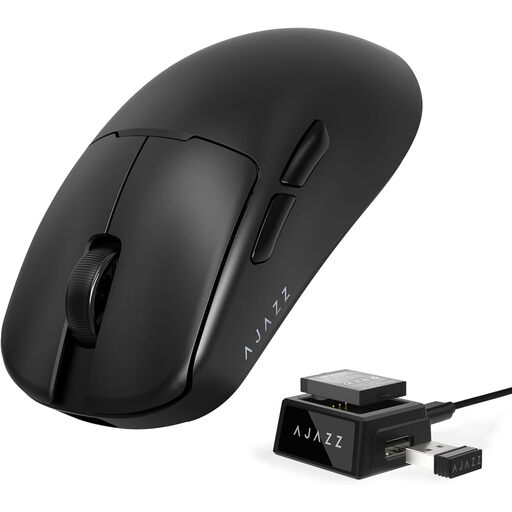
Why this product suits this profile: This model combines a weight of around 54 g with 2.4 GHz wireless, Bluetooth and USB connectivity. According to the product specifications, the PAW3311 sensor can be set to up to 24,000 DPI.
The choice is not based solely on a maximum DPI value. It also takes into account three connection types and a replaceable battery.
Tri-mode connectivity, a weight of around 54 g and a web-based driver for settings.
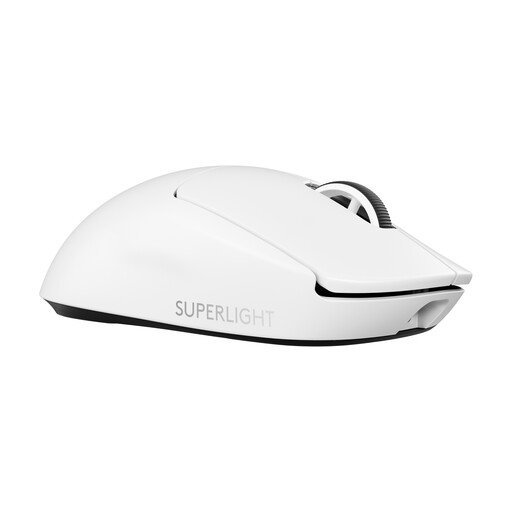
Why this product suits this profile: The product specifications list a weight of 60 g, a HERO-2 sensor, USB-C charging, up to 44,000 DPI and an optional polling rate of 8000 Hz.
The 8000 Hz function is explicitly listed as a technical option. It should be checked against the separately required receiver and your own hardware.
60 g weight, USB-C and a stated battery life of up to 95 hours.
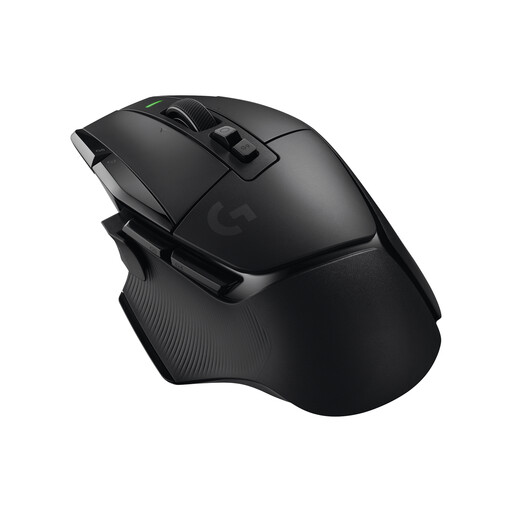
Why this product suits this profile: With 13 programmable buttons, built-in memory and a scroll wheel with several modes, this model is aimed at users who need plenty of commands.
The higher button count is clearly stated. Before buying, check whether the 102 g weight and right-handed shape suit your grip.
13 programmable controls and a stated battery life of up to 140 hours.
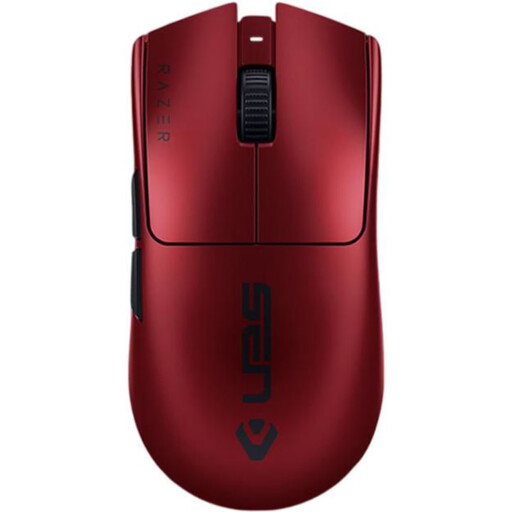
Why this product suits this profile: The model is listed at 54 g and combines a 35,000-DPI sensor, an 8000 Hz polling rate, 2.4 GHz wireless and USB-C.
The technical specifications distinguish between sensor resolution, polling rate and connection. This lets you check whether your hardware supports the relevant functions.
54 g weight, six programmable buttons and a stated battery life of up to 95 hours.
We have put together a complete, regularly updated list of products that fully meet these strict selection criteria and the safety regulations applicable in the EU.
2.4 GHz wireless is often chosen for gaming because the included USB receiver provides a direct connection. Bluetooth is practical for laptops, tablets and multiple devices. A tri-mode gaming mouse offers both options, as well as wired operation.
Battery life depends on the connection, polling rate, lighting and usage. The manufacturer figures for the models featured range from several dozen hours to considerably longer periods. Always check which mode the figure refers to, and charge the built-in battery with a suitable USB-C cable.
The basic mouse functions usually work on both platforms. However, the relevant manufacturer software is essential for programmable buttons, macros, DPI profiles or lighting. Before buying, check the supported operating systems and whether the software you want is available for macOS.