
Lieferung heute & morgen

Qualitätsgarantie

Willkommens-Angebote freischalten: KOSTENLOSE Lieferung | Bis zu 80 % RABATT | Kostenlose 30-Tage-JoyPlus-Testphase
App herunterladen
A wireless keyboard and mouse combo saves cables, USB ports and desk space. However, not every wireless keyboard and mouse set suits every workspace. Layout, power supply and connection type are often considered only after purchase. This can result in misplaced keys, frequent battery changes or missing ports.
This buying guide from the Joybuy Product Recommendation Officer explains which technical specifications matter before purchasing a wireless keyboard and mouse set and which models suit different user profiles.
A German QWERTZ keyboard and mouse set uses a different key arrangement from a US QWERTY model. The positions of Z and Y, as well as special characters, differ in particular. Even a set described as having an “EU layout” is not automatically a German keyboard.
For German texts, spreadsheets and office software, the product details should explicitly state German, DE or QWERTZ. A US layout can be switched to German in Windows, but the legends on the keycaps remain unchanged.
A 2.4 GHz keyboard and mouse set generally connects via a USB nano receiver. This is convenient for desktop PCs and many laptops, but it requires a free USB-A port. A Bluetooth keyboard and mouse set, on the other hand, can be paired directly with compatible laptops, tablets or smartphones.
If you want to switch between multiple devices, check whether both the keyboard and mouse support this function. With some sets, multi-device support applies only to the keyboard, while the mouse works exclusively with the included receiver.
The term “quiet” does not refer to a uniform measurement standard. Scissor mechanisms, low-profile chiclet keys and specialised dampening can reduce operating noise, but they are no substitute for checking the manufacturer’s specifications. An item described as a quiet keyboard and mouse combo may also contain a quiet keyboard paired with a noticeably audible mouse.
For shared spaces, specifications such as SilentTouch, quiet clicks or SX scissor keys can be useful. They should be understood as technical product features, not as a guarantee of complete silence.
A full-size keyboard usually includes a separate numeric keypad, making it practical for spreadsheets, accounting and data entry. However, it also requires more space. Compact models are better suited to small desks, mobile workstations or use with a tablet and laptop.
Also consider:
An ergonomic wireless keyboard can adapt the workstation more effectively to your posture with features such as a palm rest, low-profile design or adjustable tilt angle. It does not, however, replace an appropriate seating height and regular breaks.
2.4 GHz wireless technology uses a USB receiver and is often ready to use immediately after being plugged in. Bluetooth eliminates the need for a receiver, but requires a compatible device and usually pairing through the system settings.
Manufacturer claims such as “up to 10 metres of range” apply under specific environmental conditions. Metal surfaces, USB 3.0 devices and larger obstacles can affect the connection. With desktop PCs, a short USB extension cable can help position the receiver closer to the keyboard and mouse.
A rechargeable keyboard and mouse reduces the need for disposable batteries, but must be charged regularly via USB. Models with NiMH batteries or lithium-ion batteries differ in charging time, operating duration and the ability to charge while in use.
For battery-powered sets, runtime figures are generally expressed as “up to” values. Backlighting, frequency of use and the wireless connection affect actual runtime. Also check whether batteries are included. For example, according to the product specifications, the CHERRY DW 3000 requires a separate set of batteries for the keyboard.

Why This Fits Their Persona: This set is aimed at home users and home-office professionals who prefer a full-size keyboard with a numeric keypad and straightforward USB setup.
The German QWERTZ layout is explicitly specified. The connection uses a single 2.4 GHz nano receiver, so Bluetooth pairing is not required.
SilentTouch keys and mouse, 8 shortcut keys, a spill-resistant keyboard and, according to the manufacturer, up to 36 months of keyboard runtime and 18 months of mouse runtime.

Why This Fits Their Persona: Ideal for freelancers and office workstations where users switch between multiple computers and regularly work with backlit keys.
The set combines Bluetooth with a Logi Bolt receiver. According to the product specifications, up to three devices can be managed via Easy-Switch.
Backlit keyboard, USB-C charging port, rechargeable battery and an MX Master 3S with up to 8000 DPI, according to the manufacturer.
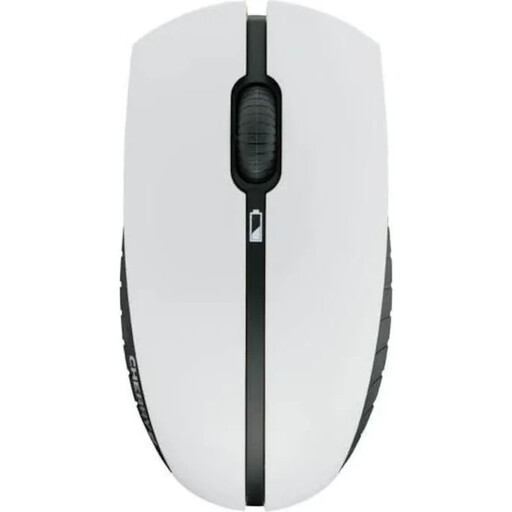
Why This Fits Their Persona: Designed for users who type for extended periods, share workstations and want to continue using the keyboard and mouse while they charge.
The German layout is clearly specified. According to the product description, the NiMH batteries can be charged via USB, including during use.
SX scissor mechanism, AES-128-encrypted 2.4 GHz connection, 4 multimedia keys and an ambidextrous mouse with 1000/2000 DPI.
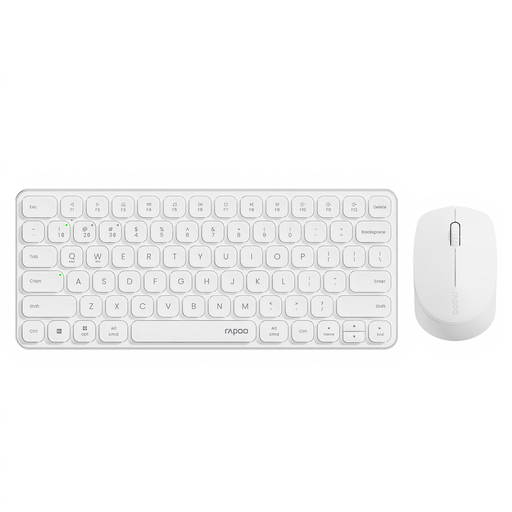
Why This Fits Their Persona: A practical choice for people who use a PC, laptop, tablet or smartphone at the same workstation and want to switch between devices.
According to the product description, the set supports 2.4 GHz as well as Bluetooth 4.0 and 5.0. This means connection options are not limited to a USB receiver.
Support for up to four devices, scissor mechanism, QWERTY designation and adjustable mouse resolution from 800 to 2400 DPI.
We have compiled a complete, up-to-date selection of products that takes relevant technical buying criteria and applicable German and EU safety requirements into account.
Before purchasing a keyboard and mouse, compare the following points:
With a 2.4 GHz set, plug the USB nano receiver into a free USB port, insert the batteries if necessary and switch on both devices. Many sets are already paired. With Bluetooth models, activate pairing mode and select the keyboard and mouse in the Bluetooth settings of the target device.
Service life depends on the key mechanism, usage, battery or rechargeable battery type and maintenance. Runtime per set of batteries can range from a few months to several years. With rechargeable models, usable capacity decreases over charging cycles. When choosing a product, consider both the stated runtime and the available replacement or charging options.
Battery-powered sets may incur regular costs for AA or AAA batteries. A rechargeable model requires electricity and a suitable charging cable instead. Actual running costs depend on usage time, charging frequency and the power source. If you use the keyboard every day in a home office, factor this into your decision alongside the purchase price.