For a monitor you’ll use for both work and play, first check that its screen size, resolution, anti-glare finish and positioning options suit your desk, viewing distance and connected device. TÜV SÜD notes that these factors go hand in hand. A 27-inch WQHD monitor is one option to compare, but it’s not a must-have format. If dark game scenes are a priority, compare the panel’s performance and bear in mind the risk of burn-in on OLED screens when static work windows are displayed for long periods.
Who these monitors are for
Working and solving puzzles on one monitor
If you read documents during the day and game clues in the evening, readability, desk space and screen position are all important when choosing a monitor. PC Games Hardware and TÜV SÜD highlight screen size, viewing distance and the use of multiple windows as relevant considerations.
Gamers who value atmosphere
If you often play games with dark scenes, compare how the specific panel performs with the way you’ll use it during the day. PRAD describes the differences between LCD and OLED, while MSI warns of a burn-in risk on OLED screens when static content is displayed for long periods.
Gamers with limited desk space
If your monitor, stand and viewing distance all need to fit into a small space, check the dimensions and setup before you buy. TÜV SÜD recommends considering screen size, viewing distance and your computer’s capabilities together.
What to consider when buying
IPS LCD for work and play
A good fit if: you often read documents and in-game text, and want a versatile screen.
The trade-off: An IPS model isn’t automatically the right choice if deep blacks are your top priority.
Contrast-focused LCD monitor
A good fit if: dark scenes matter to you and you’d rather not choose an OLED monitor for long periods of static work.
The trade-off: The panel type alone doesn’t tell you how well a particular model handles motion or overall picture quality. PRAD describes VA LCDs in general as a contrast-focused option.
OLED for atmospheric gaming
A good fit if: dark game scenes and self-lit pixels matter more to you than carefree use with work windows that stay on screen for long periods.
The trade-off: There’s a burn-in risk when static elements are displayed for long periods. Check the protection features and warranty terms for the exact model. MSI describes this as an OLED risk.
| Priority |
What to check before buying |
Who may find this especially important |
| Readability and positioning |
Resolution in relation to screen size; height adjustment or a suitable VESA mount. |
If I read text during the day and clues in the evening, I want both to be clear on a well-positioned screen. Around 33% of consumers prioritise readability and using one monitor for both. |
| Dark game scenes |
Contrast performance of the specific model; for OLED, protection features and warranty terms. |
If dark scenes are important to the atmosphere of a puzzle game, I want to weigh up how they look against the demands of long hours of office work. Around 27% of consumers prioritise dark game visuals. |
| Desk and connected device |
Space taken up by the screen and stand; resolutions and refresh rates supported by the connected device. |
If my desk is short on space or my connected device limits my options, I want to check both before deciding. Around 27% of consumers focus first on space and hardware compatibility. |
| Connections and running costs |
Inputs and the refresh rate supported by each; the EU energy label for the specific model. |
If I want to connect several devices or compare running costs, I’ll check the relevant connections and information in advance. Around 13% of consumers prioritise connections and running costs. |
Common buying and setup mistakes
-
Choosing the highest refresh rate instead of the right screen for work and play
The advertised refresh rate requires a compatible signal and a connected device with sufficient performance. Screen size and resolution also affect how easy text is to read.
Start by checking the space available, resolution and signal path. Then compare your preferred refresh rate with the figures supported by the connection you’ll use.
-
Assuming OLED needs no special care with static windows
MSI describes static content displayed for long periods as a burn-in risk on OLED screens. Protection features don’t guarantee that burn-in can’t happen.
Weigh up OLED and LCD in light of your actual working hours, and read the care guidance and warranty terms for the exact model.
-
Measuring only the screen size
The stand takes up space too and may limit how you position the screen. According to ASUS’s specifications, the stand on the ASUS TUF Gaming VG27AQ3A doesn’t have height adjustment.
Measure the available depth and check for height adjustment and VESA compatibility before buying.
If you need a separate mount, you’ll need to factor that in too.
Notable brands to consider
BenQ
The MOBIUZ EX2710Q is one example of a 27-inch WQHD IPS monitor with built-in speakers and an adjustable stand.
- BenQ lists a 165 Hz refresh rate, a stand with 100 mm of height adjustment and 2.1-channel speakers for this model.
- HDRi performance is a manufacturer claim, and these features aren’t automatically available on other MOBIUZ models.
ASUS
The TUF Gaming VG27AQ3A is one example of a 27-inch WQHD Fast IPS monitor.
- ASUS lists refresh rates of up to 180 Hz over DisplayPort and up to 144 Hz over HDMI for this model.
- ASUS says the supplied stand isn’t height-adjustable; the listed VESA mount size is 100 × 100 mm.
Dell Alienware
The AW2725D is one example of a 27-inch QHD QD-OLED monitor.
- Dell lists a 280 Hz refresh rate for this model.
- These manufacturer specifications don’t prove that the model is generally better for puzzle games or immune to burn-in during static office work.
MSI
The MAG 274QRF QD E2 is one example of a WQHD LCD monitor with Quantum Dot technology.
- MSI lists a 180 Hz refresh rate for this model.
- The three-year burn-in warranty announced by MSI applies to certain OLED models. It doesn’t apply to this LCD model or to regional variants that haven’t been specified.
Joybuy monitors for work and puzzle games
The following Joybuy models offer different ways to combine work and play: from IPS and Mini LED displays to an ultrawide monitor and a QD-OLED model for atmospheric gaming.
 No image available
INNOCN 2751S PLUS, 27-inch, QHD, Mini LED
Could be a good fit if you’re looking for QHD and a height-adjustable screen for work and puzzle games.
27-inch; QHD; Mini LED with 1152 zones; IPS; 275 Hz according to the product title.
View at Joybuy
 No image available
KTC M27P6, Mini LED, Fast IPS, white
Worth considering if you want a high resolution for work and game clues, along with an adjustable screen position.
4K at 160 Hz or FHD at 320 Hz; Fast IPS; 65 W USB-C; height-adjustable.
View at Joybuy
 No image available
KTC H27E6S, 27-inch, QHD, Fast IPS
Could be a good fit if you want QHD on a 27-inch screen and a height-adjustable stand for your combined work and gaming setup.
QHD (2560 × 1440); 240 Hz, optionally overclocked to 275 Hz; Fast IPS; VESA 100 × 100 mm; HDMI 2.0 and DisplayPort 1.4.
View at Joybuy
 No image available
Xiaomi G34WQi, 34-inch ultrawide
Could be worth considering if you have room for an ultrawide screen that can handle both work and play.
34-inch; WQHD; 180 Hz; 1 ms; HDR 10.
View at Joybuy
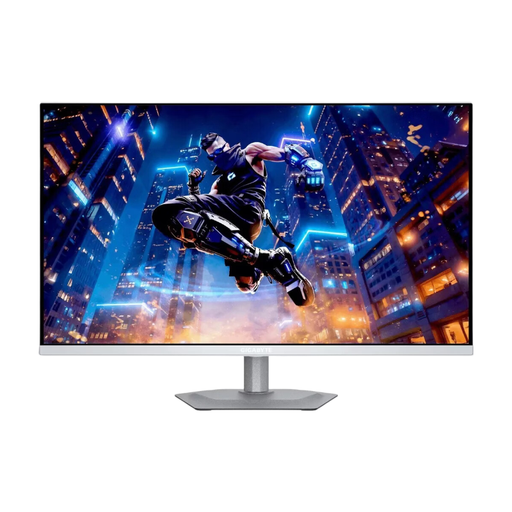 No image available
Gigabyte MO27Q2A ICE, QD-OLED, QHD, white design
Could be a good fit if you prioritise QD-OLED for atmospheric gaming and bear in mind how you’ll use it for static work content.
27-inch; QHD; 280 Hz; 0.03 ms; DisplayHDR True Black 400.
Displaying static work content for long periods carries a risk of burn-in on OLED screens. MSI describes this as an OLED risk; protection features don’t rule it out.
View at Joybuy
Frequently asked questions
Do I need 240 Hz or more for narrative puzzle games?
No, such a high refresh rate isn’t essential for this type of game. To make full use of a refresh rate, you’ll need a compatible connected device and signal. For a combined work and gaming setup, check readability, desk space and connections first.
How should I position my monitor for a combined work and gaming setup?
Measure your desk and viewing distance, and check the adjustment range of the specific stand. A model without height adjustment may need a suitable VESA mount. Germany’s ASR A6 applies to workplaces and teleworking within its defined scope; it doesn’t apply universally to all personal screen use at home.
What should I bear in mind when using an OLED monitor for office work?
Consider how long static work windows will be displayed, and check the care features of the specific model. MSI describes static content displayed for long periods as a burn-in risk; manufacturer guidance doesn’t guarantee that burn-in can’t happen.
What rights and labelling information matter when buying online in Germany?
Online consumer purchases generally come with a 14-day right to cancel, as explained by Verbraucherzentrale. Your statutory rights against the seller and a voluntary guarantee are separate. EU energy labelling rules apply to the electronic displays covered by them; the European Commission also lists labelling information requirements for online sales.


