What should you look for when buying?
Start by deciding what you most want to capture, then check that the lens and camera settings will work in your workspace. If you also plan to shoot video, consider the frame rate and any audio connections you may need.
| What to consider |
What to check before buying |
Who should pay particular attention? |
| Keeping moving hands in focus |
Check that you can manually set the focus area, shutter speed and ISO to suit your needs. Also consider whether the lighting at your planned shooting location is bright enough. |
If you want to capture work in progress with moving hands, you’ll need the right shutter speed as well as a steady camera position. This is a priority for around 36% of consumers. |
| Framing a person and their workspace |
Check the focal length range of the supplied lens from your intended tripod position, and make sure you’ll be able to see the display clearly from there. |
If you want to include both the person at work and part of the workbench, framing is key. Around 29% of consumers prioritise capturing both the person and their surroundings. |
| Capturing small details up close |
Compare the maximum magnification of the specific lens and the available working distance. The minimum focusing distance is not the same as the distance from the front of the lens to your subject. |
If you want seams, engravings or tool tips to stand out clearly, you’ll need to balance magnification against the space needed for your hands, tools and lighting. Small details are the main focus for around 21% of consumers. |
| Shooting extra workshop videos |
Compare the video format and, if you plan to record sound, check that the camera has the audio connections you need. Make sure the lens and framing will also work for your video setup. |
If you regularly film work in progress as well as taking photos, the video format and audio connections are also important. This additional use for video is the top buying priority for around 14% of consumers. |
Joybuy products for this topic
The following Joybuy products are camera options related to this topic. Before choosing, check that the camera design, lens and mounting options will work at your fixed workshop location.
 No image available
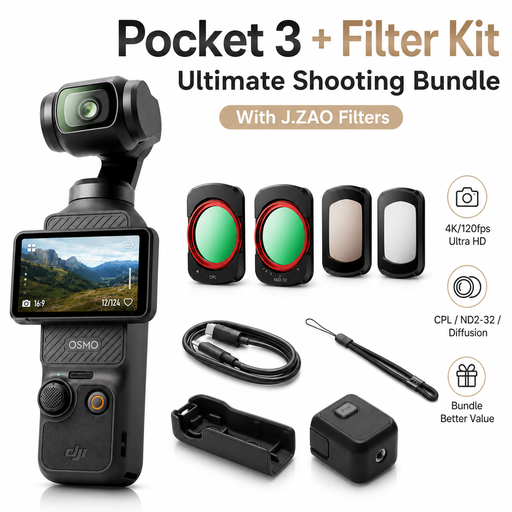
DJI Osmo Pocket 3 Standard Combo with J.ZAO camera filter set
Described as an option for additional video recording; check that the framing and setup suit your tripod shots.
Features named in the product title: 1-inch CMOS, 4K/120fps, 3-axis gimbal and a 2-inch rotating touchscreen.
The product title states that the set includes a camera filter set.
View at Joybuy
 No image available
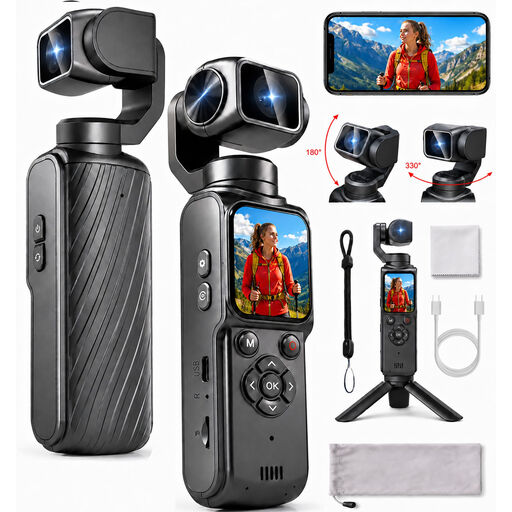
4K action camera with 330° rotating lens
If you’re considering this camera for workshop photography, check that the framing and mounting options suit your intended tripod position.
Features named in the product title: 4K, a 330° rotating lens and a 1.72-inch touchscreen.
View at Joybuy
 No image available
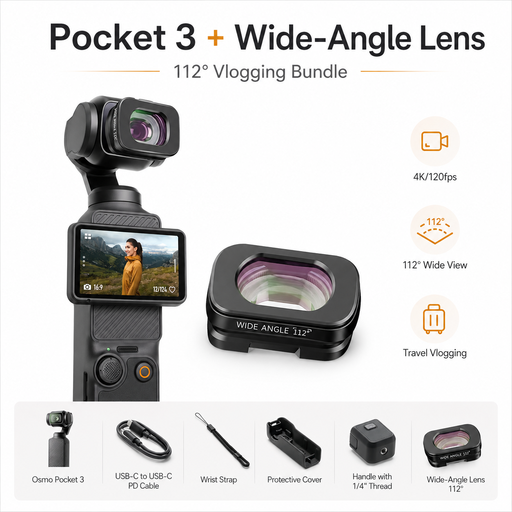
DJI Osmo Pocket 3 Standard Combo with ULANZI F35 wide-angle lens
This set is described as suitable for additional video recording. Check that the framing it provides works at your fixed shooting location.
Features named in the product title: 1-inch CMOS, 4K/120fps, 3-axis gimbal and a 112° wide-angle lens.
View at Joybuy
 No image available
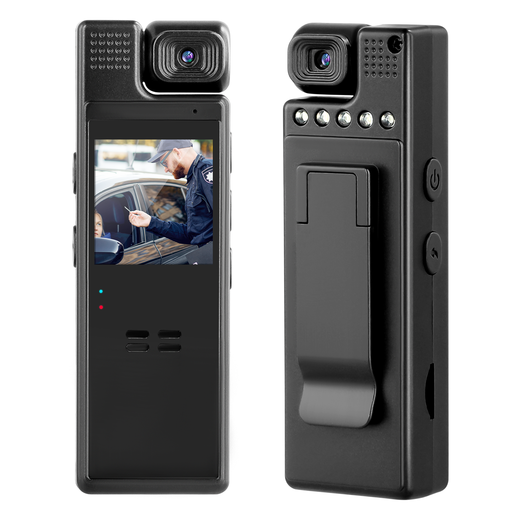
Compact camera with 1080P, 180° rotating lens and clip
Before using it at your workbench, check that the clip can hold the camera securely at the angle you want.
Features named in the product title: 1080P and a 180° rotating lens.
View at Joybuy
 No image available
Sony Alpha 6100 APS-C system camera with 16–50 mm power zoom lens
An interchangeable-lens camera with a zoom lens that you can consider for framing both a person and their workshop.
Features named in the product title: APS-C camera, 16–50 mm power zoom lens and tilting display.
View at Joybuy
Frequently asked questions
Why can hands still look blurred when using a tripod?
A tripod keeps the camera steady, not the person at work. If you want to capture hand movements sharply, check the shutter speed and lighting at your actual workstation. More camera stabilisation alone won’t prevent subject movement from causing blur.
How can I check whether small details will fit in the frame?
Check the magnification and available working distance for the specific lens at your planned shooting location. The minimum focusing distance isn’t measured from the front of the lens. For example, Sony gives a working distance of around 2 cm at the closest focusing point for the SEL30M35.
What extra costs and requirements should I plan for?
Check whether the lens, any lighting you need and other accessories are included in the offer. In Germany, the seller’s statutory liability for defects is separate from a voluntary guarantee. Keep a record of any specific promises made by the retailer.
Can I simply photograph identifiable craftspeople and publish the images?
No, you shouldn’t assume that you can. Under § 22 KunstUrhG, consent from the person shown is generally required to distribute or publicly display their image. § 23 sets out limited exceptions, which must be assessed on a case-by-case basis. Processing personal data also requires a lawful basis under the GDPR. These rules concern photographing and using images of people, not whether a camera can be sold.


