Workshop attendees behind thick walls
If you need to plug the repeater into an existing socket, the main thing to check is whether it can still get a usable connection to the router from there.


A wireless repeater may be suitable if it can still get a usable connection to the router from an appropriate plug socket. If the wireless signal is also weak there and you can run a network cable, a repeater in Access Point mode is an alternative. The cable bypasses wireless obstacles, but you’ll need a suitable connection and allow for more installation work. Advertised maximum Wi-Fi speeds alone can’t tell you how reliable the connection will be at your workshop.
If you need to plug the repeater into an existing socket, the main thing to check is whether it can still get a usable connection to the router from there.
A network cable can bypass the wireless signal having to pass through the wall. Check that the repeater supports Access Point mode and that there’s a cable connection where you want to place it.
If you want to use mesh features, check that the specific repeater is compatible with your router. Extending Wi-Fi alone doesn’t automatically mean the repeater will join your mesh network.
Suitable if: You can find a socket where the repeater still gets a good signal from the router, and you don’t want to run a cable.
Consider: The wireless connection to the router will still depend on where you place the repeater and any obstacles in the way.
Suitable if: A network cable or network socket reaches the room where you need Wi-Fi.
Consider: You’ll need to plan the cable route and network connection, and make sure the device explicitly supports Access Point mode.
Suitable if: You want to use your existing router’s mesh features and have confirmed that the specific devices are compatible.
Consider: Without a compatible router, you may be able to extend your Wi-Fi, but the mesh integration you expect may not be available.
| What matters | What to check before buying | Who is this important to? |
|---|---|---|
| Wireless signal through or around walls | Check potential socket locations and the router signal there; if the wireless signal is consistently weak, consider a cable instead. | If I need to use a socket behind thick walls for my workshop, I want to know whether the repeater will still get a signal there. Around 33% of consumers prioritise a usable wireless connection. |
| Connection during the workshop | Test the connection at the work area with typical simultaneous use, and distinguish issues with the internet connection from problems with the home Wi-Fi. | If audio and video matter during the workshop, the connection I can actually use at my seat is more important than an advertised maximum speed. Around 27% of consumers prioritise a stable connection for workshops. |
| Wired alternative | Check the cable route and network connection, and confirm that the specific device explicitly supports Access Point mode. | If a network cable reaches the room, I want to bypass the wireless signal having to pass through the wall. Around 27% of consumers prioritise a wired connection. |
| Integration with the router | Check the router model, supported mesh standards and setup requirements. | If I use an existing mesh router, I want to be able to use the repeater’s compatible features too. Around 13% of consumers prioritise integration with their existing router system. |
Maximum Wi-Fi data rates are theoretical figures. The connection you can actually use depends on several factors, including the router, your device and the quality of the connection.
First check that the connection type works where you plan to use it, then test how it performs during your workshop.
A wireless repeater receives data from the router wirelessly. If the signal is too weak at the socket, that part of the connection will remain a problem.
First find a location where the connection to the router is usable. If there isn’t a suitable spot, check whether you can run a cable and use Access Point mode.
An Ethernet port may only connect a device to a repeater that still connects to the router wirelessly.
Check that the specific model explicitly supports Access Point mode, and plan to run a cable to the existing network.
You may need an additional network cable or a suitable network socket.
Extending Wi-Fi and joining a mesh network aren’t the same thing. According to Deutsche Telekom, Speed Home WLAN can also work as a repeater without a mesh-capable router.
Check that your router and repeater support the mesh features you want, and bear the setup requirements in mind, such as WPS.
The FRITZ!Repeater 1200 AX is a compact Wi-Fi 6 option worth considering, particularly if you already have a FRITZ! mesh network.
The RE705X is worth considering if you’re looking for a Wi-Fi 6 repeater with Gigabit Ethernet and a specified Access Point mode.
The WiFi 6 Repeater 3000 is an option for extending your Wi-Fi or using as an access point, provided there’s a LAN connection at a suitable location.
Speed Home WLAN is worth considering as an addition to certain compatible Speedport routers.
The following Joybuy products are wireless repeaters for extending an existing Wi-Fi network wirelessly.
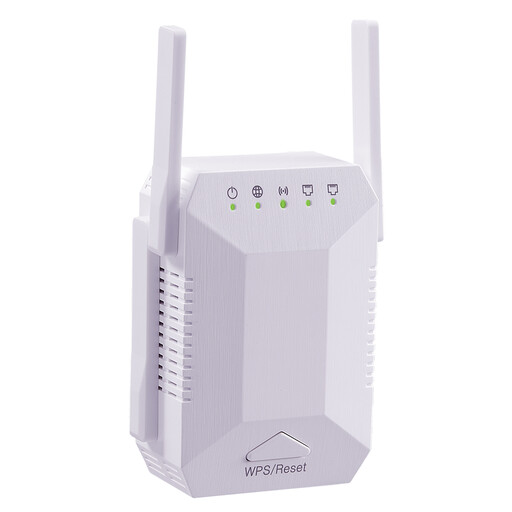 No image available
Described as suitable for wirelessly extending an existing Wi-Fi network.
Listed as a dual-band device with 1200 Mbit/s, four adjustable aerials and an EU plug; WPS setup is mentioned.
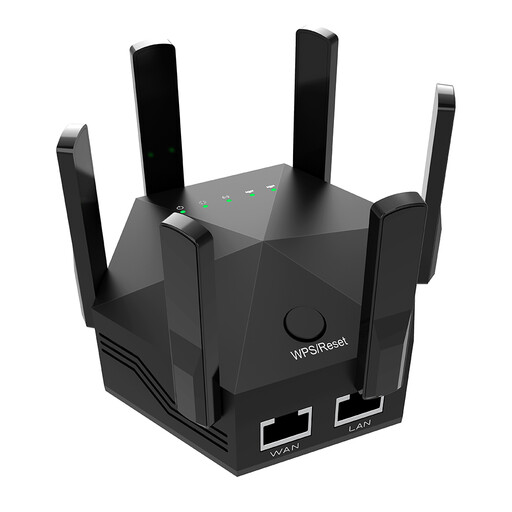 No image available
Described as suitable for wirelessly extending an existing Wi-Fi network.
Listed with 1200 Mbit/s and six aerials; the description mentions two 10/100 Mbit/s LAN ports and WPS setup.
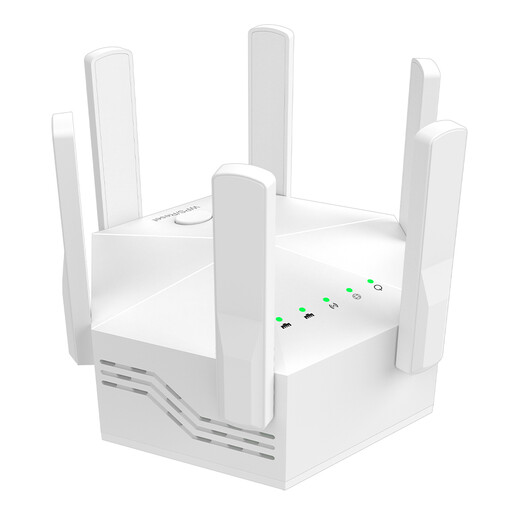 No image available
Described as suitable for wirelessly extending an existing Wi-Fi network.
Listed with 1200 Mbit/s, six adjustable aerials and an EU plug. The description says the router must support dual-band.
 No image available
Described as suitable for wirelessly extending an existing Wi-Fi network.
The product description mentions a compact design and plug-and-play setup.
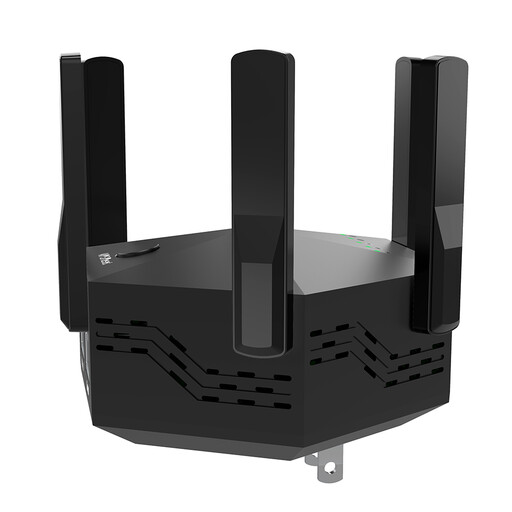 No image available
Described as suitable for wirelessly extending an existing Wi-Fi network.
Listed with 1200 Mbit/s and six adjustable aerials; the description mentions two 10/100 Mbit/s LAN ports.
Place it somewhere it can still get a usable signal from the router and reach your workshop. Check potential socket locations; if you put it in a dead zone, its connection to the router will still be a problem.
No, not if the repeater itself connects to the router wirelessly. To use an access point, you need a suitable device connected to the existing network by Ethernet.
It depends on the platform you use and your role. For webinar attendees watching 720p video, Zoom Support recommends approximately 1.2–1.8 Mbit/s download speed; different requirements apply if you’re streaming your own video. This guideline describes what the application needs, not the guaranteed performance of a repeater.
Not necessarily: an Ethernet port may only connect a device while the repeater remains connected to the router wirelessly. Check that the specific model explicitly supports Access Point mode, and that there’s a cable route to the existing network.
No, mesh integration depends on whether the specific repeater is compatible with your router. Check the mesh standards supported and the setup requirements; you may be able to extend your Wi-Fi without the mesh features you want.