Workshop attendees in a room with poor signal
At a fixed workstation, you need a reliable connection through or around thick walls. Whether you can run a cable or position an extra access point will affect which solution is right for you.


You don’t automatically need a new router for a virtual workshop behind thick walls. First, check the connection where you’ll be working. A LAN cable or an access point connected via LAN bypasses the problematic wireless link. If you can’t use a cable, try a well-positioned mesh node or powerline, testing it on site first. If you replace your main router, make sure its modem or WAN connection is compatible with your existing internet connection.
At a fixed workstation, you need a reliable connection through or around thick walls. Whether you can run a cable or position an extra access point will affect which solution is right for you.
If you want to cover other rooms as well as your workshop space, check whether a mesh node can connect to the main router via LAN or wirelessly.
When replacing your main router, its built-in modem or WAN connection must be compatible with your existing DSL, cable or fibre broadband connection.
Start by checking the connection at your workshop space and whether you can run a cable there. Consider replacing your router mainly if your internet connection or current device is another reason to do so.
| Priority | What to check before buying | Who is this particularly important to? |
|---|---|---|
| Connection at the workshop space | Check signal strength and dropouts at your seat; consider whether you can run a LAN cable to your device or access point. | If I attend the workshop from a fixed spot, a reliable connection there matters more to me than a high data rate on the box. Around 36% of consumers put the connection at their workshop space first. |
| Wi-Fi in several rooms | Check whether you can run a cable between mesh units, and whether a wireless node will still have a usable connection to the router where you plan to put it. | If I want to cover other rooms with poor signal too, I need to consider the connection between the router and the node. Around 29% of consumers prioritise coverage across several rooms. |
| Compatibility with your internet connection | Identify whether you have DSL, cable or fibre, and whether you already have a modem or ONT. Then check which modem or WAN connection you need. | If I replace my main router, I want to avoid choosing a device with the wrong connection. Around 21% of consumers prioritise compatibility with their internet connection. |
| Extra equipment and ongoing use | Check which nodes or adapters you need, and consider any optional services separately from the router. | If I want to keep setup effort and ongoing commitments to a minimum, what I need in addition to the basic solution matters to me. Around 14% of consumers prioritise effort and ongoing use. |
What matters is the wireless link where you’ll actually be sitting and, where relevant, the connection between the main router and mesh node.
Check the signal and look for dropouts at that spot. Before choosing a model, plan the route between the router, any extra node and your device.
You may need an extra access point or a suitable cable route.
A repeater repeats the signal it receives. If there’s no usable connection where you put it, it can’t make up for a broken wireless link.
Test the proposed location or check whether you can connect an access point via LAN.
devolo notes that some sockets may deliver low data rates and that electrical devices can interfere with transmission.
Test the kit in the sockets you plan to use and check the connection under similar usage conditions.
If the sockets aren’t suitable, you may need an extra adapter or a different type of connection.
Routers with a built-in DSL modem and devices designed to work behind a modem or ONT are intended for different types of connection.
Check your connection type and existing equipment before you buy. Cable or fibre connections may require an external modem.
These examples show different ways to connect and extend your network. Manufacturers’ coverage claims don’t prove how well Wi-Fi will travel through the walls of a particular building.
Worth considering if you’re looking for a DSL router or ways to extend an existing FRITZ! network.
Deco mesh systems are an option if you need several access points and can use a wired backhaul.
Magic powerline kits with Wi-Fi are worth considering if the wireless link between rooms is weak and you can’t run an Ethernet cable.
The ZenWiFi XT9 is a mesh option for anyone considering a wireless or wired backhaul.
The Orbi 770 Series is a mesh option for covering several rooms with extra satellites.
This selection includes mesh systems for several rooms, a DSL router for compatible connections, and devices for router and access point use. For your workshop space, the connection type and whether you can run a LAN cable are key.
 No image available
For Wi-Fi in several rooms; each of the two units has two Gigabit WAN/LAN ports for wired connections.
Wi-Fi 7, dual-band and Gigabit Ethernet.
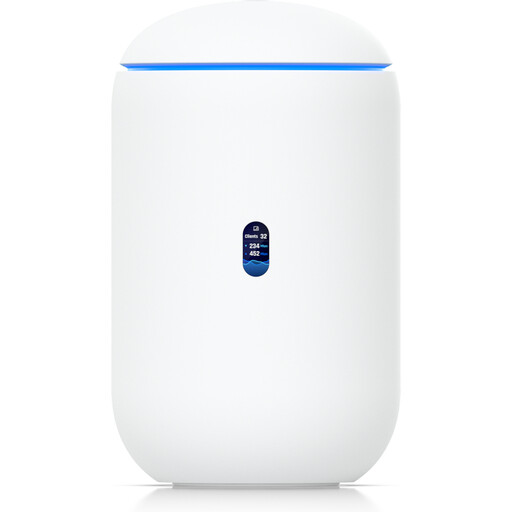 No image available
Worth considering as a main Wi-Fi router if its connection options are compatible with your existing modem or ONT.
Tri-band Wi-Fi 7, four 2.5 GbE RJ45 ports and 10G SFP+. According to the product description, 6 GHz operation depends on local regulatory availability.
 No image available
For Wi-Fi near your workshop space if you can run an Ethernet cable to the access point.
2.5 GbE RJ45 uplink with PoE. A compatible PoE power supply is required.
 No image available
For a compatible DSL connection if you need a new main router with a built-in VDSL modem.
VDSL Supervectoring 35b and four Gigabit LAN ports. The product description specifies an external modem for cable or fibre connections.
 No image available
For extending Wi-Fi across several rooms with two mesh units.
Each unit has three Gigabit ports. According to the product description, the second unit should be placed within range of the first.
Not necessarily. Start by checking the connection where you’ll actually be working. If your current router works well otherwise, a LAN cable or an access point connected via LAN may bypass the problematic wireless link more directly than replacing the router.
Put it somewhere it can still get a usable connection to the main router, as it repeats the signal it receives. If you need a node beyond a wall that blocks the signal, a wired LAN backhaul is one possible alternative.
Test the adapters in the wall sockets you plan to use, and check the connection there under similar usage conditions. devolo recommends plugging them directly into wall sockets and lists power supplies and dimmers as possible sources of interference.
Check how many nodes you actually need and whether optional services are sold separately from the equipment. For example, NETGEAR’s German Orbi 770 product page lists an optional Armor service with paid renewal. This doesn’t mean other mesh systems require a subscription.
The router must be compatible with your connection type and the equipment you already have. Check whether you use DSL, cable or fibre, and whether you have a separate modem or ONT, before choosing a device with a built-in modem or WAN connection.