Workshop participants behind thick walls
If you regularly join workshops from a fixed workspace, what matters is the connection right there. Check whether you can connect your device directly via LAN or run a cable to an additional access point.


A new main router on its own is rarely the most targeted solution when thick internal walls are weakening the Wi-Fi signal to your workshop room. If you can run an Ethernet cable, connect your workshop device or a suitable access point near your workspace via LAN. If you can’t run a cable, consider a mesh node with a sufficiently strong wireless backhaul or, depending on your home’s electrical wiring, a powerline adapter. Replace your router primarily if its connection type or features are no longer suitable: extending your home network won’t fix a bottleneck in your internet connection.
If you regularly join workshops from a fixed workspace, what matters is the connection right there. Check whether you can connect your device directly via LAN or run a cable to an additional access point.
If there’s no Ethernet cable running to the room, you’ll need to consider where to place a wireless mesh node or whether your existing sockets are suitable for powerline.
If you want to extend your home network without replacing your router straight away, check the operating mode and compatibility with your existing devices.
Suitable if: You can run a cable to your workspace and the Wi-Fi connection to the device is the problem.
Trade-off: You’ll need a cable route; this won’t make a slow internet connection any faster.
Suitable if: You need Wi-Fi in the workshop room for a laptop or other devices, and you can run an Ethernet cable there.
Trade-off: The operating mode and compatibility with your existing home network need to be right.
Suitable if: You can’t run a LAN cable and the additional node can still get a good signal from the main router at its intended location.
Trade-off: A node placed in a dead zone can’t compensate for a weak backhaul signal through the wall.
Suitable if: Neither LAN nor a reliable wireless backhaul is practical, and the sockets in the room are suitable for powerline.
Trade-off: The sockets you use and electrical interference can affect the connection.
Suitable if: You want to replace your existing device and the new router is compatible with your actual connection type.
Trade-off: Replacing the router alone doesn’t guarantee a stable Wi-Fi connection through thick internal walls.
| Requirement | What to check when buying | Who it particularly affects |
|---|---|---|
| Connection through thick walls | Cable route to the device or access point; Wi-Fi signal at the planned node location | At my regular workshop space, I need a reliable connection; the router’s advertised speed says little about the signal there. Around 36% of consumers put a stable connection through walls first. |
| Extending the network without a LAN cable | Wireless backhaul at the mesh node location; if using powerline, the wall sockets you plan to use | I want to connect the room without running a new Ethernet cable, so I need to check which connection works there. Around 29% of consumers prioritise extending their network without a LAN cable. |
| Workshop streaming | Check your internet connection and the connection at your workspace separately; compare the requirements of your platform with the role you have in the workshop | If I use video and audio or send video myself, I want to tell the difference between a Wi-Fi bottleneck and a limited internet connection. Around 21% of consumers prioritise workshop streaming. |
| Compatibility with your home network | Check the connection type, existing modem, phone services required and operating mode | With an existing home network, I don’t want to replace the router before checking that the connection type and required features are compatible. Around 14% of consumers base their choice primarily on how well the system fits together. |
Manufacturers’ speed figures don’t tell you how good the connection will be in your workshop room or between mesh nodes.
Check the connection at your workspace and at the planned node location rather than replacing the main router just because another model has a higher advertised speed.
According to the manufacturer, TP-Link sells the Deco BE25 in packs of one, two or three nodes. The model name alone doesn’t tell you how many devices are included.
Check what’s in the box and work out how many locations you need separately from your choice of model.
If you need to cover more locations, you’ll need to allow for an additional node.
devolo points out that electrical devices and your choice of socket can affect transmission over the mains wiring.
Test the adapters in the wall sockets you plan to use and take account of possible sources of interference nearby.
FRITZ!Box routers for a compatible connection; FRITZ!Repeaters for extending an existing home network where you need it.
Deco mesh systems add extra Wi-Fi nodes, with some models also supporting a wired backhaul.
ZenWiFi mesh systems for homes planning to use several nodes or a wired backhaul.
Magic powerline with Wi-Fi is a possible alternative if wireless backhaul between rooms is a problem and you don’t have a LAN cable.
The Joybuy products below include mesh systems, wired access points and a DSL router. The right option for you depends, among other things, on whether LAN is available at your workshop space and whether you want to replace your existing router.
 No image available
This two-node mesh pack is worth considering if you want to extend Wi-Fi to several locations.
This product is listed as offering Wi-Fi 7, dual-band 2.4 and 5 GHz, Gigabit Ethernet, and router or access point mode.
 No image available
If you want to cover several rooms while keeping your existing router, this three-node mesh kit could be an option for extending your home network.
It offers dual-band Wi-Fi and Gigabit ports, and the pack includes three devices.
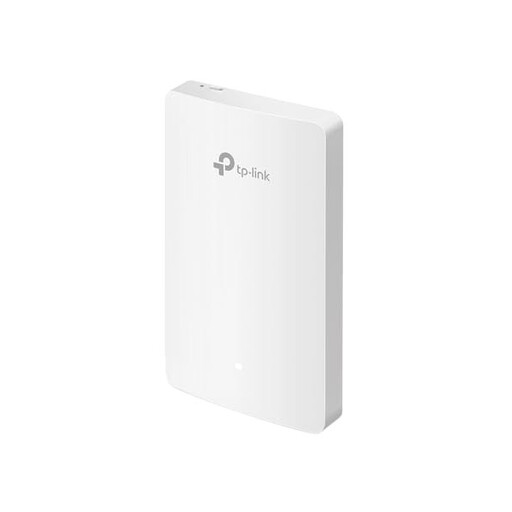 No image available
If there’s a LAN connection at your workshop space, a wired access point can provide Wi-Fi directly in that room.
The product title lists four Gigabit ports and a LAN speed of up to 1167 Mbps.
 No image available
If you want to replace your DSL router, check before buying that the device is compatible with your connection and the features you need.
It offers VDSL Supervectoring 35b, dual-band, FRITZ!Mesh, a DECT base station, VoIP telephony and four Gigabit LAN ports.
 No image available
If you can connect an access point via Ethernet, this model is an option for adding another Wi-Fi access point.
It offers dual-band Wi-Fi, a 2.5GbE port and PoE+. Make sure you account for the PoE power supply required during installation.
Compare the connection at your workshop space with a LAN connection or one close to the router. The German Federal Network Agency’s broadband measurement tool lets you compare your connection’s actual data rate with the rate set out in your contract; replacing the router won’t fix an internet connection that’s too slow.
Not without checking first: the node also needs a sufficiently strong connection to the rest of your network. Check the backhaul signal at the planned location; if a suitable LAN connection is available, you may be able to connect a compatible node by cable instead.
devolo recommends plugging its powerline adapters directly into a wall socket rather than using a multi-socket extension lead or an extension cable. It also lists nearby power supplies and dimmer switches as possible sources of interference. Test the connection using the sockets you plan to use and take account of possible sources of interference nearby.
As well as choosing a router with the right connection type, allow time for setup, configuration and updates. The Verbraucherzentrale notes that if you use your own router, you’ll need to take care of these tasks yourself.