Long-form writers
If you write long chapters, you’re more likely to focus on a typing feel that suits your desk and the level of noise around you than on extra features.


Choose a keyboard to suit the way you work at your desk. For long writing sessions, low-profile scissor switches are worth considering, while easily accessible navigation keys and, where useful, customisable key mappings can help when you revise frequently. If you’re looking for a different hand position, weigh up the adjustment period and space required for a split layout. Manufacturers’ noise claims are not comparative measurements.
If you write long chapters, you’re more likely to focus on a typing feel that suits your desk and the level of noise around you than on extra features.
If you often move between drafts, comments and passages of text, consider navigation keys and, if needed, keys you can customise.
During long writing sessions, the keyboard’s shape, mouse position and space for your arms can all affect how you set up your workspace. The Federal Institute for Occupational Safety and Health recommends allowing enough room to arrange your keyboard, mouse and arm support flexibly.
Start by deciding which tasks shape your writing and revision sessions. Then check the layout, connection and form factor of the specific model you’re considering.
| Buying criterion | What to look for | Who is it important for? |
|---|---|---|
| Key feel and noise | Check the key mechanism and noise level of the specific model. Don’t treat manufacturers’ claims as comparative noise measurements. | When I write several chapters in one sitting, a comfortable typing feel that suits the noise level of my workspace matters to me. Around 36 % of consumers prioritise key feel and quiet operation. |
| Navigation and notes | Look for dedicated navigation and arrow keys. If you use macros or custom shortcuts, check compatibility with your software and operating system. | When I often switch between drafts, comments and passages of text, I want to reach them directly and assign recurring tasks to keys if needed. Around 29 % of consumers prioritise navigation and revision. |
| Hand position and space | Allow room for your keyboard, mouse and arm support; try a split keyboard if possible. The Federal Institute for Occupational Safety and Health recommends a flexible workstation layout. | When I sit for long periods, I want to position my keyboard and mouse to suit my space and hand position. Around 21 % of consumers pay particular attention to hand position and desk space. |
| Connection and switching between devices | Check whether the specific model uses Bluetooth or a USB receiver, how many devices it can connect to and what type of power supply it needs. | When I work on drafts and notes across different devices, I want to switch between them without unnecessary steps. Around 14 % of consumers prioritise switching between devices. |
Layout, connection and what’s included can vary within a product family. An ISO label alone doesn’t confirm a German key layout.
Compare the full model name, the specific German layout, the connection and what’s included with the model you’ve chosen.
Perixx notes that it can take time to get used to the PERIBOARD-512. A split keyboard also doesn’t replace a properly arranged workspace.
Check that the shape and size suit your desk, and allow time to adjust. Don’t assume the design will prevent discomfort.
Adjusting to the layout can take time; a wider keyboard may also need more desk space.
A smaller keyboard may have fewer keys within easy reach, and wireless models vary in their connection and power supply.
Before choosing, make a note of which keys you use regularly, how many devices you connect and whether Bluetooth or a USB receiver suits your workspace.
Depending on the model, you may also need to recharge it or replace the batteries.
The STREAM range includes low-profile wired TKL and wireless full-size models.
The MX Keys S is a low-profile keyboard with backlighting and customisable actions; the ERGO K860 belongs to a different, split-keyboard range.
The K8 Pro is a mechanical ISO keyboard. The manufacturer lists a German layout option, among others.
The PERIBOARD-512 is a wired, split-layout alternative for writers considering a different hand position.
The HP 975 is a wireless multi-device keyboard with backlighting and programmable shortcut keys.
The German QWERTZ version of the KB700 is a full-size multi-device keyboard.
The Joybuy options below include low-profile scissor keyboards and wireless multi-device models. Pay close attention to the stated keyboard layout: several models are described as QWERTY rather than German QWERTZ.
 No image available
A compact option if you switch between several devices and want to use a wireless mouse as well.
Bluetooth, 2.4 GHz receiver and USB-C charging; connects to up to three devices. Compatible systems listed include Windows, Android and iOS.
 No image available
A low-profile scissor keyboard for a wireless workspace, if the stated layout suits your needs.
CHERRY SX scissor keys, 2.4 GHz wireless connectivity and USB-C charging. The product name specifies EU QWERTY, not German QWERTZ.
 No image available
A compact multi-device keyboard if you switch between devices and prefer a smaller keyboard.
The description lists up to four connections, SX scissor keys and a rechargeable battery. The layout is specified as UK English QWERTY.
 No image available
A wired scissor keyboard in a TKL format if you don’t need a number pad.
CHERRY SX scissor keys and six multimedia keys. This version is specified as an English US layout with a euro symbol.
 No image available
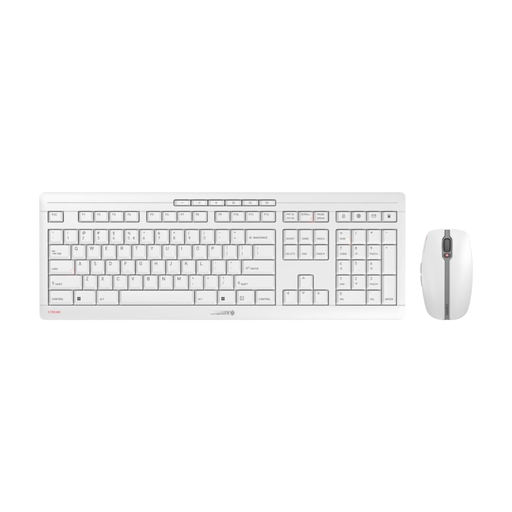
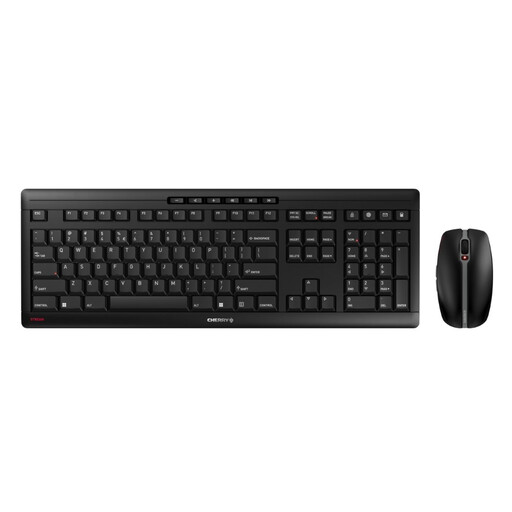
A wireless keyboard and mouse set for a dedicated writing space, if the US layout suits your workflow.
2.4 GHz wireless connectivity, USB-C charging, CHERRY SX scissor keys and ten hotkeys. The included mouse has six buttons and a DPI switch. The keyboard is specified as a US layout.
No. QWERTZ isn’t a general requirement; what matters is whether the labels and key positions suit the way you work. Check the specific version: ISO models can have layouts for different countries, and EU QWERTY is not the same as German QWERTZ.
Allow enough space for your keyboard, mouse and arm support. In its September 2020 publication, the Federal Institute for Occupational Safety and Health recommends an individually suitable arrangement for computer work. This does not mean that a particular keyboard is guaranteed to prevent discomfort.
Only if you actually want to assign recurring entries or commands to keys. CHERRY lists macros and text insertion for CHERRY KEYS and specifies Windows support; for the Keychron K8 Pro, the manufacturer lists QMK/VIA. Check that the specific keyboard is compatible with your writing software.
For faulty goods bought from a trader, statutory consumer rights generally apply. Your Europe states that for goods bought in the EU, the minimum is two years from receipt. These rights are different from a voluntary guarantee. For online purchases in Germany, the consumer advice centre generally allows a 14-day right to cancel from receipt; you must notify the seller that you wish to cancel.
ASR A6 does not make it a general requirement to buy a split keyboard for personal writing. The rule, published in July 2024, covers screen-based work in workplaces and certain teleworking settings, not personal use in general.