
Lieferung heute & morgen

Qualitätsgarantie

Willkommens-Angebote freischalten: KOSTENLOSE Lieferung | Bis zu 80 % RABATT | Kostenlose 30-Tage-JoyPlus-Testphase
App herunterladen
The launch of AMD Ryzen 9000 processors marks a new milestone for PC systems. To unleash the full potential of these CPUs, a suitable motherboard is essential. The X870E chipset was specifically designed for this new generation and forms the foundation for high-performance systems. This article serves as a guide to understanding the technical features of the new X870E motherboard generation and making an informed purchasing decision. We will present a selection of models and explain the key criteria for your choice.
Choosing the right motherboard is crucial for the stability, performance, and longevity of your system. Here are three key aspects to consider when selecting an AMD X870E motherboard.
A Ryzen 9000 motherboard must be able to provide a stable power supply for high-end CPUs, even under load. The Voltage Regulator Modules (VRM) are responsible for this. Pay attention to the number of phases and the quality of the components, such as Smart Power Stages (SPS). A robust power delivery system is especially important for overclocking ambitions and for the sustained operation of demanding applications. Correspondingly, an effective cooling solution with large heatsinks on the VRMs, chipset, and M.2 slots is crucial to prevent thermal throttling and ensure consistent performance.
The X870E chipset sets new standards in connectivity. A key feature is its broad support for the PCIe 5.0 standard. A PCIe 5.0 motherboard offers double the bandwidth of PCIe 4.0, which is relevant for both future graphics cards and extremely fast NVMe SSDs. Check whether both the primary x16 slot for the GPU and at least one M.2 slot support this standard. Furthermore, a motherboard with Wi-Fi 7 is a worthwhile investment for faster and more stable wireless connections. The X870E standard also mandates at least one 40 Gbps USB4 port, enabling ultra-fast data transfer with external devices.
The form factor determines the physical size of the motherboard and its compatibility with PC cases. ATX is the most common standard, while E-ATX (Extended ATX) offers more space for components but also requires a larger case. Before buying, consider how many M.2 slots for SSDs, SATA ports for additional drives, and PCIe slots for expansion cards you will need. A higher number of slots provides more flexibility for future upgrades.
Based on technical specifications and intended use cases, we have compiled a selection of MSI X870E motherboards. These models cover different user profiles, from enthusiast systems to professional workstations.
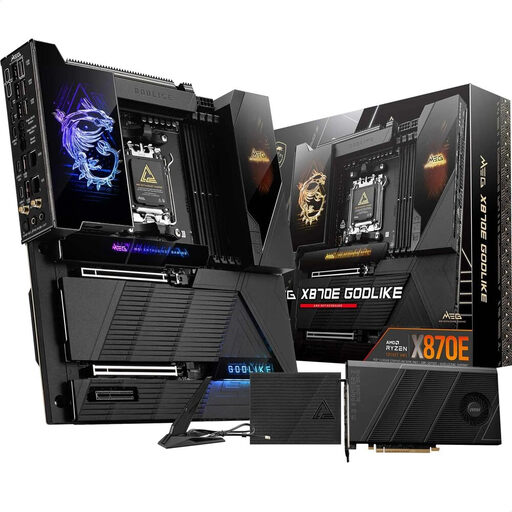
Why It Stands Out: The MSI MEG X870E GODLIKE is designed for maximum performance and an extensive feature set. It is aimed at users who refuse to compromise. Features like the 3.99-inch "Dynamic Dashboard III" LCD for system monitoring and its extreme power delivery set it apart from other models.
Advantages:
Who It's For: PC enthusiasts, hardcore gamers, and professional content creators who want to build a system with maximum performance, extensive overclocking options, and the richest possible feature set.
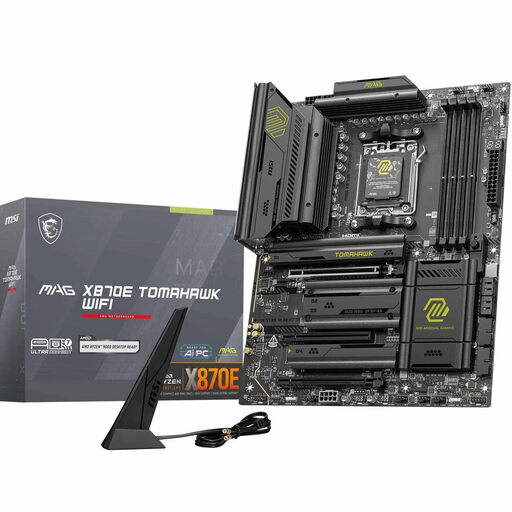
Why It Stands Out: The MAG X870E Tomahawk WIFI offers a balanced combination of high-end features and a design focused on the essentials. It provides a powerful platform for gaming and demanding applications without the extreme feature set of the GODLIKE model.
Advantages:
Who It's For: Demanding gamers and PC builders looking for a future-proof platform with PCIe 5.0, Wi-Fi 7, and robust power delivery, but who can do without extreme luxury features.
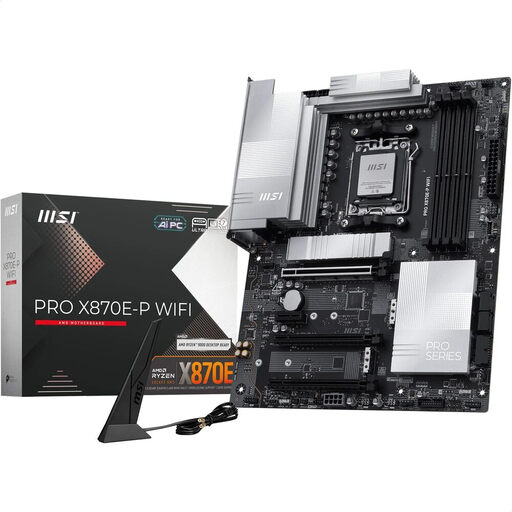
Why It Stands Out: MSI's PRO series focuses on stability and productivity for professional users and content creators. The PRO X870E-P WIFI combines a minimalist design with a powerful feature set for workstations.
Advantages:
Who It's For: Professional users, creators, and system integrators who need a reliable and powerful foundation for a workstation and value modern interfaces and longevity.
Haven't found the right model for your project in our selection? If you want to buy an AM5 motherboard that meets different requirements, you can find a wider selection in our main category.
? Discover more AM5 motherboards here
The main difference lies in the mandated PCIe 5.0 support. An X870E motherboard must provide PCIe 5.0 for both the primary graphics card slot (x16) and at least one M.2 storage slot. The X870 chipset is more flexible and does not necessarily guarantee PCIe 5.0 for both interfaces simultaneously, making it a potentially more cost-effective option that offers less maximum bandwidth.
No, not necessarily. AMD Ryzen 9000 processors are compatible with the AM5 socket, so they will also run on older 600-series motherboards (e.g., X670E, B650) after a BIOS update. However, an X870E motherboard offers advantages like native out-of-the-box support, the standard inclusion of USB4 and Wi-Fi 7, and often higher certified DDR5 clock speeds. For a new build, a motherboard from the 800-series is therefore the logical choice.
Wi-Fi 7 (802.11be) is the successor to Wi-Fi 6/6E and offers significant improvements. These include higher theoretical peak speeds, a doubling of the channel width to 320 MHz, and more advanced Multi-Link Operation (MLO), which allows devices to transmit and receive on different frequency bands simultaneously. This results in lower latency and a more stable connection, especially in environments with many competing Wi-Fi networks.