
Lieferung heute & morgen

Qualitätsgarantie

Willkommens-Angebote freischalten: KOSTENLOSE Lieferung | Bis zu 80 % RABATT | Kostenlose 30-Tage-JoyPlus-Testphase
App herunterladen
The quest for a setup that enables both immersive gaming and productive work often leads to compromises: large monitors aren't portable, and laptop screens offer limited space. A well-designed combination of XR glasses and matching accessories can break these boundaries. This article introduces a curated XR Glasses Gaming and Productivity Bundle designed to deliver flexibility and performance for your home office setup and gaming station. We will focus on the technical features and use cases to provide you with a solid basis for making an informed decision.
Assembling a high-performance XR system requires more than just selecting a pair of glasses. The following criteria are crucial for a seamless experience.
The heart of any pair of AR glasses is the display. Look for a high resolution (measured in p or ppi), high brightness (measured in nits) for daylight use, and a wide field of view (FOV). Models like the VITURE Luma Ultra set a high standard here with a 1200p display and 1500 nits of brightness. These specifications are crucial for sharp text when working with virtual screens and vibrant colours in gaming.
Precise tracking is essential for a true spatial experience. 6DoF (Six Degrees of Freedom) hand tracking allows you to move freely in your space and interact with digital objects using natural hand gestures. This technology is the foundation of spatial computing, where digital content is seamlessly integrated into your real-world environment. Check whether the glasses and their accompanying software support this functionality to unlock their full potential for productivity applications and immersive games.
A pair of XR glasses is only as good as its connection to other devices. A high-quality Baseus 100W USB-C Cable not only ensures fast charging but also enables data-intensive transmission of 4K video signals without delay. A stable internet connection is essential for online gaming and streaming. A TP-Link Ethernet Adapter provides a reliable wired alternative to Wi-Fi, which is particularly relevant for competitive gaming or as a Nintendo Switch 2 accessory to minimise latency.
Based on the criteria above, we have curated a selection of products that combine to form a powerful and versatile XR system.
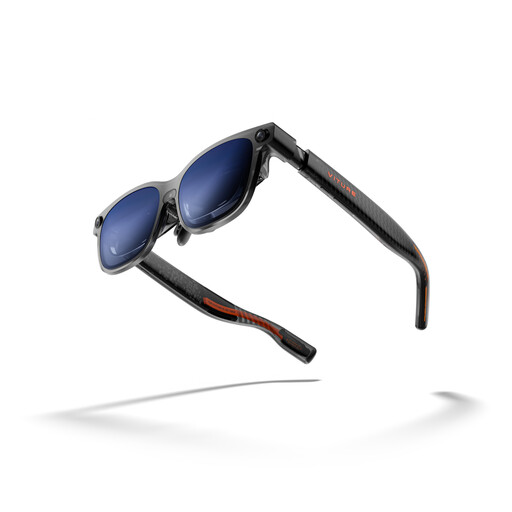
Why It Stands Out: The VITURE Luma Ultra is equipped with the latest Micro-OLED displays from Sony, which, according to the manufacturer, deliver a 1200p resolution and a peak brightness of 1500 nits. Its camera system, consisting of a front-facing RGB camera and two depth cameras, enables precise 6DoF hand tracking and spatial interactions. The real-time 2D-to-3D conversion software feature expands its use cases for streaming and gaming.
Benefits:
Who Is It For? For tech enthusiasts, gamers, and professional users looking for a portable multi-monitor setup or an immersive platform for consoles like the Nintendo Switch 2.
View the VITURE Luma Ultra on Joybuy.de
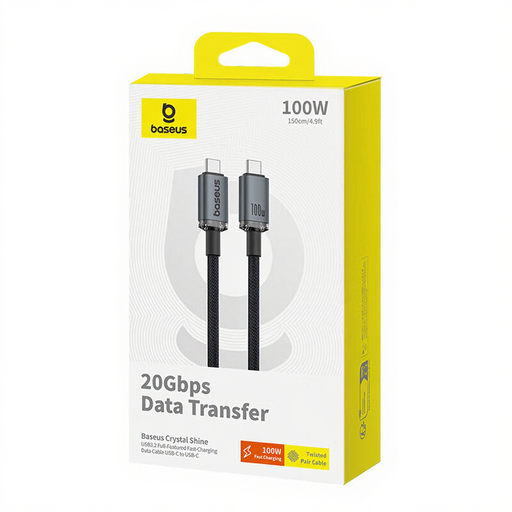
Why It Stands Out: This cable is designed for high-demand applications. With up to 100W of charging power and a 20 Gbps data transfer rate, it's an ideal companion for high-performance devices like the VITURE Luma Ultra, laptops, or modern smartphones. Support for 4K video transmission at 60 Hz ensures smooth image playback from external sources.
Benefits:
Who Is It For? For anyone who needs a reliable and fast connection between their XR glasses, laptop, tablet, or smartphone to avoid charging and data transfer bottlenecks.
View the Baseus USB-C Cable on Joybuy.de
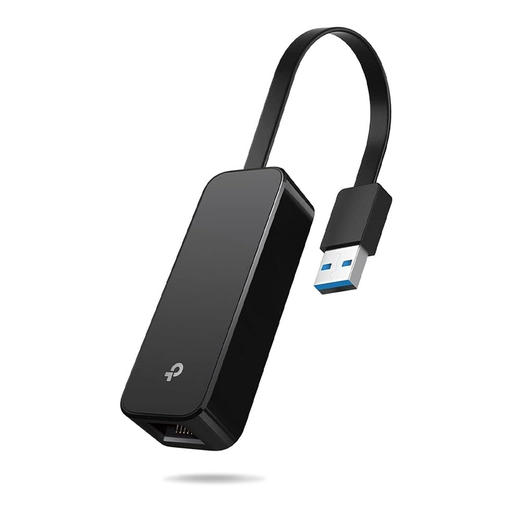
Why It Stands Out: The TP-Link UE306 offers a simple plug-and-play solution for a stable Gigabit Ethernet connection. Its foldable design makes it extremely portable, while its compatibility with the Nintendo Switch makes it a useful piece of gaming gear.
Benefits:
Who Is It For? For online gamers who prefer a low-latency connection and for users in environments with unreliable Wi-Fi who need a stable internet connection for work or entertainment.
View the TP-Link Ethernet Adapter on Joybuy.de
If you are looking for specific adapters or cables to complement your existing setup, you may find the right solution in our broader selection.
Explore our selection of USB to USB Adapters here.
XR (Extended Reality) is an umbrella term that encompasses Augmented Reality (AR), Virtual Reality (VR), and Mixed Reality (MR). AR glasses like the VITURE Luma Ultra overlay digital information onto the real world, allowing you to remain aware of your surroundings. VR headsets, in contrast, create a fully virtual environment that is completely isolated from the outside world.
While the glasses are the core component, the right accessories are crucial for unlocking their full potential. A high-performance USB-C cable ensures power delivery and a high data rate, while an Ethernet adapter provides a stable connection for online applications. Without these accessories, you might experience performance drops or functional limitations.
Setting up multiple virtual screens is enabled by the XR glasses' software, such as VITURE's SpaceWalker app. After connecting to a Mac or PC, users can arrange several separate desktops within their field of view via the app. This enables a productive home office setup where you can keep an eye on multiple applications simultaneously without needing physical monitors.