Label individual folders on the spot
If you only occasionally add a year and a short extra detail, you can enter the text directly on the device. The Brother PT-H110 and DYMO LabelManager 160 are examples of keyboard-operated models.


A keyboard label maker is a good fit if you want to label individual folders on the spot with changing years and short extra details. For repeat layouts, consider an app- or PC-controlled model. If you only need year numbers or want to create full-width spine labels, first look at pre-printed labels or labels you can print with a printer you already own. Before choosing, measure the usable spine area and check that the tape format, input method and consumables suit your needs.
If you only occasionally add a year and a short extra detail, you can enter the text directly on the device. The Brother PT-H110 and DYMO LabelManager 160 are examples of keyboard-operated models.
For labels you use repeatedly, it’s important to choose between short tape labels and designed folder-spine labels. Brother offers app- and PC-controlled models, while HERMA sells printable folder-spine labels.
If you mainly need year numbers or already have a suitable printer, pre-printed or printable labels can be an alternative to a label maker. Avery Zweckform offers labels with pre-printed year numbers.
A good fit if: You want to label individual folders on the spot without a mobile phone or PC.
Worth noting: Narrow tape labels are not a substitute for a full folder-spine label; TZe and D1 tapes are different systems.
A good fit if: You want to create repeat labels on a mobile device or computer. The Brother PT-P300BT is operated via an app; the PT-P710BT also supports design on a computer.
Worth noting: Your chosen input method requires a suitable mobile device or, for a PC workflow, a computer. A wider tape is not automatically a full folder-spine label.
A good fit if: Pre-printed labels may be enough if you only need year numbers; with a suitable printer, you can also create spine labels with additional details.
Worth noting: Pre-printed year numbers don’t allow you to create a title of your own. Printable labels need to be the right size and require a suitable printer.
| Buying priority | What to check | Who is this important to? |
|---|---|---|
| Fit and readability | Measure the usable spine area and decide how much text you need. Brother lists tapes up to 12 mm for the PT-H110 and up to 24 mm for the PT-P710BT; HERMA gives the size of its 5121 spine label as 157 × 61 mm. | If the year and a short extra detail need to fit clearly on the folder, I measure the usable space first. Around 31% of consumers put fit and readability first. |
| Avoid an unnecessary device | Check whether pre-printed year numbers will do, or whether you need to add changing subject details. Avery Zweckform offers labels with pre-printed year numbers. | If I only need to label a few folders with a year, I don’t want to buy a device just for that. Around 25% of consumers prioritise a simple solution that doesn’t require an additional device. |
| Repeatable designs | Check that the design method and label format are right for you: Brother lists app control for the PT-P300BT and computer use as an additional option for the PT-P710BT; Avery Zweckform provides templates for folder-spine labels. | If several folders need to follow the same design, I want a process I can repeat. Around 25% of consumers prioritise consistent labels across a series. |
| Tape and consumables | Check the model, tape family and width: the Brother P-touch models mentioned use TZe tapes, while the DYMO LabelManager 160 uses D1 cassettes. For DYMO, also check the specific version and power supply included. | If I plan to use the device regularly, I want to check in advance that the right refill tapes are available. Around 19% of consumers focus on material compatibility and ongoing costs. |
A narrow tape doesn’t offer the same space as a spine label. If the year and extra text won’t fit clearly on the spine, a suitable spine label may be a better option for your design.
First measure the usable spine area and decide whether you need to add a year and short title or design the whole spine.
Depending on the design you want, you may also need suitable spine labels or a different tape format.
Brother lists TZe tapes for the P-touch models covered here, while the DYMO LabelManager 160 uses D1 cassettes. A cassette for one system won’t necessarily fit the other device.
Check the supported tape family and width against the full model name.
Cassettes for the wrong system can’t be used with the device you have.
Pre-printed year labels may be enough if you only need to mark folders with a year, but they don’t let you add subject details of your choice.
Before you buy, consider whether you need to change the details and whether the format and year on the ready-made labels are right for you.
If pre-printed labels are all you need, you may not need to buy an additional device and consumables for this purpose.
A year on the spine doesn’t determine when documents can be destroyed. Under § 147 AO, tax record-keeping periods depend on the type of document and the applicable start date for the relevant period.
Make the year and, where relevant, document type easy to read. Check record-keeping requirements separately, based on the documents inside and the regulations in force.
Depending on the model, P-touch devices offer keyboard, app or PC input.
The LabelManager 160, sold in Germany, is a keyboard-operated alternative for short D1 tape labels.
HERMA 5121 is a printable A4 folder-spine label, not a standalone label maker.
The brand offers pre-printed year numbers and templates for printable folder-spine labels.
Leitz EasyPrint offers browser-based design for labels and dividers.
The following Joybuy products are designed for app- or Bluetooth-based label creation. They may suit you if you want to create labels using a connected mobile device or, depending on the model, a computer.
 No image available
For repeat folder labels when you want to create text in the Print Master app and print via Bluetooth.
The description lists iOS and Android support, label widths of 20–50 mm and batch printing via the app.
The description also lists a rechargeable device.
 No image available
For custom labels when you want to prepare your designs on a mobile device, tablet or PC.
The description lists Bluetooth and the Print Master app, as well as printing on labels and gift ribbon.
The Print Master app is required for the app-based operation described.
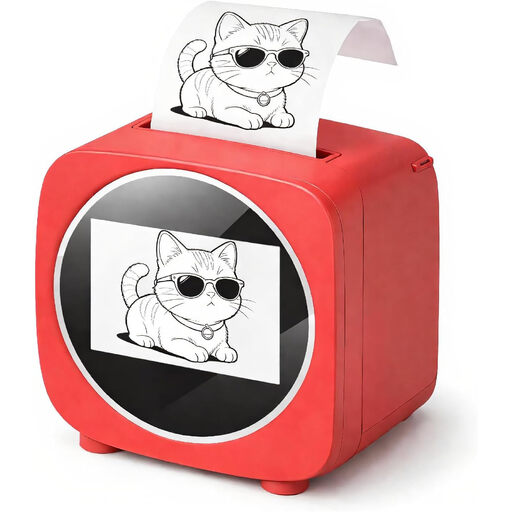 No image available
For app-designed labels when you want to use templates in the Tiny Print app.
The description lists thermal printing, a 2.4-inch colour display and included thermal paper.
The Tiny Print app is required for the app-based operation described.
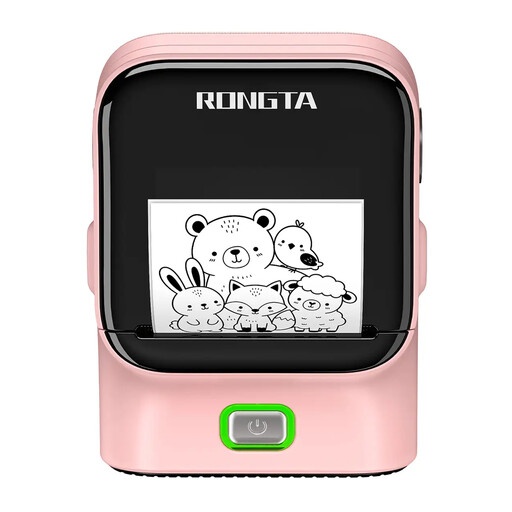 No image available
For labels when you want to create text in a smartphone app and print via Bluetooth.
The description lists Bluetooth, USB, thermal printing, a 48 mm print width and 203 DPI.
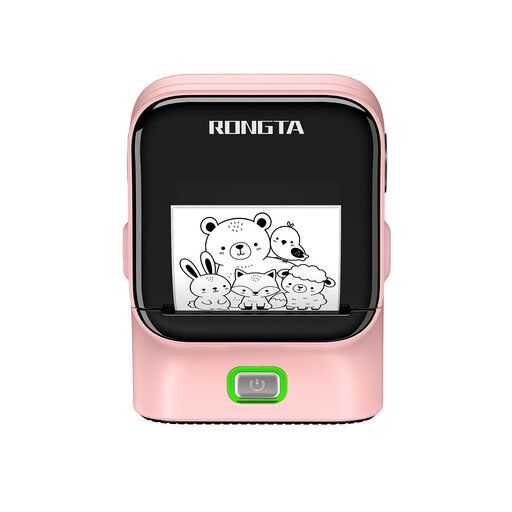 No image available
For app-designed labels when you want to use templates and fonts on a smartphone or tablet.
The description lists media widths of 16–54 mm, a USB-C battery, and printing on labels and continuous paper.
The wireless operation described uses the Rlabel app via Bluetooth.
Measure the usable spine area and decide whether you need a short year label or a full title. Brother lists tapes up to 12 mm for the PT-H110 and up to 24 mm for the PT-P710BT; HERMA gives the spine-label size for model 5121 as 157 × 61 mm.
Choose a label format that fits your folder and use a suitable template as the basis for your design. Avery Zweckform explains how to choose a template, design printable spine labels and preview them before printing.
Check the tape family and supported width for the exact model: Brother lists TZe tapes for the P-touch devices covered here, while the DYMO LabelManager 160 uses D1 cassettes. For the listing you’re considering, also check the version, what’s included and the power supply; Brother provides support and manuals for the PT-H110.
No. Under § 147 AO, tax record-keeping periods depend on the type of document; the law specifies periods of ten, eight or six years and sets out when each period begins. The Federal Ministry of Justice and the Federal Office of Justice publish the legislation on the ‘Gesetze im Internet’ portal. A year on a folder doesn’t replace classifying the documents or checking whether a record-keeping requirement still applies.
§ 147 AO doesn’t require you to buy a particular label maker. The law covers the retention of the documents it specifies; the applicable record-keeping requirements still apply.